
LinkedIn quietly became one of the largest daily puzzle platforms on the internet, and most professionals still haven’t noticed.
As of May 2026, more than 3.5 million people log into LinkedIn Games every day up from roughly 2 million at the start of the year. The lineup has grown from the original three games at launch (Pinpoint, Crossclimb, Queens) to seven daily puzzles, with Patches being the most recent addition. LinkedIn is now openly competing with the New York Times’ puzzle empire, and the strategy is working better than most people realize.
If you’ve been ignoring the “Play Games” button under your LinkedIn notifications, this guide is for you. We’ll cover all seven daily puzzles, the strategies that actually move you up the leaderboard, the honest answer to the “is there an unlimited LinkedIn Games version” question, and whether any of this is worth a single minute of your day.
What LinkedIn Games Actually Are
LinkedIn Games is a collection of seven free daily puzzles built directly into the LinkedIn platform. Each game resets every day at midnight Pacific Time that’s 3:00 AM Eastern, 8:00 AM UK time, 9:00 AM Central Europe, and 12:30 PM in India. You get exactly one shot per game per day. No replays, no take-backs, no second tries.
LinkedIn launched the games in May 2024, taking a direct page from the NYT Games playbook (which now generates an estimated $100+ million annually from Wordle, Connections, and the Spelling Bee). The pitch is simple: instead of doomscrolling LinkedIn for 10 minutes, spend that time solving a puzzle, share your result, and start a conversation with your connections.
You can play at linkedin.com/games on desktop, or by searching the game name on the LinkedIn mobile app. There’s no central games hub in the mobile app — you have to literally search “Tango” or “Queens” by name to find them. That’s a minor UX failure LinkedIn has yet to fix, and it’s probably the biggest reason mobile players give up the streak first.

The 7 LinkedIn Games (Complete 2026 Lineup)
| # | Game | Type | Avg Time | Difficulty |
|---|---|---|---|---|
| 1 | Pinpoint | Word association | 30s – 3 min | Medium |
| 2 | Tango | Logic grid | 2 – 5 min | Medium |
| 3 | Queens | Spatial logic | 2 – 8 min | Hard |
| 4 | Crossclimb | Word ladder + trivia | 3 – 6 min | Medium |
| 5 | Zip | Path puzzle | 1 – 4 min | Easy–Medium |
| 6 | Mini Sudoku | 6×6 number grid | 2 – 5 min | Easy–Medium |
| 7 | Patches | Pattern matching | 1 – 3 min | Easy |
Total time investment if you play all seven: roughly 12 to 20 minutes per day. Most regular players end up doing two or three consistently, not all seven.
Now let’s break down the actual strategies for each game.
Pinpoint — The Word Association Game
Pinpoint shows you five words one at a time. Each word is connected to a hidden category. Guess the category in as few clues as possible fewer clues used means a higher score.
The trap: Most people guess too early. The first clue is intentionally vague (often a generic word like “Fence” or “Corn”). Guessing on clue 1 or 2 is almost always a low-percentage move unless the connection is screamingly obvious.
Strategy: Wait until clue 3 to commit to a guess, unless you spot a connection so specific it could only mean one thing. The scoring penalty for using an extra clue is small. The penalty for a wrong answer is much larger.
Common category patterns: Words that share a hidden prefix (like everything coming after “uni-“), things that share a function (“things that separate properties”), pop culture connections, geographic patterns. Train yourself to think laterally — Pinpoint loves wordplay over literal meaning.
Tango The Sun and Moon Logic Puzzle
Tango is played on a 6×6 grid. You fill empty cells with either a sun or a moon, following three rules:
- No more than two of the same symbol in a row, column, or in adjacent cells.
- Each row and column must contain exactly three suns and three moons.
- Cells connected by an,sign must contain the same symbol; cells connected by an
×sign must contain opposite symbols.

Strategy: Don’t start filling random cells. Start by counting. If a row already has three suns prefilled, every remaining cell in that row must be a moon that’s three free cells solved. The = and × constraints are your second priority because they let you chain logic across multiple cells in one move.
Common mistake: Ignoring the “no three in a row” rule until it’s too late. Always scan for sequences of two before placing a third symbol.
Tango is the game where solving speed improves the most with practice. Most players cut their time in half within the first two weeks of daily play. If you only have patience for one logic game, this is the one to commit to.
Queens—The Hardest One in the Lineup
Queens is played on an 8×8 or 9×9 grid divided into colored regions. You place one queen per row, one per column, and one per colored region. Queens cannot be adjacent to each other (including diagonally).
Strategy: Start with the most constrained regions. A region with only one or two possible cells is your starting point place that queen first, then mark off the entire row, column, and all adjacent cells. The puzzle solves itself in cascades once you find the right opening move.
Pro move: Use elimination, not deduction. Instead of asking “where does this queen go?”, ask “where can this queen NOT go?” Mark every impossible cell with an X. The valid cells will emerge naturally.
Why it’s hard: Queens is rated “Hard” on roughly 40% of days, and weekend puzzles are notoriously brutal. If you’re brand new to LinkedIn Games, start with Tango or Pinpoint first and add Queens after you’ve built some confidence. Going straight to Queens on day one is the fastest way to give up on the whole platform.
Crossclimb—Trivia Meets Word Ladder
Crossclimb gives you five trivia clues, each with a four- or five-letter answer. After solving them, you arrange the words into a ladder where only one letter changes between consecutive rungs. Then a final two-word answer unlocks at the top and bottom.
Strategy: Solve the trivia first, the ladder second. Don’t try to do both at once your brain will lock up. Each clue is solvable independently, so just get all five words on paper (or in your head) before worrying about the order.
Letter-change trick: Once you have all five answers, look for the word that shares the most letters with two others. That’s usually a middle rung. Build outward from the middle, not from the ends.
The bonus pair: The final clue is a two-word phrase. Common patterns are compound words (FIRE + BALL = FIREBALL), idioms (“PARTY LINES”), or food pairings (“STEW + SOUP”). It’s almost always thematic and connects loosely to one of the words in the ladder.
This is the game LinkedIn most aggressively cross-promotes because the social-sharing potential is high. People screenshot the completed ladder and post it as “today’s brain teaser” — exactly what LinkedIn wants.
Zip—The Path Puzzle
Zip gives you a grid with numbered points scattered across it. Draw a single continuous line that visits every numbered point in order, covers every cell in the grid, and never crosses itself.
Strategy: Plan from the most constrained corners first. If a corner cell has only one connecting cell, your path must enter that corner through it that’s a forced move. Start from those forced moves and work inward toward the open areas.
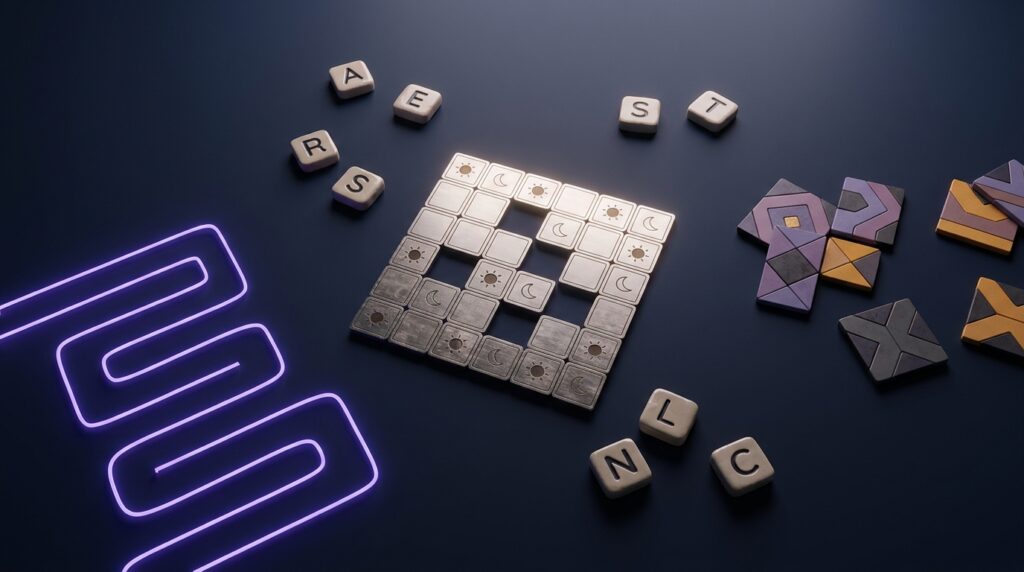
Speed tip: Zip is the fastest game in the lineup for most players typically under two minutes once you have the technique. The “Hard” rated puzzles aren’t harder because of logic; they’re harder because of branching choices. Reduce branches by solving forced moves first, and the hard puzzles become medium ones.
If you only have time for one LinkedIn game per day, Zip gives you the most consistent return on the time you invest.
Mini Sudoku — The Quick One
Mini Sudoku is a simplified version of classic Sudoku played on a 6×6 grid (instead of 9×9) using the numbers 1–6. Rules are exactly the same each row, column, and 2×3 box must contain each number exactly once.
Strategy: Scan each row, column, and box for “naked singles” cells where only one number is possible. Then look for “hidden singles” numbers that can only fit in one cell within a given row or box.
If you’ve ever solved a Sudoku before, Mini Sudoku will feel almost relaxingly simple. If you haven’t, this is the easiest entry point into number puzzles on the platform.
Honest take: Mini Sudoku is the least interesting game in the lineup because it has the least personality. There’s no clever wordplay or thematic twist it’s just Sudoku, smaller. Skip it if you’re short on time and your streak doesn’t depend on it.
Patches,The Newest Addition
Patches is the most recent game LinkedIn added, joining the lineup in early 2026. You’re given a grid with colored “starter” patches and asked to expand each one into a specific shape (rectangle, square, L-shape) without overlapping with any other patches.
Strategy: Start with the largest patches. They have the fewest possible placements on the grid. Small 1×2 or 1×3 patches have more flexibility and can fill gaps later in the puzzle.
Common pattern: Most Patches puzzles have one or two “anchor” shapes that almost solve the entire grid by themselves. Find those first usually they’re the largest rectangles or the patches in the most constrained corners.
Patches has been criticized for being too easy in its early weeks most players solve it in under 90 seconds. LinkedIn appears to be ramping up the difficulty in May 2026, with several recent puzzles requiring genuine multi-step planning. Expect this game to get meaningfully harder over the next few months.
The “Unlimited LinkedIn Games” Question
This is one of the most-searched LinkedIn Games questions, so let’s answer it honestly instead of dancing around it like most guides do.
No, LinkedIn does not offer unlimited rounds. Each of the seven daily games gives you exactly one puzzle per day, which resets at midnight Pacific Time. Once you complete (or fail) a puzzle, that game is locked for you until the next day’s reset.
Tutorial rounds are one-time only. First-time players get a tutorial puzzle instead of the live daily puzzle. After that one tutorial, you only get the live daily puzzle going forward no practice mode, no warm-up rounds.
Workarounds for unlimited practice:
- Independent fan sites like FW Gaming offer unlimited Queens-style and Tango-style puzzles
- Mobile apps like “Queens Game” and “Tango Puzzle” replicate the experience with unlimited rounds (both free and paid versions exist on the App Store and Google Play)
- The NYT Games subscription ($5/week, or about $260/year) gives unlimited access to Wordle, Connections, the Mini Crossword, Spelling Bee, and Strands
That last point is worth pausing on. NYT charges $260 a year for puzzle access. LinkedIn gives you the same core daily-puzzle experience for free in exchange for keeping you engaged on their platform. Whether that’s a generous freebie or a clever attention play depends on how you value your time and data. The same trade-off shows up across the internet for example, AI agents that replace paid subscription tools can quietly save you hundreds a year if you swap monthly fees for free or one-time-purchase alternatives. LinkedIn Games is, in a sense, the same business model in reverse: free product, monetized attention.
Streak Strategy,How to Not Lose Your Run
LinkedIn tracks your streak individually for each game. Miss a single day on one game, and that game’s streak resets to zero (other games keep their streaks independently). Here’s how to protect a long streak:
Set a reminder for your time zone:
- US East Coast: Play before 3:00 AM ET (the daily reset hits at midnight Pacific)
- US West Coast: Play before midnight PT
- UK: Play before 8:00 AM GMT
- India: Play before 12:30 PM IST
- Central Europe: Play before 9:00 AM CET
Use the LinkedIn mobile app for “emergency” sessions. If you forget at home, you can still play during a commute or lunch break. The mobile experience is functional, though less polished than desktop. Search the game name in the LinkedIn search bar there’s no central mobile hub.

Don’t start a puzzle you can’t finish. Starting a game and abandoning it without submitting still counts as a “missed” day for that game. If you only have one minute available, prioritize the fastest game (Zip or Patches) before opening anything else that requires real thinking.
Holiday warning: The reset doesn’t pause for holidays or weekends. Travel disruption, long flights, and time zone changes are the most common streak killers. Plan ahead if you’re flying internationally.
So, Should You Actually Bother?
This is where most LinkedIn Games guides cop out and say “they’re fun, give them a try!” Let’s be more honest than that.
Play LinkedIn Games if:
- You already check LinkedIn daily for work adding 5 minutes of puzzles is essentially free time
- You want a low-friction alternative to social media scrolling
- You’re trying to build a small daily “brain warm-up” habit, the way some people use morning crosswords
- You enjoy lightweight competitive sharing with your professional network
- You commute and want something to do that isn’t another endless feed
Skip LinkedIn Games if:
- You don’t already use LinkedIn the games aren’t worth creating a profile for
- You already do NYT Games, Apple News+ puzzles, or other daily puzzles there’s a sharp diminishing return on adding a third source
- You’re actively trying to reduce screen time, not add more to it
- You’ve tried them for two weeks and felt nothing that’s a real signal, not a personal failure
The most useful framing: LinkedIn Games are a small productivity ritual, not a hobby. They work for people who want a tiny structured break inside an existing routine especially one that already includes the AI tools and productivity stack we’ve covered before. They don’t work for people looking for a deep gaming experience or a meaningful entertainment investment.
The Bigger Picture
LinkedIn Games are part of a much larger trend: every major platform is trying to become a daily-habit destination. Spotify added concert recommendations. Instagram added private friend notes. YouTube added Shorts. LinkedIn added puzzles. Each of these is an engagement tactic dressed up as a feature.
That’s not inherently a bad thing. The puzzles really are well-designed. The strategies above really do work. Several of the seven games.Tango, Queens, and Crossclimb especially are among the better daily puzzles on the internet right now.
But the honest read is this: LinkedIn wants you to open the app every single day, and games are a sticky, low-effort reason to do it. If that aligns with how you already use LinkedIn great, the games are a genuine value add to your routine. If you find yourself playing LinkedIn Games specifically to feel productive while procrastinating, the platform is winning a battle you didn’t realize you were fighting.
Play if you want. Skip if you don’t. The streak doesn’t matter as much as the algorithm wants you to think it does.
About This Guide
This guide is based on hands-on play of all seven LinkedIn Games puzzles, public solution archives from FandomWire and TechWiser through May 2026, and LinkedIn’s own product announcements about the games’ design and rollout. Game features, lineup, and daily reset times may change verify the current state at linkedin.com/games before relying on this guide for streak strategy. All player count figures referenced are LinkedIn’s own publicly reported numbers.

Continue Reading on CripsyWire
For more US tech news, see our full news section. Many launches have detailed reviews in reviews and comparisons. AI launches live in AI tools and agents, phone launches in smartphones, and wearable launches in wearables. Step-by-step coverage of new product features lives in how-to guides. Start at the CripsyWire homepage, all part of our Tech coverage.