
I have spent the last 14 months testing AI productivity tools the way most people probably should — by cancelling one subscription every time I add a new one. My paid stack of best AI productivity tools right now is six. A year ago it was seventeen.
If you are here, you have seen the lists. The 30-tool roundups. The “game-changing” pitch decks. The same five large language models repackaged across different headlines. Most guides about productivity tools do not tell you the truth about what to actually pay for in 2026, because they are optimising for SEO breadth, not your wallet.
This is not that.
What follows is eleven AI productivity tools I personally rely on — split into three honest categories: productivity tools that have genuinely changed how I work, productivity tools I keep because every alternative is worse, and one or two sleepers that punch far above their price tag and almost nobody is talking about. I will tell you what each one costs in US dollars, where it shines, and where it disappoints. At the end, I will lay out three lean stacks for three kinds of workers so you can stop guessing and start working.
One note before we dig in: I am writing this from the perspective of a solo operator and small-team work. If you are running a 200-person enterprise, your needs are different and most of this still applies, but Microsoft 365 Copilot probably matters more to you than it does to me.
Quick definition for anyone new to the space: AI productivity tools are software products that use machine learning models to help you finish tasks faster — writing, scheduling, summarising meetings, automating workflows, building presentations, or pulling research together. The good ones save real hours every week. The bad ones just feel impressive in the demo.
What you will find on this page
- How I picked these eleven (and what I cut)
- The 2026 stack at a glance (comparison table)
- Eleven AI productivity tools, reviewed honestly
- Three stacks for three kinds of workers
- AI productivity tools that are not worth it yet
- Common mistakes when building your stack
- Expert tips from 14 months of testing
- FAQs and final verdict
How I picked the best AI Productivity tools (And what I threw out)
Three rules ran the selection of these productivity tools:
- It has to save real, measurable time. If I cannot point to at least three hours saved per week, the subscription gets cancelled. “It feels nice to use” is not a productivity gain. I have cut tools that felt magical because the actual time savings vanished when I logged my hours honestly.
- It has to survive the 30-day novelty cliff. Every new AI tool feels incredible in week one. The real test is whether I am still opening it in week five. About 80% of tools I trial fail this test quietly.
- The price has to match my volume. A $50 a month tool that saves four hours weekly is a steal. A $50 a month tool I open twice a month is a waste, even if it is technically powerful. Cost only matters relative to use.
Things I deliberately ignored when building this list: hype cycles, influencer endorsements from people clearly being paid, “AI agent” demos that look amazing but break on the second real prompt, and tools that exist mostly to wrap an existing model with a worse interface and a higher price tag.
The 2026 AI Productivity Stack at a Glance
Here is the quick view. Detailed reviews follow below.
| Tool | Best For | Price (US) | Where It Shines | Where It Disappoints |
| Claude (Pro) | Long writing, reasoning | $20/mo | Holds context, follows instructions | Slower image generation |
| ChatGPT Plus | Everyday assistant | $20/mo | Voice mode, image gen, plugins | Verbose; over-confident |
| Perplexity Pro | Research with sources | $20/mo | Cites everything, fast | Weaker for creative tasks |
| NotebookLM | Reading source-locked | Free | Won’t hallucinate beyond your docs | No general chat |
| Notion AI | In-workspace AI | $10/mo add-on | Where your notes already live | Generic outside Notion |
| Motion | Auto-scheduling | $19/mo | Rebuilds calendar around priorities | Pricing climbs fast |
| Granola | Meeting notes | $14/mo | Records without joining the call | Mac/Windows only |
| Zapier | Workflow automation | $19.99+/mo | Connects 7,000+ apps | Steep at higher tiers |
| Gamma | Presentations | $10/mo | Decks in minutes from prompt | Aesthetics can feel samey |
| Cursor | Code (even light) | $20/mo | AI-native code editor | Overkill for non-devs |
| Raycast Pro | Mac power tools + AI | $8/mo | Hotkey-driven, fast | Mac only |
Total cost if you bought all eleven: roughly $191 a month. Nobody should buy all eleven. The “Three Stacks” section further down shows what a real working setup looks like for around $50 to $60 a month.
The Eleven AI Productivity Tools, Reviewed Honestly
Claude Pro,$20 per month
Claude is the LLM I now use for any task longer than a paragraph. Among general-purpose AI productivity tools, Anthropic’s model holds onto context better than any other I have tested, and it follows complex instructions more completely than ChatGPT does, especially when I am drafting something where tone matters.
Where it shines: long-form writing, document analysis, anything that requires reading 30 pages and then producing something coherent. The Artifacts feature lets you iterate on writing, code, or simple web pages in a side panel that updates as you talk. For a one-person content operation, that is genuinely transformative.
Where it disappoints: image generation is still nowhere near what ChatGPT or Gemini produce, and Claude can be slow when servers are under load. If you live in voice mode, ChatGPT wins on that specific feature.
ChatGPT Plus,$20 per month
Still the most flexible entry across all the big AI tools for productivity, and the one I open when I need something that mixes modalities. Voice mode for thinking out loud during walks. Image generation when I need a quick visual mockup. Code interpreter when I need to crunch a small CSV without opening Python.
Where it shines: jack-of-all-trades work, voice conversations that actually feel useful, and the gigantic plugin ecosystem if you remember to use it.
Where it disappoints: ChatGPT is verbose by default and will happily fabricate citations if you push it on factual research. For anything that needs sources, Perplexity is a better choice and I switch over without thinking.
Perplexity Pro,$20 per month
When I want a researched answer with actual citations, Perplexity is the only one of the popular AI productivity tools I trust to behave. It searches the web in real time, synthesises an answer, and shows you the sources it pulled from. For tech journalism, that is the difference between something publishable and something I would have to fact-check from scratch anyway.
Where it shines: research, fact-finding, anything where “where did you get this number” needs an answer.
Where it disappoints: creative writing feels stilted because Perplexity is built to summarise sources rather than think with you. For drafts, switch to Claude.

NotebookLM (Google) ,Free
The most underrated entry on any 2026 list of best AI productivity tools. NotebookLM lets you upload up to 50 sources (PDFs, web pages, Google Docs, YouTube transcripts) and then chat with that specific set. It will not hallucinate beyond what you uploaded, which makes it perfect for studying a research field, reviewing your own past work, or briefing yourself before a meeting.
Where it shines: anything where you have a defined corpus and need answers grounded in only those documents. I dump every article I have written for the year into a notebook and use it as my memory.
Where it disappoints: no general chat, no creative mode. It is purpose-built and stays in its lane. The audio overview feature is a fun party trick but I rarely use it for real work.
Notion AI ,$10 per month add-on
If your knowledge already lives in Notion, the AI add-on is worth ten dollars. Unlike most standalone productivity tools, it can summarise long pages, generate first drafts inside the same place you store everything else, and answer questions across your entire workspace. The friction of opening a separate app is real, and Notion AI removes it.
Where it shines: in-context AI inside your existing notes. Great for second brain workflows.
Where it disappoints: outside of Notion, the same prompts go further on Claude or ChatGPT for the same price. The value here is location, not raw capability.
Motion,$19 per month
Motion is an auto-scheduling calendar that rebuilds your week around your priorities every time something changes. Drop a task in, set a deadline, and Motion figures out when to fit it between your meetings. Among scheduling-focused productivity tools, the AI here is not flashy but it is genuinely useful.
Where it shines: knowledge workers with too many context switches and too many soft deadlines. If you have ever stared at a calendar wondering where to slot a task, Motion saves you the decision.
Where it disappoints: the pricing climbs fast for teams ($29 a seat for Business AI), and the platform works best when you commit to it as your only calendar. Half-using Motion is worse than not using it.
Granola,$14 per month
Granola records your meetings without joining them as a bot. It sits on your laptop, listens to system audio, and produces clean structured notes you can edit. For client calls and team standups, it removed the entire chore of “writing up the meeting” from my week.
Where it shines: small teams and freelancers who hate Fireflies-style bots dialling into every Zoom. Granola is silent. Clients never know it is there (you should still tell them, ethically and often legally).
Where it disappoints: Mac and Windows desktop only — no mobile, no browser version. If you take calls on your phone, this is not your tool.
Zapier $19.99 to $73 per month
Zapier connects 7,000+ apps into automated workflows. With the addition of MCP and AI Copilot in the last year, it has become less of a glue tool and more of a full AI workflow automation platform in its own right. I use it to push every published article into a tracking spreadsheet, ping my email when a comment lands, and back up Notion content nightly.
Where it shines: removing the small repetitive friction tasks that pile up across multiple AI productivity tools. Set a Zap once and it just works for months. For anyone serious about AI workflow automation, Zapier is the most flexible starting point.
Where it disappoints: pricing climbs quickly past the Starter tier. For under 100 tasks a month the free plan is fine, but once you cross 750 tasks you are paying $50 or more.
Gamma,$10 per month
Gamma generates presentations, documents, and short web pages from a prompt or document. I use it when I need a decent-looking deck in under ten minutes for a client conversation. The output is good enough that I have stopped fighting PowerPoint entirely for internal work.
Where it shines: quick decks, visual one-pagers, anything where the alternative is a blank slide and a sinking feeling.
Where it disappoints: the aesthetic has a Gamma “look” that experienced eyes will spot. For investor pitches or design-led brands, you still need a real designer.
Cursor ,$20 per month
Cursor is an AI-native code editor that has quietly become essential even for people who barely code. Most lists of best AI productivity tools skip it because they assume it is only for developers. If you maintain a website, tinker with a WordPress plugin, or write small scripts, Cursor accelerates everything. Ask it what a chunk of code does. Ask it to add a feature. Ask it why the homepage is broken. It edits files in place and explains its reasoning.
Where it shines: real coding work and “I do not code but I need to fix this” moments. It saved me four hours last month migrating PHP between two files.
Where it disappoints: overkill if you genuinely never touch code. For pure non-developers, Claude’s Artifacts feature does much of the same work without a separate tool.
Raycast Pro,$8 per month
Raycast is a Spotlight replacement for Mac that bundles AI, clipboard history, window management, snippets, and 200+ extensions into one hotkey. The AI features let you query any LLM (yours or theirs) from a popup window without context-switching to a browser tab. At $8 a month, it is the cheapest of all the productivity tools on this list and arguably the highest leverage one.
Where it shines: anyone on Mac who lives in keyboard shortcuts. The friction reduction compounds. If you only adopt one of the best productivity AI utilities on this list, this is the one nobody talks about.
Where it disappoints: Mac only. If you are on Windows, look at PowerToys + a separate AI tool. Not the same experience but the same idea.
Three Stacks for Three Kinds of Workers
Nobody needs all eleven productivity tools. Here are three lean setups I would actually recommend, with realistic monthly costs.
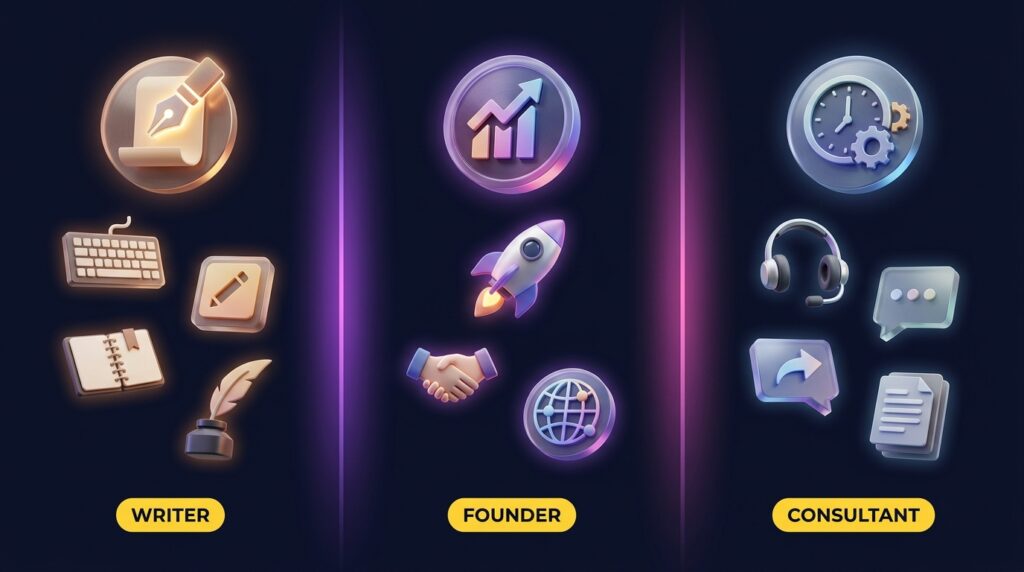
The Writer / Content Creator Stack,about $50 a month
- Claude Pro ($20) for drafting and editing
- Perplexity Pro ($20) for sourced research
- NotebookLM (free) for studying topics deeply before writing
- Grammarly free tier for last-pass polish (the paid tier is now bundled with Superhuman and not worth it unless you need the broader suite)
This is the stack I personally run on. Total: $40. It replaces what used to take three writers and an editor for content briefs.
The Solo Marketer / Founder Stack ,about $60 a month
- ChatGPT Plus ($20) as your everyday brain
- Gamma ($10) for decks, one-pagers, and internal docs
- Zapier Starter ($19.99) for connecting marketing tools
- Notion AI ($10) for the knowledge base that holds it all together
This stack covers the four most common founder bottlenecks: thinking, presenting, automating, and organising.
The Freelancer / Consultant Stack, about $61 a month
- Claude Pro ($20) for deliverables
- Motion ($19) for the calendar chaos that comes with multiple clients
- Granola ($14) for meeting notes
- Raycast Pro ($8) for keyboard-driven everything (Mac users only)
Built for the person juggling four clients, three time zones, and zero admin support. Each tool removes a specific category of pain.
AI Productivity Tools That Are Not Worth It (Yet)
Equally important: what to skip in 2026.
- Generic AI writing tools at $50 to $70 a month. If a tool charges three times what Claude charges and produces the same output (or worse), it is selling marketing, not capability. Jasper at $69 a month makes sense only if you need its specific brand voice training feature at scale.
- Multiple overlapping LLM subscriptions. I see people paying for ChatGPT Plus, Claude Pro, AND Gemini Advanced simultaneously. Unless you are benchmarking professionally, pick one as your primary and use free tiers of the others for occasional cross-checking.
- Full “AI agent” platforms promising autonomy. These demo beautifully and fail at real work. The state of agents in 2026 is “useful with constant supervision”. Pay for them when you have a specific narrow workflow they can absolutely nail, not as a general assistant.
- Calendar AIs that are not Motion or Reclaim. A flood of “smart calendar” startups have launched, and most of them are recolored Google Calendar wrappers. Stick with the two established options.
- Standalone meeting-summary tools that record without context. If a meeting bot just emails you a transcript and bullet points, you are paying for what NotebookLM or Granola already does better.
Common Mistakes People Make Building Their AI Productivity Stack
After watching dozens of operators try (and abandon) different productivity tools, the same five mistakes keep showing up.
- Stacking too many tools. The marginal gain from your seventh AI subscription is almost always negative. You spend more time switching between productivity tools than the tools save you. Six is roughly the ceiling for one person.
- Tool-switching addiction. Every 90 days a new “ChatGPT killer” launches. Resist. The compounding gains come from getting excellent at three or four AI productivity tools, not okay at twelve.
- Treating AI as replacement, not augmentation. AI productivity tools handle pattern-matching and repetition. They are bad at strategy, taste, and judgment. If you outsource the wrong layer, your output gets worse and you do not notice for months.
- Skipping the free tier. Almost every tool in this list has a free tier good enough for a real trial. Start there. Pay only when you can articulate exactly what the paid tier unlocks for your specific workflow.
- Ignoring privacy. Anything you type into a hosted AI tool can end up in training data unless you explicitly opt out. For client data, contracts, or anything confidential, check the privacy policy before pasting. Claude and ChatGPT both have business tiers with stronger data handling.

Expert Tips From 14 Months of Testing
- Pick a primary large language model and stop dating around. The difference between using one LLM for a year and using six for a year is enormous, and the depth wins. Most of the magic comes from learning how the model “thinks” and adapting your prompts.
- Batch your AI work into focused blocks. Treat AI like email — one or two dedicated sessions a day, not constant context-switching. I draft articles in single 90-minute Claude sessions rather than ping-ponging all day.
- Build templates, not workflows. A great template you reuse 50 times is worth more than a clever workflow you redesign every Tuesday. Stop optimising. Start shipping.
- Audit your stack every 90 days. Open every subscription. Ask: did I use this in the last 14 days? If no, cancel. This single habit has saved me about $1,200 a year.
- Track time saved with actual numbers. Spend one week measuring hours per task before and after a new tool. “It feels faster” is the productivity equivalent of a self-help book — feels great, changes nothing. Hard numbers reveal which tools actually earn their keep.
FAQs About AI Productivity Tools in 2026
What are the best AI productivity tools overall in 2026?
There is no single winner — the best AI productivity tools depend on your primary work. For writing and reasoning, Claude is the strongest. For everyday flexibility, ChatGPT Plus. For research, Perplexity. Most people’s biggest productivity gain comes from combining one strong LLM with two or three specialist productivity tools, not from finding one perfect platform.
How much should I spend on AI productivity tools every month?
For solo operators, $40 to $80 a month covers a strong stack of productivity tools. For small teams of 3 to 10, plan on $50 to $80 per person. Anything above $150 per person needs a clear ROI justification, like specific workflows generating measurable hours saved each week.
Are AI productivity tools actually worth the money?
For knowledge workers who write, research, schedule, or analyse data regularly, yes — the best AI productivity tools clear their cost easily by month two. The break-even point is usually two to three hours saved per week. For occasional users, free tiers are almost always sufficient — there is no need to subscribe.
What is the difference between AI tools for productivity and AI agents?
AI tools for productivity assist with parts of a task: drafting, summarising, scheduling. You still drive. AI agents try to complete entire tasks autonomously: “book my flights for next month under $500”. In 2026, tools work reliably; agents are still inconsistent and need supervision. Build your stack around productivity tools and treat agents as experiments.
Is ChatGPT enough on its own for productivity?
For most casual users, yes. ChatGPT Plus at $20 a month handles writing, research, light coding, and image generation in one place. The case for adding more AI productivity tools kicks in when a specific workflow becomes a bottleneck — meeting notes, scheduling, deep research with citations — that ChatGPT does not specialise in.
Are there genuinely free AI productivity tools worth using?
Yes — NotebookLM, the free tiers of Claude, ChatGPT, and Gemini, and Raycast’s free version all deliver real value without payment. For students or anyone testing the waters, you can build a competent stack of free AI productivity tools at zero cost. Free tiers are also the right first step before any paid subscription.
Can AI productivity tools replace a virtual assistant or project manager?
Not yet. The best AI productivity tools can handle individual tasks a VA or PM might do — drafting emails, summarising meetings, scheduling — but not the relationship management, judgment calls, and context switching that humans handle naturally. Think of AI as the layer that makes one assistant as effective as three, not as a replacement.
Which AI productivity tool should I start with if I have never used one?
Start with the free tier of either Claude or ChatGPT. Use it for two weeks for real work: draft emails, summarise documents, brainstorm. Notice where it saves you time. Then add a second tool only when a specific bottleneck makes itself obvious. Resist the urge to subscribe to five productivity tools on day one.
Final Verdict: Build Small, Commit Hard
The biggest productivity gain in 2026 is not picking the perfect AI productivity tool. It is picking a small set of productivity tools, going deep, and ignoring everything else for at least 90 days. Most “best of” lists exist to keep you in evaluation mode forever — that serves the tool industry, not you.
If I were starting from scratch today, I would pay for Claude Pro and Perplexity Pro for one month, use them obsessively, and only add a third tool when a clear bottleneck appeared. That is roughly $40, less than a single dinner out, and it is enough to noticeably change how a knowledge worker spends their week.
Whatever AI productivity tools you pick, audit them in 30 days. If a tool is not earning its rent in measurable time savings, cancel without guilt. The best productivity tools are the ones that disappear into your workflow so completely that you stop thinking about them.
For more on cutting tool costs while keeping output high, see our deeper guide to AI tools that save money in 2026. For the latest pricing and feature changes, Anthropic publishes official Claude pricing here. And the full CripsyWire homepage covers the rest of our tech coverage — AI, smartphones, and wearables.

Continue Reading on CripsyWire
For more practical AI coverage for US buyers, see our full AI tools and agents library. When you are deciding between competing tools, the reviews and comparisons section breaks down head-to-head matchups. AI features that live inside your phone are tracked in smartphones, and AI on your wrist or finger in wearables. All of this is part of CripsyWire's broader Tech coverage — start at the homepage for what is newest.