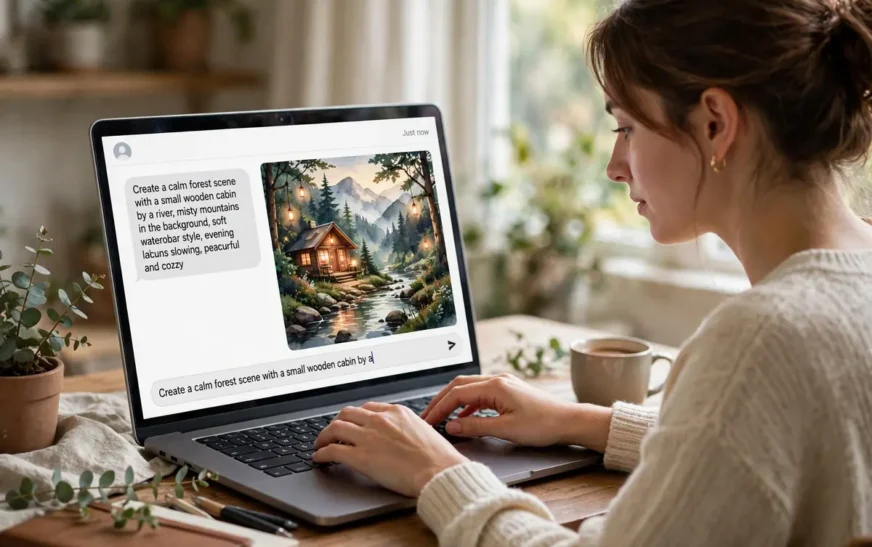
Quick answer: A good ChatGPT image prompt is one clear, descriptive sentence-block that names the subject, what it is doing, the setting, the style, the lighting, and the framing — in that order. ChatGPT’s image tool prefers natural language over comma-separated keyword piles, so write it the way you would describe a photo to a friend, then add one or two style details at the end.
Why ChatGPT prompts feel different
If you have used Midjourney, you probably learned to write in fragments: subject, comma, style, comma, lighting, comma, parameter. That habit works there because Midjourney was built around short, comma-separated phrases. ChatGPT’s image generation is different. It reads your message like a conversation, so a natural sentence usually beats a keyword pile. People who paste a Midjourney-style fragment list into ChatGPT often get something close but oddly literal, or a scene that ignores half the fragments, and they blame the model when the real problem is the format.
The difference is not magic, and it is not a reason to pick one tool over the other for everything. It is a translation problem. ChatGPT does well when you give it a complete picture in words: who or what is in the frame, what is happening, where it is happening, and how it should look. It does less well when you give it a bag of adjectives with no relationships between them. “Dog, sunset, cinematic, dramatic” leaves the model to guess whether the dog is running, sitting, or silhouetted. “A golden retriever sitting on a beach at sunset, looking back over its shoulder, warm light, cinematic photo” answers those questions before they are asked.
That is the whole game with a ChatGPT image prompt: describe, do not just label. You do not need fancy vocabulary. You need completeness. A prompt that a stranger could sketch from, without asking you a follow-up question, is a prompt ChatGPT can usually render well.
The structure that works most of the time
Use this order, and most prompts fall into place:
- Subject first. Name the main thing plainly, with one or two identifying details. “A street food vendor in Bangkok” is better than “vendor”. “A red vintage bicycle leaning against a brick wall” is better than “bicycle”.
- Action or state. What is the subject doing, or how is it posed? Sitting, running, pouring, resting, mid-laugh — one verb changes the whole image.
- Setting. Where is it, and what is around it? A market stall, a foggy forest, a white studio background. Setting is the detail beginners skip most, and it is the one that most often decides whether the result feels finished or empty.
- Style. Photorealistic, watercolor, anime, 3D render, vintage poster. Pick one style, not three. Mixing styles in one prompt is the fastest way to get a muddled result.
- Lighting and mood. Golden hour, soft studio light, neon night, overcast morning. Lighting does more emotional work than any adjective you can add.
- Framing. Close-up, wide shot, low angle, eye level. If you do not specify framing, the model picks for you, and you may not like its pick.
You do not need all six every time. A product shot on white needs subject, style, and framing, and not much setting. A landscape needs setting and lighting more than action. But running through the six in your head before you hit send catches the missing piece that usually causes a disappointing result.
A useful test: read your prompt back and ask, “If I gave this to an illustrator who had never seen the scene, could they draw it?” If the answer is no, add the missing piece instead of adding more adjectives.
Write sentences, not tag soup
Here is a prompt that underperforms in ChatGPT: “portrait, woman, flowers, vintage, soft light, dreamy, film grain, aesthetic.” Every word is fine. Together they say almost nothing about composition, pose, or setting, so the model fills the gaps with its own defaults, and the defaults may not match your taste.
Here is the same idea as a sentence: “A portrait of a woman in her sixties standing in a flower market at dawn, holding a bunch of sunflowers, soft morning light, vintage film photo look.” Same ingredients, completely different clarity. The model now knows the age range, the place, the prop, the time of day, and the style. That is why sentence-style prompts tend to outperform tag soup in ChatGPT, even when the tags are technically more precise.
Tag soup has one more hidden cost: contradictions. “Dreamy” and “sharp focus” pull in opposite directions. “Minimal” and “highly detailed” fight each other. In a sentence you are less likely to stack contradictions, because you would notice yourself saying something odd. In a tag list, contradictions hide in plain sight.
None of this means short prompts are bad. A short prompt is fine when the idea is simple: “A black cat sleeping on a windowsill in the rain” is a complete scene in twelve words. Short is good. Vague is the problem, and vague usually means a missing subject detail, a missing setting, or a missing style, not a missing adjective.
Detail: how much is enough
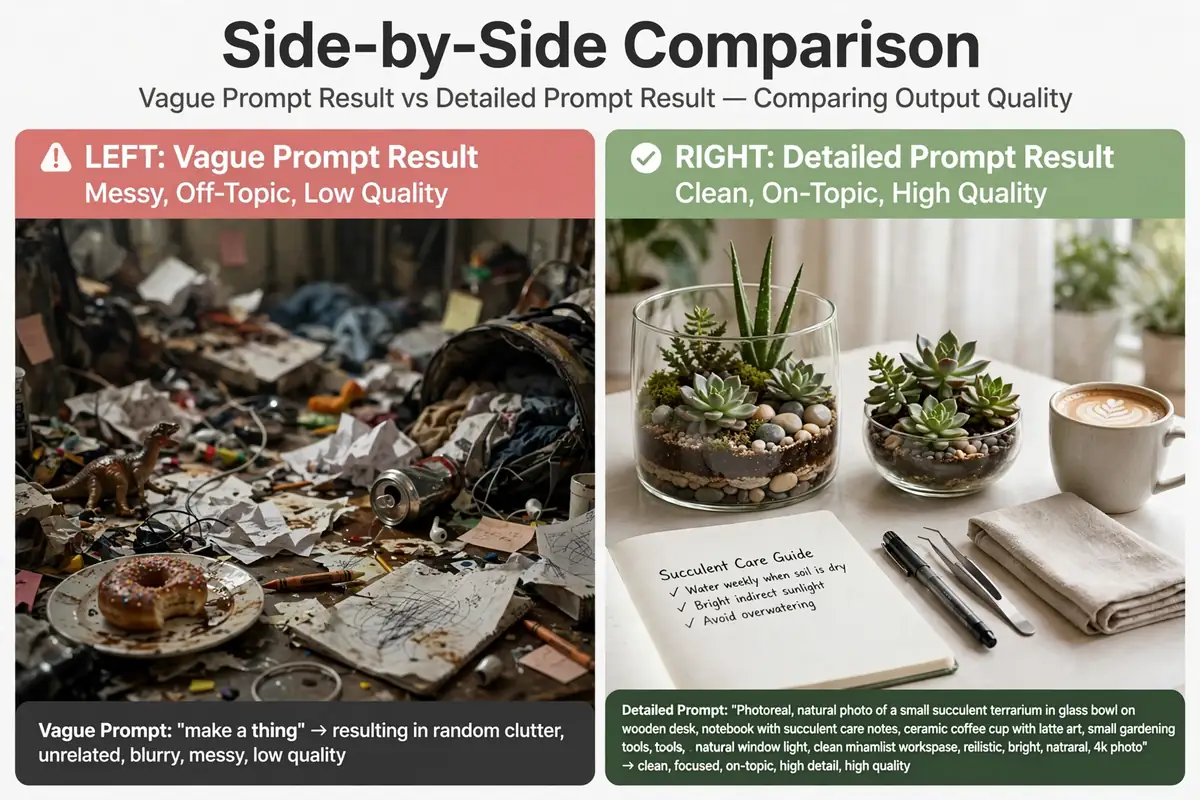
Beginners usually under-describe, and experienced users often over-describe. Both fail, just differently. Under-description gives you a generic image that could be anyone’s. Over-description gives you a prompt the model partly ignores, because it cannot satisfy twenty constraints at once, and you cannot tell which ones it dropped.
A practical middle ground is three to five concrete details beyond the subject. Concrete means something you could point at: “wearing a yellow raincoat”, “holding a paper map”, “standing under a red awning”. Abstract means something only you can feel: “beautiful”, “amazing”, “perfect”, “aesthetic”. Abstract words are not banned, but they do almost no work, because the model has no single visual meaning for “beautiful”. Replace each abstract word with one concrete detail and the prompt gets stronger every time.
Watch out for detail that contradicts itself. “A tiny cottage in a vast desert, surrounded by dense forest” asks for two landscapes at once. “A smiling man looking sad” asks for two expressions at once. When a result looks wrong in a confusing way, re-read the prompt for a contradiction before blaming the model. Fixing one contradiction often fixes the whole image.
There is also such a thing as too much control. If you specify the exact shade of every object, the exact position of every hand, and the exact weather, you are writing a brief for a photoshoot, not a prompt, and the model will quietly drop half of it. Give it the details that matter to you, and let it handle the rest. You can always iterate on the next round.
Style words that actually change the picture
Style is the one place where a single word does heavy lifting, so choose it deliberately. “Photorealistic” tells the model to mimic a camera. “Watercolor” tells it to mimic paint. “Anime” tells it to mimic animation. “3D render” tells it to mimic a game or film render. Each of those is a whole visual language, and switching one word switches the language.
The mistake is stacking styles: “photorealistic watercolor anime 3D render” is not a style, it is a tug-of-war, and the result usually looks like none of them. Pick the one style that matches the job, and if you want a second influence, phrase it as a light touch: “photorealistic portrait with a slight painterly softness” reads as one main style with a hint of another, which models handle better than two equal styles.
Lighting words work the same way. “Golden hour” is not just a time of day, it is warm color, long shadows, and a mood. “Neon night” is color, contrast, and a city feeling. “Soft studio light” is even, flattering, and calm. If your image feels right but the mood is wrong, change the lighting word before you change anything else. It is the cheapest fix in prompting.
For people who want a shortcut, the CripsyWire AI image prompt builder lets you pick subject, style, lighting, and composition from options and get a ready-to-paste prompt. It is a good way to see how the pieces fit together before you start writing prompts freehand.
Fixing the five most common misses
The subject is wrong. Usually the prompt named a category, not a specific thing. “A bird” can be any bird. “A kingfisher perched on a reed by a river” can only be one kind of picture. Get specific about species, object, or person type, and the subject stops drifting.
The scene is empty. The prompt described a subject and nothing else, so the model put it on a blank background. Add a setting in one phrase: “in a busy night market”, “on a snowy rooftop”, “against a plain white wall” if you actually want plain. An empty-feeling image almost always means a missing setting.
The text is garbled. AI image models still struggle with text inside images. Short text works better than long text, and quoted text helps: write the exact words in quotes, keep them to a few words, and expect to regenerate once or twice. If you need a poster with a paragraph of text, generate the image without text and add the text in a design tool instead. That is not a failure of your prompt, it is a known limit of the technology, and working around it saves more time than fighting it.
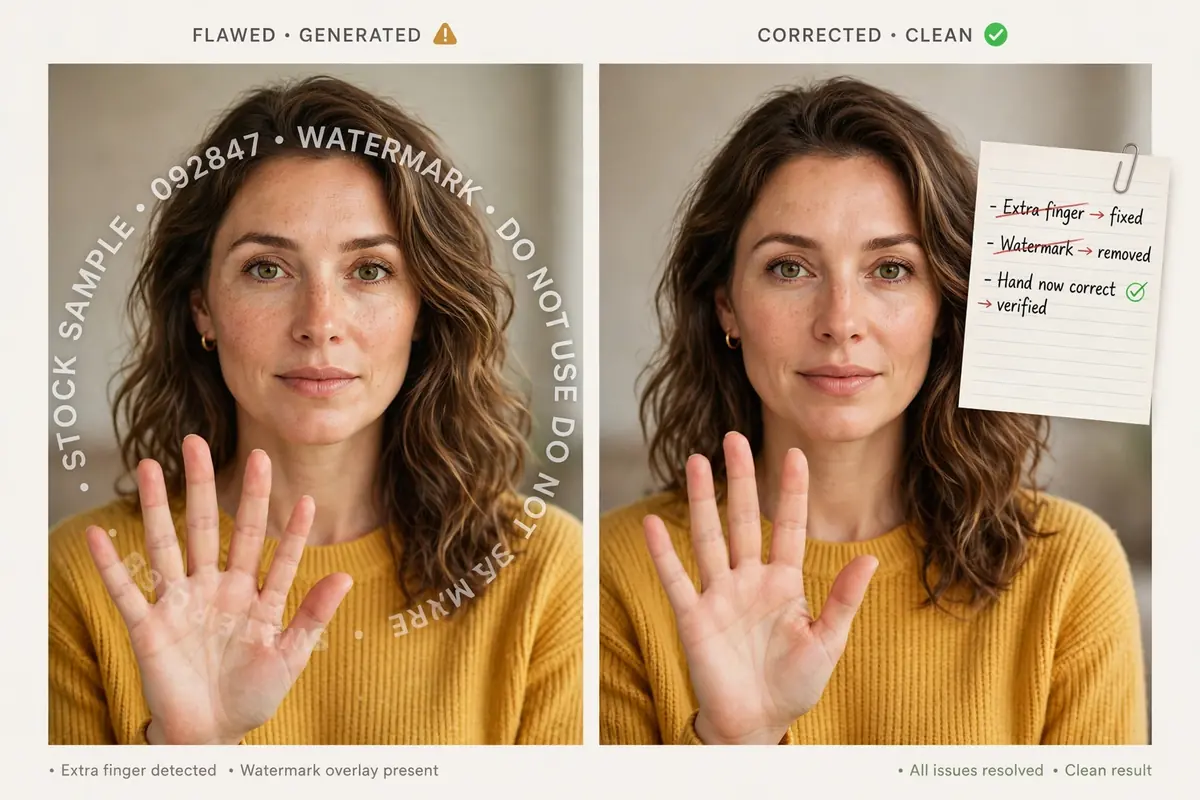
The hands and faces look off. Hands, eyes, and small faces in a crowd are still the weakest part of generated images. Reduce the risk by asking for fewer hands in frame, larger faces, or a simpler pose. A close-up portrait with hands out of frame will look cleaner than a wide group shot where every hand is visible. You can also regenerate with a slightly different pose instead of rewording the whole prompt.
The style keeps drifting. This usually means two styles are fighting, or the style word is vague. Name one style, drop the others, and if the drift continues, move the style word earlier in the prompt, right after the subject. Position matters more than people expect: details near the start of a prompt tend to carry more weight.
Iterating without starting over
The best prompters rarely get it right on the first try, and they do not start from scratch on the second. They change one thing at a time. If the composition is right but the lighting is wrong, change only the lighting. If the subject is right but the background is wrong, change only the background. Changing five things at once teaches you nothing about which change helped, and it often breaks something that was already working.
Keep a short log of what worked, even if it is just a note on your phone. Prompts are reusable in a way photos are not: a prompt that gave you a great portrait lighting setup will give you a great product shot lighting setup if you swap the subject and keep the rest. Over a few weeks, that log becomes a personal style library, and your first drafts get noticeably better.
It also helps to generate two or three variations of the same prompt instead of one, when the tool allows it. Variations show you what the model understood and what it guessed, and the differences between them often reveal the ambiguous word in your prompt. If all three variations get the same detail wrong, that detail is the problem, not the model.
This iterative habit is the same discipline that helps in other creative tech tasks. The guide to the best free AI video generators makes a similar point: the tool matters less than the brief you give it, and a clear brief beats a fancier tool with a vague brief.
ChatGPT versus Midjourney and Stable Diffusion
It helps to know where ChatGPT sits among the big three, so you use the right tool for the job. Midjourney, as noted, likes short comma-separated phrases and parameters at the end, like aspect ratio and version flags. It is strong on stylised, artistic images, and its community has built a whole shorthand around it. Stable Diffusion uses a positive prompt plus a separate negative prompt field, where you list what to leave out, and it rewards careful keyword control. ChatGPT’s image tool, built around natural language, rewards sentences and conversation: you can describe a scene, see the result, and say “make the light warmer and the background simpler” in plain words.
None of that is a ranking. A poster that needs a very specific art style may be faster in Midjourney. A technical image where you must exclude certain elements may be easier in Stable Diffusion with a negative prompt. A scene you can describe in a paragraph, especially one where you want to iterate by talking, is often fastest in ChatGPT. The skill is not loyalty to one tool, it is matching the prompt style to the tool in front of you.
If you use more than one tool, keep their prompt styles separate in your notes. A prompt copied straight from Midjourney into ChatGPT, parameters and all, will confuse ChatGPT, because parameters like aspect-ratio flags are not part of its language. Translate the idea, not the text: take the subject, setting, style, and lighting, and rewrite them as a sentence.
For a broader look at how AI tools fit into everyday work, the best AI productivity tools guide covers the same principle from the other side: the tool is only as good as the instruction you give it.
Copy-ready prompt templates
Use these as starting points, then swap the bracketed parts for your own scene. Each one follows the subject, action, setting, style, lighting, framing order.
Portrait template: “A portrait of [person description] in [setting], [pose or action], [style] look, [lighting], [framing].” Example: “A portrait of a chef in a busy restaurant kitchen, wiping his hands on an apron, photorealistic look, warm overhead light, close-up.”
Landscape template: “A [style] landscape of [place] at [time of day], [weather or atmosphere], [framing].” Example: “A photorealistic landscape of a coastal cliff path at dawn, sea mist drifting, wide shot.”
Product template: “A [product] on [surface or background], [style] product photo, [lighting], [framing], no clutter.” Example: “A ceramic coffee mug on a light wooden table, photorealistic product photo, soft window light, eye-level close-up, no clutter.”
Scene template: “A [style] scene of [subject] [action] in [setting], [lighting], [mood], [framing].” Example: “A cinematic scene of a child flying a kite on a hilltop at sunset, golden light, joyful mood, wide shot.”
Character template: “A [style] character portrait of [character description], [distinctive detail], [setting], [lighting], [framing].” Example: “An anime character portrait of a young inventor with round glasses and a tool belt, standing in a cluttered workshop, warm lamplight, eye-level shot.”
Notice that none of these templates uses the word “beautiful” or “amazing”. They do not need to. The concrete details do that work, and they do it in a way the model can actually render.
What not to do with a ChatGPT image prompt
Do not paste a whole paragraph of backstory. The model does not need to know why the character is sad, only that they look thoughtful, or tired, or hopeful. Backstory is for writers, not for image prompts, and it usually dilutes the visual details that matter.
Do not ask for two main subjects doing two different things in one image unless you are ready to iterate. “A dog chasing a cat while a bird watches from a tree and a child laughs” is four subjects and three actions, and the model will likely drop or merge some of them. One main subject, one action, and a supporting background is a much safer bet.
Do not expect the model to read your mind about taste. “Make it nice” is not a style. “Make it look like a 1970s travel poster” is a style. If you have a reference in mind, name it in words: an era, a medium, a mood, a known art style. The more concrete the reference, the closer the result.
Do not use a prompt for something it cannot do well. Tiny text, exact logos, accurate maps, and precise diagrams are still weak spots for image generation. For those jobs, generate the art and add the precise elements afterwards in another tool. Knowing the limits is part of the skill, not a concession.
And do not forget the simplest check: read the prompt out loud. If it sounds like something you would say to a photographer, it is probably good. If it sounds like a list of tags read by a robot, rewrite it as a sentence.
Prompts for everyday tech scenes
ChatGPT prompts are not only for portraits and landscapes. They are useful for the everyday tech scenes people actually need images for, and the same structure applies: subject, action, setting, style, lighting, framing.
A workspace scene, for example, benefits from a named setup rather than a vague “desk”. Describing a tidy desk with two monitors and warm lamplight gives the model a composition to follow, and the guide to a two-screen desk setup shows how much difference a clear arrangement makes in real life as well as in an image.
A phone scene benefits from the same care. A prompt that names the phone, the hand holding it, and the setting — a kitchen counter in morning light, say — reads far better than “phone photo”. The troubleshooting guide for a faulty phone microphone is a reminder that small, specific details are what make a tech description useful, whether the reader is a person or a model.
For a hardware scene, name the part you actually want to see. A prompt for an open computer case should name the motherboard, the cables, and the workbench, rather than just saying “computer”. The guide on identifying your PC hardware shows the same principle: naming the component beats naming the category.
Connectivity scenes are another good test. A prompt for a home network scene should name the router, its position, and the room, instead of just saying “Wi-Fi”. The explainer on the next wireless standard is useful background here, because it shows how much of wireless performance comes down to placement and environment, which are exactly the details a prompt should name.
Charging and accessory scenes follow the same rule. A prompt for a bedside charging setup should name the charger type, the device, and the surface, rather than just saying “charging”. The roundup of the best wireless chargers shows how many variations exist, and a prompt that names one of them will always beat a prompt that does not.
A Chromebook scene, too, is clearer when the device and its mode are named: laptop open, tablet mode, classroom desk, daylight. The guide to switching off a Chromebook touchscreen is a good example of how a precise device description prevents confusion, in instructions and in prompts alike.
Browser and productivity scenes work the same way. A prompt for a person working in a browser should name the task — writing, planning, organising tabs — rather than just saying “working on a laptop”. The collection of productivity browser extensions shows how specific a workflow description can get, and prompts reward that same specificity.
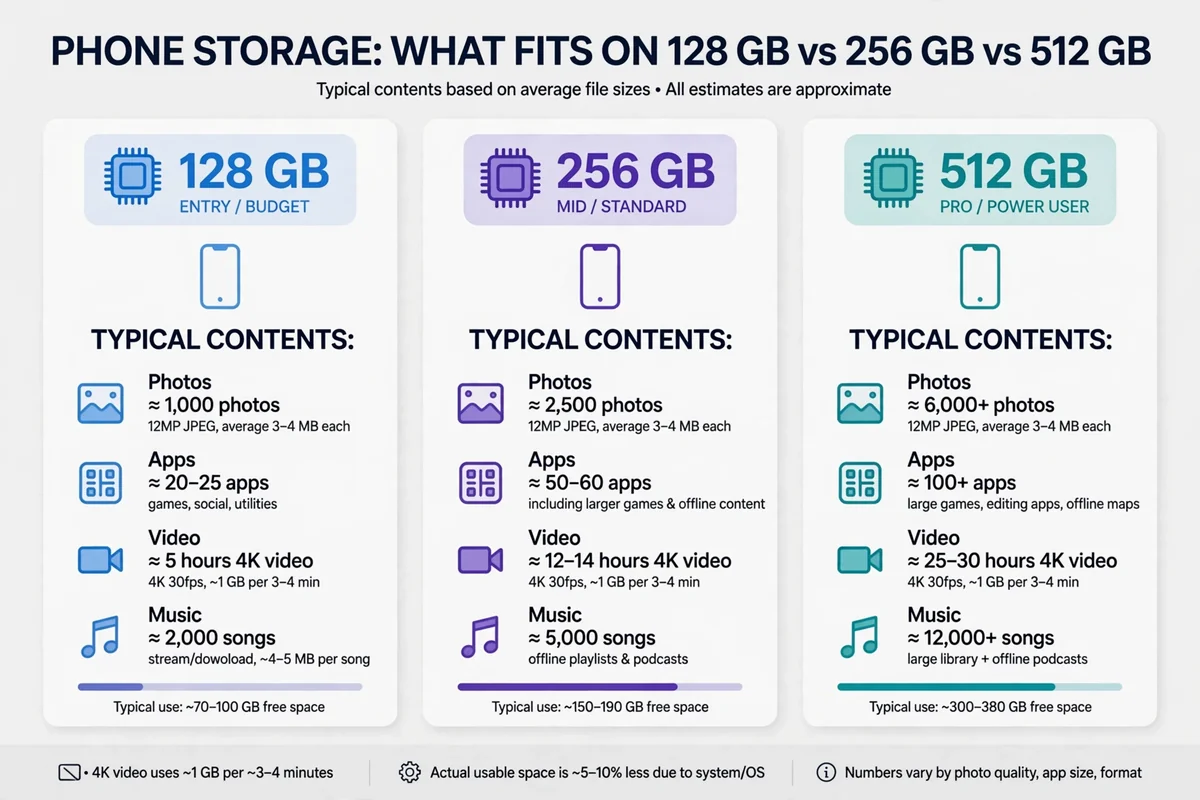
Finally, a photo-storage scene is a good place to practise concrete numbers. A prompt for a phone full of photos should name the situation — a holiday album, a full gallery, a backup in progress — rather than just saying “many photos”. The guide to how many photos fit on 128GB shows how concrete numbers change a vague idea into a usable answer, and the same is true in a prompt.
The pattern across all of these is the same: name the thing, name the setting, name one style, and let the model handle the rest. Prompts, like instructions, get better as they get more specific about the right details, not as they get longer.
FAQ
What is a ChatGPT image prompt?
It is the text instruction you give ChatGPT’s image tool to describe the picture you want. Unlike a search query, it should describe the scene in natural language: subject, action, setting, style, lighting, and framing.
How long should a ChatGPT image prompt be?
Long enough to describe the scene without ambiguity, usually two to four sentences or one detailed sentence-block. One short sentence works for simple scenes. Twenty constraints usually work worse than five clear ones.
Should I use commas or sentences in ChatGPT?
Sentences. ChatGPT’s image tool reads natural language well, so a descriptive sentence usually beats a comma-separated tag list. Save tag-style prompts for Midjourney, where that format is native.
Why does ChatGPT ignore part of my prompt?
Usually because the prompt is overloaded, contradictory, or vague. Cut it to the details that matter, resolve any contradictions, and move the most important detail earlier in the prompt. Then regenerate.
Can I edit an image by describing changes?
Yes, that is one of ChatGPT’s strengths. Describe the change in plain words, such as “make the background simpler” or “change the lighting to golden hour”, and keep the rest of the description the same so the edit stays close to the original.
Does ChatGPT support negative prompts?
Not as a separate field the way Stable Diffusion does. If you want something left out, describe the scene without it, or phrase it positively: “a clean white wall” instead of “no clutter”. For a dedicated exclusion field, Stable Diffusion is the better tool.
The short version
A ChatGPT image prompt works when it reads like a description, not a label list. Name the subject, give it an action, place it in a setting, pick one style, set the lighting, and choose the framing. Cut abstract words, resolve contradictions, and iterate one change at a time. Do that, and the tool stops feeling random and starts feeling like a camera you can actually direct.
More practical guides live on the CripsyWire blog.
The site itself is at CripsyWire.
For background on who runs it, see the about page.
Build your prompt in seconds
Pick your subject, style, lighting, and composition, and copy a ready-to-paste prompt for ChatGPT, Midjourney, or Stable Diffusion.
Continue Reading on CripsyWire
For more practical AI coverage for US buyers, see our full AI tools and agents library. When you are deciding between competing tools, the reviews and comparisons section breaks down head-to-head matchups. AI features that live inside your phone are tracked in smartphones, and AI on your wrist or finger in wearables. All of this is part of CripsyWire's broader Tech coverage — start at the homepage for what is newest.