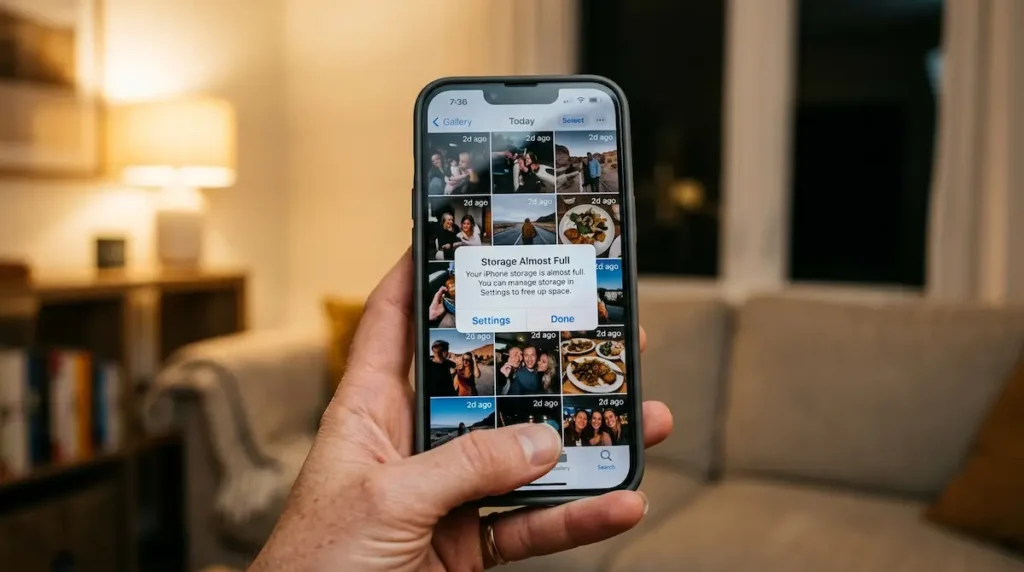
You bought the 128GB version to save a bit of money. Then one day, halfway through a birthday party or a sunset you’ll never see again, the phone flashes “Storage Almost Full.” Sound familiar?
Here’s the frustrating part. Most answers online throw out a single number, like “35,000 photos,” and move on. That number might be right for a 2015 camera shooting small JPEGs. It’s probably wrong for you.
The truth is that 128GB can hold anywhere from about 1,500 photos to more than 45,000. The gap depends on three things: the device, the file format, and what else is already living on that storage. This guide gives you the real counts for each situation, shows you the simple math so you can check your own, and flags the stuff that quietly eats space long before your photos do.
How Many Photos Can 128GB Hold? (Quick Answer)
A 128GB SD card holds roughly 24,000 to 48,000 everyday photos (2.5–5MB each), or about 1,500 to 4,800 RAW files. A brand-new 128GB phone holds around 20,000 to 40,000 standard photos, because the operating system and preinstalled apps take 12–20GB before you shoot a single picture.
That’s the headline. Now let’s make it accurate for your device.
Why There’s No Single Number for 128GB Photo Capacity
Every photo is just a file, and files come in different sizes. A 12MP shot of a plain white wall compresses to almost nothing. A 12MP shot of autumn leaves, full of fine detail, can be twice as large. Same camera, same settings, different file size.
Three factors do most of the work:
- Resolution (megapixels). More pixels means more data. A 24MP JPEG is usually around 8MB, while a 12MP JPEG sits near 4–5MB.
- File format. HEIC (the iPhone default) is often around half the size of an equivalent JPEG. RAW files skip compression almost entirely and can be five to ten times bigger.
- Scene complexity. Busy scenes with texture, noise and low light produce heavier files than clean, simple ones.
So any honest “photos per GB” figure is an average. Treat it as a planning number, not a promise.
The Simple Formula to Calculate Photos per 128GB
You don’t need a spreadsheet. Just divide usable space by the average photo size:
Number of photos = usable storage (MB) ÷ average photo size (MB)
For a 128GB card with about 120,000MB of usable space and photos averaging 5MB:
120,000 ÷ 5 = 24,000 photos
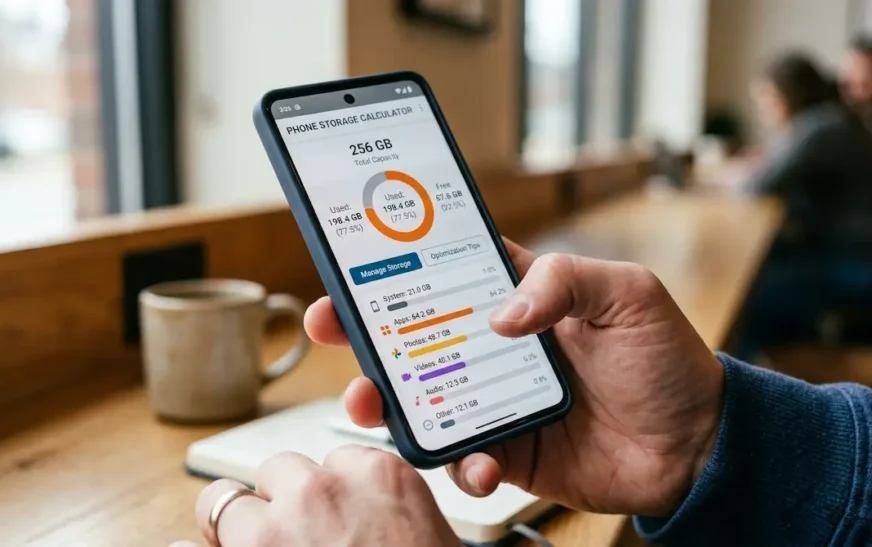
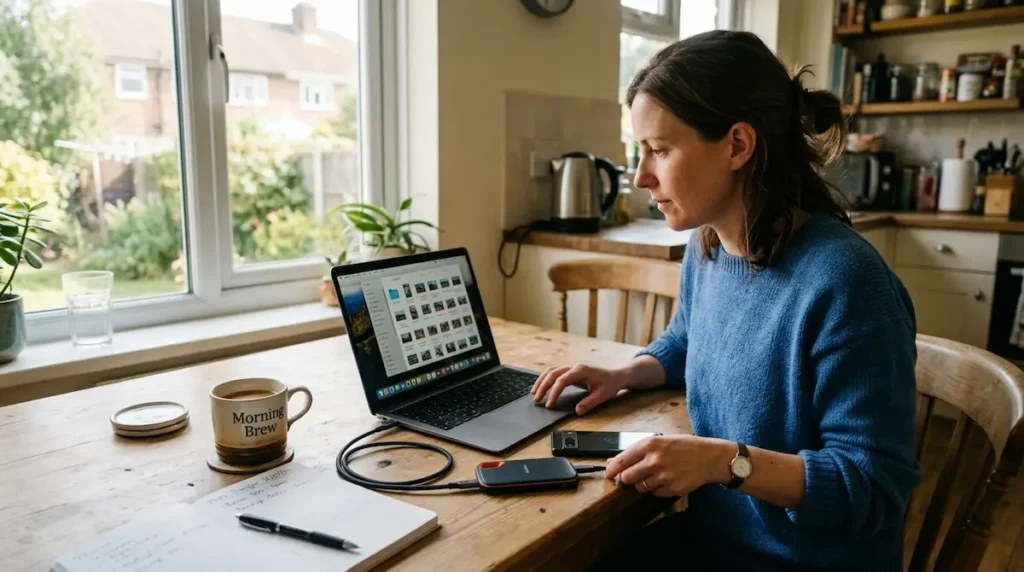
To find your real average, open your gallery, check the file info on ten random photos, and average them. It takes two minutes and beats any generic chart. If you’d rather not do the math by hand, the phone storage calculator lets you mix photos, video, apps and games on a 128GB model and watch the space fill in real time.
Why a 128GB Device Never Gives You 128GB
This part confuses almost everyone, and it’s not a scam. It’s two different rulers measuring the same thing.
Storage makers count in decimal: 1GB equals 1,000,000,000 bytes. Your phone or computer counts in binary: 1GB equals 1,073,741,824 bytes. Put a 128GB card in a laptop and it reports roughly 119GB. Nothing is missing. It’s the same space written in a different unit.
Then formatting takes its own small slice for the file system. On an SD card that’s minor. On a phone, it’s a different story entirely.
Usable Storage on a 128GB Phone
A phone has to hold its own operating system, recovery files, and the apps the manufacturer ships with it. That typically claims 12–20GB, depending on the brand and software version. So a fresh 128GB phone usually shows something like 105–112GB free on day one.
And day one never lasts. Install WhatsApp, Instagram, a banking app, Spotify with offline playlists, and a couple of games, and you can easily be down to 70–85GB for photos within a month. That’s the number that really matters, and it’s the one almost every other guide ignores.
| Storage type | Advertised | What you can actually use (approx.) |
| SD / microSD card | 128GB | ~119GB (about 120,000MB) |
| USB flash drive | 128GB | ~117–119GB |
| New 128GB phone | 128GB | ~105–112GB |
| 128GB phone after normal apps | 128GB | ~70–85GB |
If you want more plain-English breakdowns like this one, honest consumer tech guides are exactly what CripsyWire publishes every week.
How Many Photos Can a 128GB Phone Hold?
A new 128GB phone holds about 25,000–40,000 standard photos if nothing else is stored. After everyday apps, expect roughly 18,000–30,000. Switch to high-resolution or RAW modes and that drops to between 1,000 and 7,000.
Phones are where most people actually hit the wall, so this is the section worth reading slowly. The table below uses two realistic starting points: about 100GB free on a new phone, and about 75GB after a normal set of apps.
| Photo type (typical size) | New phone (~100GB free) | After apps (~75GB free) |
| 12MP HEIC (~2.5MB) | ~40,000 | ~30,000 |
| 24MP HEIC or 12MP JPEG (~4MB) | ~25,000 | ~18,750 |
| Live Photo / motion photo (~5MB) | ~20,000 | ~15,000 |
| 50MP full-res JPEG (~15MB, approx.) | ~6,650 | ~5,000 |
| 200MP full-res mode (~35MB, approx.) | ~2,850 | ~2,150 |
| 48MP ProRAW (~75MB) | ~1,330 | ~1,000 |
File sizes vary by model and scene, so read these as ballpark figures.
128GB iPhone Photo Capacity
iPhones save photos as HEIC by default, and that’s a quiet gift. A standard HEIC image is often about half the size of the same shot saved as JPEG, with no visible quality loss for everyday viewing.
Newer Pro and standard models shoot 24MP by default, which pushes the average file a little higher than older 12MP iPhones. The one setting that changes everything is ProRAW. Apple lists 48MP ProRAW files at roughly 75MB each. Shoot a weekend trip in ProRAW and you can burn through 20GB without noticing.
My honest take: leave ProRAW off unless you actually edit in Lightroom or a similar app. Most people turn it on once, forget about it, and wonder where their storage went.
128GB Android Phone Photo Capacity
Most Android phones save JPEG by default, so files run a bit larger than on an iPhone. The real variable is the camera mode. Many phones now have 50MP or even 200MP sensors, but they shoot at 12MP by default by merging pixels together. The moment you switch to the full-resolution mode, each photo can grow several times heavier.
Some brands also offer HEIF as an option in camera settings. If you see it, turn it on. It’s the single easiest way to fit more pictures in the same space.
If you’re phone shopping, storage tier matters as much as the camera. Some makers have quietly dropped their 128GB base models entirely, which is worth knowing before you compare prices. Our guide to choosing an Android phone with the right storage tier covers which flagships still start at 128GB.
Live Photos, Burst Mode and Portrait Shots
These three features are the sneaky ones.
- Live Photos / Motion Photos save a short video clip with each still. That roughly doubles the space per shot.
- Burst mode can fire off 10–30 frames in a couple of seconds. You keep one, but all of them sit in your library until you clean up.
- Portrait mode stores depth data alongside the image, adding a little weight to every shot.
None of these are bad. Just know that a camera roll full of Live Photos holds far fewer “pictures” than the headline number suggests.
How Many Pictures Can a 128GB SD Card Hold?
A 128GB SD card holds about 15,000–24,000 JPEGs from a typical 12–24MP camera, or about 2,400–4,000 RAW files. High-resolution 45MP bodies shooting uncompressed RAW fit closer to 1,300.
Cards are simpler than phones because there’s no operating system taking a cut. You get roughly 119GB to fill with photos. Here’s how that plays out:
| Camera and format (typical size) | Approx. photos on 128GB card |
| 12MP JPEG (~5MB) | ~24,000 |
| 20MP JPEG (~7MB) | ~17,000 |
| 24MP JPEG (~8MB) | ~15,000 |
| 45MP JPEG fine (~18MB) | ~6,650 |
| 24MP RAW (~30MB) | ~4,000 |
| 24MP RAW + JPEG (~38MB) | ~3,150 |
| 45MP compressed RAW (~50MB) | ~2,400 |
| 45MP uncompressed RAW (~90MB) | ~1,330 |
RAW vs JPEG: Why the File Size Gap Is So Big
JPEG throws away data your eye is unlikely to miss, then compresses what’s left. RAW keeps everything the sensor recorded, so you can recover shadows, fix white balance and pull detail back from blown highlights later.
That flexibility costs space, typically four to six times more per shot. Shooting RAW + JPEG together is the biggest storage hog of all, because you’re saving two files for one moment.
Which should you pick? If you edit seriously, RAW is worth every megabyte. If you mostly share to Instagram or family chats, JPEG is plenty, and your 128GB card will last several times longer.
Why Your Camera’s “Shots Remaining” Counter Lies (A Little)
That number on your camera screen is deliberately cautious. The camera doesn’t know how detailed your next scene will be, so it assumes a larger-than-average file. It’s common to see the counter barely move for several shots and then jump. Don’t panic when it reads 3,900. You’ll often squeeze in more.
128GB Photo Capacity on Other Devices
Action cameras like GoPros produce photos in the 5–10MB range depending on model, so a 128GB microSD fits roughly 12,000–24,000 stills. Video is the real space drain on these.
Old point-and-shoots are storage-friendly. A 2010-era 16MP compact produces JPEGs around 4–5MB, so if you’re reviving one of those old compact digital cameras, even a 32GB card is plenty and 128GB is almost overkill.
Smart glasses are the new wildcard. They snap 12MP-class photos and short clips that sync to your phone, so they add to your phone’s storage load rather than their own. If you own a pair, it’s worth learning how smart glasses that shoot photos handle import and auto-sync, because those files land straight in your camera roll.
USB flash drives behave like SD cards: around 117–119GB usable, so the card table above applies.
Photos vs Video: What Really Fills 128GB
Here’s the uncomfortable truth. Photos are rarely the problem. Video is.
Modern phones recording in HEVC use roughly 65MB per minute at 1080p, about 190MB per minute at 4K 30fps, and around 440MB per minute at 4K 60fps. Put that next to a 2.5MB photo:
| Recording | Storage per minute | Equals roughly this many photos |
| 1080p 30fps | ~65MB | ~26 |
| 4K 30fps | ~190MB | ~76 |
| 4K 60fps | ~440MB | ~176 |
Ten minutes of 4K 60fps at a school concert costs about 4.4GB. That’s the same space as roughly 1,700 photos. If you’re wondering why your phone filled up “so fast,” scroll to the videos first. It’s almost always them. You can model your own mix of 4K clips and stills with the 128GB storage calculator for photos and video before you decide what to trim.
Hidden Space Eaters Most Guides Ignore
- Messaging app duplicates. WhatsApp and Telegram save copies of every photo and video people send you. In busy family groups this alone can reach tens of gigabytes.
- Screenshots. Small individually, but thousands of them add up.
- “Recently Deleted” folders. Deleted photos usually sit in the trash for about 30 days before they’re actually gone.
- Cloud thumbnails and caches. “Optimize storage” settings keep smaller previews on the device, which still take real space.
- System Data / Other. Logs, caches and update files grow over time and can hit 10GB or more.
Apps tied to your gadgets are the good news here. Companion apps for a fitness smartwatch or earbuds store mostly tiny health logs and settings, so they barely register next to your camera roll.
How Long Will 128GB Last for Photos?
A time-based answer is more useful than a raw count, so here are three realistic scenarios on a 128GB phone with about 75GB free:
| User type | Monthly habit | Storage per year | 75GB lasts about |
| Casual shooter | 15 photos/day (3MB), 10 min 1080p video | ~24GB | ~3 years |
| Busy parent | 40 photos/day (4MB), 30 min 4K 30fps | ~68GB | ~13 months |
| Travel and video lover | 30 photos/day, 2 hours 4K 60fps per trip | ~53GB on video alone per trip | one big trip |
The pattern is obvious. Photos alone rarely fill a 128GB phone in under two or three years. Regular 4K video can do it in months.
Is 128GB Enough for Photos?
128GB is enough for photos if you back up to the cloud, shoot mostly standard HEIC or JPEG, and keep video short. It’s tight if you record lots of 4K, shoot RAW, or keep years of WhatsApp media. For most people keeping everything on the phone, 256GB is the size they won’t regret.
I’ll be blunt. Buying a 128GB phone and refusing to use any cloud backup is how people end up deleting photos they actually wanted to keep. Buying 128GB and syncing to Google Photos or iCloud works perfectly well.
On iPhone, Google Photos works alongside Apple’s own library, and it’s worth understanding Google’s photo tools on iPhone before you pick one backup system over the other.
128GB vs 256GB: Which Should You Buy?
- Pick 128GB if you shoot casually, back up automatically, and upgrade your phone every two to three years.
- Pick 256GB if you film your kids in 4K, travel a lot with weak internet, shoot RAW, or keep your phones for four years or more.
The price gap is often smaller than a year of a mid-tier cloud plan. Run that math before you decide.
How to Fit More Photos on 128GB
- Switch to HEIC/HEIF. On iPhone, Settings > Camera > Formats > High Efficiency. On Android, look for a HEIF toggle in camera settings.
- Turn off ProRAW and full-res modes unless you need them for a specific shot.
- Use 4K 30fps instead of 60fps for everyday clips. It cuts video storage by more than half.
- Stop auto-saving chat media. In WhatsApp, turn off Media Visibility or auto-download for groups.
- Empty Recently Deleted after a big cleanup, or you won’t see the space come back.
- Clean up on a bigger screen. Sorting thousands of shots is faster on a laptop, and a few browser extensions that speed up desktop cleanup make web-based photo libraries easier to manage.
Don’t Trust One 128GB Card or One Cloud With Everything
This is the part that protects your memories rather than your storage.
Fake-capacity cards are real. Cheap cards from unknown sellers can report 128GB while holding a fraction of that. Photos past the real limit get silently corrupted. Buy from reputable brands and verify new cards with a tool like H2testw or F3.
One big card is one big risk. Lose or corrupt it and you lose everything on it. Many photographers prefer two 64GB cards over one 128GB card on important shoots for exactly this reason.
Cloud services can change or disappear. Plans shift, free tiers shrink, and whole products get shut down. The story of cloud-dependent gadgets that stopped working is a good reminder. Follow the 3-2-1 idea: three copies, on two kinds of storage, with one off-site.
FAQs About 128GB Photo Storage
How many photos can 128GB hold on an iPhone?
A 128GB iPhone holds about 25,000–40,000 standard HEIC photos when fairly empty, and around 18,000–30,000 after typical apps are installed. Shooting 48MP ProRAW changes everything: at roughly 75MB per file, you’d fit only about 1,000–1,300 photos.
How many photos can 128GB hold in RAW?
A 128GB card holds roughly 4,000 RAW files from a 24MP camera, where each file is around 30MB. High-resolution 45MP cameras produce 50–90MB RAW files, which brings the count down to about 1,300–2,400 photos. Shooting RAW + JPEG together cuts it further.
How many photos is 1GB?
One gigabyte holds about 250–400 typical phone photos at 2.5–4MB each, or about 125 JPEGs from a 24MP camera. In RAW, 1GB fits only around 30–35 files from a 24MP camera, so RAW shooters burn through storage roughly five times faster.
How many hours of 4K video can 128GB hold?
With about 119GB usable, a 128GB card holds roughly 10 hours of 4K 30fps video at 190MB per minute, or about 4.5 hours at 4K 60fps. At 1080p 30fps, you’d get around 30 hours. Phones hold less, since the system takes a share first.
Why does my 128GB phone show less space?
Manufacturers count 1GB as 1,000,000,000 bytes, while phones count 1GB as 1,073,741,824 bytes, so 128GB displays as about 119GB. The operating system and preinstalled apps then take another 12–20GB, leaving around 105–112GB free on a new phone.
Does deleting photos free up space right away?
Usually not. Most gallery apps move deleted photos to a Recently Deleted or Trash folder for about 30 days. Storage only frees up after that period or after you empty the folder yourself. Deleting from a synced cloud library may also remove the copy on your other devices.
The Bottom Line on 128GB Photo Storage
So, how many photos can 128GB hold? Tens of thousands of everyday shots, a few thousand RAW files, or just a handful of hours of 4K video. The format you pick and the videos you keep matter far more than the number on the box. If you shoot casually and back up automatically, 128GB is fine. If you live in 4K or shoot RAW, give yourself 256GB and a proper backup routine. Either way, check your real average file size once. It takes two minutes and ends the guessing for good.

Continue Reading on CripsyWire
For more practical tutorials and hidden features, see our full how-to guides section. AI workflow guides feed into the broader AI tools and agents coverage, phone tricks live in smartphones, and wearable setup walkthroughs in wearables. When you are deciding what to buy, the reviews and comparisons section helps. All part of CripsyWire Tech, and the homepage shows what is newest.