Last verified: July 2026
Type a sentence, wait a minute, and a video shows up. That’s where we are in 2026 — and honestly, it still feels a little unfair. What used to take a camera, a crew, and a weekend now takes a text box and some patience.
But here’s the catch nobody tells you up front: most “free” AI video generators aren’t really free. Some hand you a pile of credits that never come back. Others stamp a watermark across your clip the second you hit export. A few are genuinely generous and renew every single day. The trick is knowing which is which before you sink two hours into a tool that caps you at one watermarked clip.
So that’s what this guide does. I ran the same handful of prompts through every major free tier I could get into between January and this spring — a cinematic landscape, a character talking to camera, and a punchy motion clip for social. I tracked the free limits, the watermarks, the wait times, and whether the output was something you’d actually post. No affiliate fluff. Just what works. For a deeper look at one of the newer names on this list, we also ran a full PixVerse AI review covering pricing and real output quality.
Quick Picks: The Short Answer
Short on time? Here’s where I’d point you depending on what you’re making.
- Best overall quality: Google Veo 3.1 — cinematic output and built-in audio, if you can live with quota limits.
- Most generous daily free tier: Kling — around 66 credits that reset every day.
- Best for characters and story: Seedance 2.0 — strong consistency and quick renders.
- Best talking-head / presenter video: HeyGen — avatars, voice cloning, 175+ languages.
- Best for fast, polished social clips: PixVerse — quick turnaround with a simple free tier, full review here.
- Truly unlimited and watermark-free: Wan 2.2 open-source — if you have the GPU or don’t mind a queue.
- Cleanest free editing + export: CapCut desktop — no watermark, real timeline.
First, Understand What “Free” Actually Means
This is the part most roundups skip, and it’s the part that’ll save you the most frustration. “Free” in AI video splits into three very different buckets, and they’re not equal.
Want sharper results from AI image tools? Build a ready-to-paste prompt for Midjourney, DALL·E or Stable Diffusion — free. Open the prompt builder →
1. One-time credits (the sneaky one)
You sign up, you get a chunk of credits, and that’s it — forever. Runway is the classic example. Its free plan advertises 125 credits, which sounds fine until you realize that’s roughly 25 seconds of video total, for the life of the account. Burn through it testing prompts and you’re done.
2. Daily-resetting credits (the good kind)
These refill every day whether you use them or not. Kling gives you around 66 credits daily — enough for roughly six short clips — and Hailuo and Seedance follow a similar daily model. This is the tier you want for steady experimentation, because tomorrow you get more.
3. Rate-limited / quota access (the unpredictable one)
Instead of counting credits, the platform just throttles how often you can generate. Google’s Veo through AI Studio works this way — there’s no credit dump, but access can be inconsistent and varies by account and region. Great quality when it lets you in; frustrating when the queue says no.
Watch the rug-pull pattern. New tools almost always launch with a generous free tier to win attention, then quietly tighten it. Hailuo started out unlimited and now caps free users at about three clips a day. If a tool feels too generous, enjoy it — but don’t build a workflow that depends on it staying that way.
| Watch the rug-pull pattern. New tools almost always launch with a generous free tier to win attention, then quietly tighten it. Hailuo started out unlimited and now caps free users at about three clips a day. If a tool feels too generous, enjoy it — but don’t build a workflow that depends on it staying that way. |
Free AI Video Generators 2026: Side-by-Side
Here’s the honest version of the comparison — free reality, not marketing copy.
| Tool | What you actually get free | Watermark? | Best for |
| Google Veo 3.1 | Limited, quota-based access via AI Studio / Gemini (varies by account & region) | No on-frame mark | Highest cinematic quality + native audio |
| Kling 3.0 / 2.5 Turbo | ~66 credits a day that reset (roughly 6 short clips) | Yes | Realistic physics, motion, daily volume |
| Seedance 2.0 | Daily free credits, ~30s render times | Small label | Character consistency & story scenes |
| PixVerse | Daily free credits, fast renders, simple interface | Yes | Quick social clips — see our full PixVerse review |
| Hailuo (MiniMax) | ~3 clips a day, 6s, 720p (was unlimited at launch) | Yes | Fast image-to-video tests |
| Runway Gen-4 | 125 credits ONE time (~25s of video, ever) | Yes | Pro editing controls — on paid plans |
| Pika | Daily free credits | No (free exports) | Stylized, animated social clips |
| HeyGen | 3 videos a month, ~1 min each, 720p | Yes | Talking-head / avatar presenters |
| Synthesia | ~10 min a month, 9 stock avatars | Yes | Corporate training & explainers |
| CapCut (desktop) | Free editing + clean export | No (desktop) | Editing raw AI clips into finished video |
| Wan 2.2 (open-source) | Truly unlimited — runs locally or on free Hugging Face Spaces | No | Tinkerers with a decent GPU |
Note: Free tiers in this space change fast. Treat the limits above as a snapshot verified in July 2026 and check the current terms before you commit to any single tool for client work.
Two Kinds of Tools (Don’t Mix Them Up)
A lot of confusion comes from lumping every “AI video generator” into one bucket. They’re really two families that solve different problems.
Generative clip tools
Veo, Kling, Seedance, PixVerse, Hailuo, Pika, Runway, Wan. You give them a prompt or an image and they invent the footage — a wave crashing, a neon city, a dog skateboarding. Perfect for b-roll, social hooks, music-video vibes, and concept tests. Less perfect for anything that needs a person reliably saying specific words.
Avatar / presenter tools
HeyGen, Synthesia. You type a script, pick a digital presenter, and out comes a talking-head video in any of dozens of languages. Ideal for training, explainers, product walkthroughs, and corporate comms. Not the tool for cinematic storytelling — the magic is the spokesperson, not the scenery.
My rule of thumb: if the star of your video is a place or a moment, reach for a generative tool. If the star is a person delivering a message, reach for an avatar tool.
The Tools, Reviewed
Google Veo 3.1 — the quality benchmark
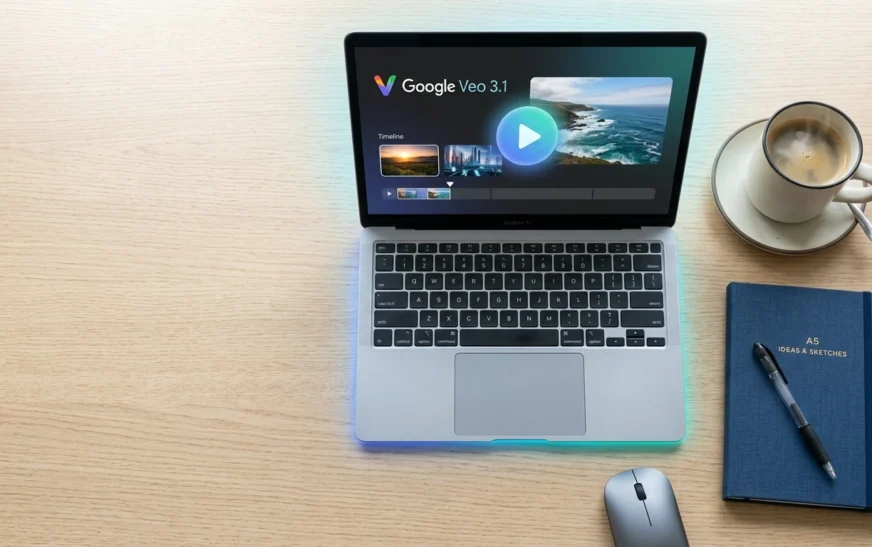
If you want the single most cinematic free output in 2026, Veo is still the one everything else gets measured against. It reads complex scene descriptions, handles physics and lighting convincingly, and — the genuinely standout part — generates synced audio along with the picture. Ambient sound, footsteps, even dialogue, all in one pass.
The free path runs through Google AI Studio and Gemini. There’s no on-frame watermark (Google branding lives in the metadata), and you can reach up to 1080p with clips stretching toward a minute. The frustration is access: the free tier is quota-limited and inconsistent, and serious volume pushes you toward the paid Google AI plans at around $20/month.
Best for: anyone who cares about quality over volume. Watch out for: regional availability and slower 2–4 minute renders.

Kling 3.0 / 2.5 Turbo — the daily workhorse
Kling 3.0 / 2.5 Turbo — the daily workhorse
Kling quietly became one of the most-used video models on the planet — by late 2025 its parent company reported tens of millions of creators and hundreds of millions of clips generated. The reason it shows up on every free list is that daily refresh: roughly 66 credits a day, enough for about six short clips, no credit card required.
It’s genuinely strong on physics — cloth, liquid, complex motion — and recent versions push native audio and multi-shot storyboards. The downsides are honest ones: free exports carry a watermark, you’re on the basic models, and commercial rights only kick in on paid plans.
Best for: creators who want to iterate every day without paying. Watch out for: the watermark if you’re posting to a client.
Seedance 2.0 — the character specialist
ByteDance dropped Seedance 2.0 in early 2026 and it climbed independent preference leaderboards fast, landing at or near the top for character consistency and narrative scenes. If you’re telling a little story with a recurring character, this is the one that keeps faces and outfits from morphing between shots.
Renders are quick — often around 30 seconds — and the daily free credits make it practical for real testing. Output carries a small Seedance label, but otherwise the quality is the full thing, not a crippled preview.
Best for: story clips and image-to-video with consistent subjects. Watch out for: the small label on free exports.
PixVerse — the fast, social-first pick
PixVerse earns its spot for speed. It’s built for short, punchy clips rather than cinematic depth, and its free daily credits make it an easy tool to keep in rotation alongside Kling or Seedance. We put it through a full separate test — pricing, output quality, and where it actually beats the bigger names — in our PixVerse AI review.
Best for: quick social-ready clips without a steep learning curve. Watch out for: the free-tier watermark.
Hailuo (MiniMax) — the cautionary tale
Hailuo built its reputation on being absurdly generous — unlimited generations at launch. That’s gone. Free users now get around three clips a day, 6 seconds each, at 720p, watermarked. It’s still a perfectly fine way to test image-to-video ideas, and the aesthetic is pleasant. Just don’t expect the old free-for-all.
Best for: quick daily image-to-video experiments. Watch out for: the tight 3-a-day cap.
Runway Gen-4 — powerful, but barely free
Let me be blunt: Runway is one of the best video tools in 2026, and its free tier is close to useless. Gen-4 gives you cinematic output, motion brushes, and real camera control — but the free plan is 125 one-time credits, which works out to a handful of test clips before you hit a wall, with a watermark and no access to the top Gen-4 video model. It’s a paid product with a demo, not a free generator.
Best for: trying the interface before you pay. Watch out for: treating those 125 credits like a monthly allowance — they’re not.
Pika — stylized and social-friendly
Pika has kept a long-running free tier with daily credits, and it leans into stylized, animated, fun-to-share clips rather than photoreal cinema. In testing it’s one of the friendlier tools for social content, and free exports came through clean. Access can be a little fiddly, but for punchy short-form it earns its spot.
Best for: stylized social clips. Watch out for: it’s not your tool for realism.
HeyGen — the best free avatar studio
If your video needs a person talking, HeyGen’s free plan is the most complete starting point. You get the full avatar generator, voice options across 175+ languages, and a real editing studio. The free limits did tighten for 2026 — roughly three videos a month, capped near a minute each, at 720p, with a watermark — but for testing a presenter-led pipeline it’s plenty.
One important caveat: commercial rights come with the paid plans (from around $24/month), not the free tier. Don’t ship client work off the free plan without checking that.
Best for: explainers, training, spokesperson videos. Watch out for: commercial rights and the 1-minute free cap.
Synthesia — the enterprise avatar option
Synthesia pioneered the avatar-video category and still feels the most buttoned-up for corporate use. Its free Basic plan gives you around 10 minutes a month with a small set of stock avatars and a watermark. The avatars are convincing and the platform is easy to standardize across a team, which is why bigger organizations lean on it.
Best for: polished corporate training and internal comms. Watch out for: the 10-minute monthly ceiling.
CapCut — the free finishing room
CapCut isn’t a generator in the prompt-to-video sense, but it’s the piece most people forget they need. Raw AI clips are rarely post-ready — they need trimming, captions, music, pacing. CapCut’s desktop app does all of that, and crucially, desktop exports come out clean and are commercially usable. Pair it with whatever generative tool you’re using and you’ve got a complete free pipeline.
Wan 2.2 — truly free, if you’re willing to tinker
Here’s the one most articles bury. Wan 2.2 is open-source. Run it locally through ComfyUI on a reasonably modern NVIDIA GPU and you get unlimited generations — no credits, no watermark, no monthly cap, ever. No GPU? You can use it through free Hugging Face Spaces, capped around 720p/24fps on shared hardware with a queue, but still genuinely free and account-light.
Best for: anyone who wants real freedom and doesn’t mind setup. Watch out for: the learning curve and hardware needs.
How to Make Your First Free AI Video (Step by Step)
- Pick your lane. Person talking? Go avatar (HeyGen). A scene or moment? Go generative (start with Veo, Kling, or PixVerse).
- Write a specific prompt. “A video” gets you mush. “Slow dolly shot, foggy pine forest at dawn, soft golden light through the trees, gentle camera push-in” gets you something usable. Name the shot, the subject, the lighting, and the motion.
- Generate an image first when you can. On tools that support it, lock in a still you like, then animate only the winner. It saves enormous amounts of credit on failed attempts.
- Generate, then judge three things: motion coherence, prompt adherence, and faces. If two of three are off, tweak the prompt — don’t just re-roll and hope.
- Export and finish in CapCut. Trim the dead frames, add captions and sound, cut to length. This single step is what separates “AI slop” from something people actually watch.
Free AI Video Generators: Pros and Cons
The upside
- You can produce shareable video with zero budget and zero gear — part of why free video has quietly become the backbone of so many AI side hustles.
- Iteration is instant — test ten concepts in the time a traditional shoot needs for one setup.
- Quality in 2026 is genuinely good, not just “good for AI.”
- Open-source options remove limits entirely if you have the hardware.
The downside
- Free tiers are inconsistent and tend to shrink over time.
- Watermarks and missing commercial rights make a lot of free output unfit for client or ad work.
- Clip lengths are short — you’ll be stitching pieces together.
- You don’t fully own the output the way you’d assume (more on that next).
Watermarks, Commercial Rights, and the Copyright Catch
This section is where I’d slow down, because it’s the part that bites people after they’ve already made something they love.
Who watermarks free exports?
Quick reference:
| Clean free exports (no on-frame watermark) | Watermarked on the free tier |
| Veo 3.1, Seedance 2.0, Pika, Wan 2.2, CapCut desktop | Kling, Hailuo, Runway, Luma, InVideo, HeyGen, Synthesia, PixVerse |
Can you use free AI videos commercially?
It depends entirely on the tool’s terms. CapCut’s free desktop exports are commercially usable. HeyGen and most generative platforms grant commercial rights only on paid plans. InVideo’s free plan explicitly excludes commercial use. Always read the specific tier you’re on — “free to make” and “free to sell” are not the same sentence.
The part nobody mentions: you can’t really own it
Separate from any platform’s terms, there’s a copyright reality. In the United States, the Copyright Office has held that work created solely by AI — even from a detailed human prompt — isn’t eligible for copyright protection. Translation: you can use AI video commercially (where the platform allows it), but you generally can’t stop someone else from using an identical generation. For a brand film that matters; for a throwaway social clip, less so. Worth knowing either way.
Common Mistakes (I’ve Made Most of These)
- Burning a one-time credit balance on test prompts. Read whether credits reset before you start spraying prompts. Looking at you, Runway.
- Posting watermarked clips to a client. Check the watermark table above first. It’s an awkward conversation otherwise.
- Vague prompts. “Make a cool car video” is a coin flip. Specify shot, subject, lighting, motion, mood.
- Skipping the image-first step. Animating a still you already like wastes far fewer credits than rolling the dice on text-to-video.
- Assuming free means commercial. It often doesn’t. Confirm rights before money changes hands.
- Trusting one tool forever. Free tiers shift monthly. Keep two or three options warm.
Expert Tips to Stretch a Free Plan
- Batch your generations. On daily-reset tools, do all your testing in one focused session so you’re not scattering credits across days.
- Use reference images for consistency. Tools like Kling and Hailuo let you upload a face or product so your subject stays recognizable across clips.
- Spread the load across platforms. Six clips from Kling, three from Hailuo, a couple of Veo passes for the hero shot — combined, several free tiers add up to a real day’s output. It’s the same budget logic behind learning to save money with AI agents.
- Keep a prompt library. When a phrasing nails the motion you want, save it. Good prompts are reusable assets.
- Go open-source for volume. If you’re generating constantly, the time spent setting up Wan 2.2 locally pays for itself fast — no caps, no watermark.
Frequently Asked Questions
What is the best completely free AI video generator in 2026?
It depends on what you’re making. For raw cinematic clips, Google Veo 3.1 has the best quality (with quota limits). For daily volume without a credit card, Kling is the most generous mainstream pick. For genuinely unlimited, watermark-free output, the open-source Wan 2.2 wins — if you have the hardware.
Can I make AI videos for free without a watermark?
Yes. Veo 3.1, Seedance 2.0, Pika, the open-source Wan 2.2, and CapCut’s desktop exports all give you clean, watermark-free results on their free paths. Kling, Hailuo, Runway, Luma, HeyGen, and Synthesia add watermarks on their free tiers.
Can I use free AI-generated videos commercially?
Sometimes. CapCut desktop exports are commercially usable for free. Most generative and avatar tools reserve commercial rights for paid plans, and some free plans explicitly forbid commercial use. Always confirm the terms of the exact tier you’re on before using a clip for business.
Which free AI video generator is best for beginners?
Kling and Seedance are the gentlest starts — daily free credits, simple text-to-video, and forgiving prompts. For talking-head content, HeyGen’s free studio walks you through it step by step. Skip Runway and Wan 2.2 at first; one runs out fast, the other needs setup.
How long can free AI videos be?
Most free clips land between 5 and 15 seconds per generation. Some tools stretch longer on free tiers, but the realistic workflow is generating several short clips and stitching them together in an editor like CapCut.
Do free AI video generators require a credit card?
Usually not for the daily-credit tools — Kling, Hailuo, Seedance, and Google AI Studio let you start without billing details. Some platforms ask for a card to unlock trial credits, so check before signing up if that’s a dealbreaker.
Is there an AI video generator with no sign-up at all?
The closest is running Wan 2.2 through a free Hugging Face Space — minimal account friction, no credit dump, watermark-free output, at the cost of a shared queue and capped resolution. Most polished platforms require at least a basic account.
Final Verdict
If I had to hand you one starting point: open Google Veo 3.1 for quality, keep Kling open for daily volume, and finish everything in CapCut. That trio covers most people’s needs for exactly zero dollars.
Making a person talk? HeyGen on the free plan, then upgrade only when you need commercial rights. Generating all day, every day? Put an afternoon into setting up Wan 2.2 locally and never think about credits again.
The real takeaway isn’t a single “best” tool — it’s knowing the difference between credits that reset and credits that don’t, watermarks that stay and watermarks that wash off, and “free to make” versus “free to sell.” Get those three straight, slot video alongside the rest of your best AI productivity tools, and the free tiers of 2026 are more than enough to make something genuinely good.

Continue Reading on CripsyWire
For more practical AI coverage for US buyers, see our full AI tools and agents library. When you are deciding between competing tools, the reviews and comparisons section breaks down head-to-head matchups. AI features that live inside your phone are tracked in smartphones, and AI on your wrist or finger in wearables. All of this is part of CripsyWire's broader Tech coverage — start at the homepage for what is newest.