Why Garmin watches are so hard to shop for
Garmin does not sell three watches. It sells a whole ladder of them, with names that sound alike and features that overlap in awkward places. Forerunner, Fenix, Venu, Vivoactive, Instinct, and Enduro all track runs, sleep, and heart rate. The difference is not whether they track a run. The difference is how much they help you before, during, and after that run, how long they last away from a charger, and how much bulk you accept on your wrist all day.
That overlap is the trap. A buyer who only runs roads can easily pay for dive ratings, topographic maps, and expedition battery life they will never use. A buyer who hikes every weekend can just as easily buy a slim running watch, discover it has no proper maps on a trail, and end up navigating from a phone with cold hands. Both mistakes feel avoidable in hindsight, and both come from shopping by price or by headline features instead of by training type.
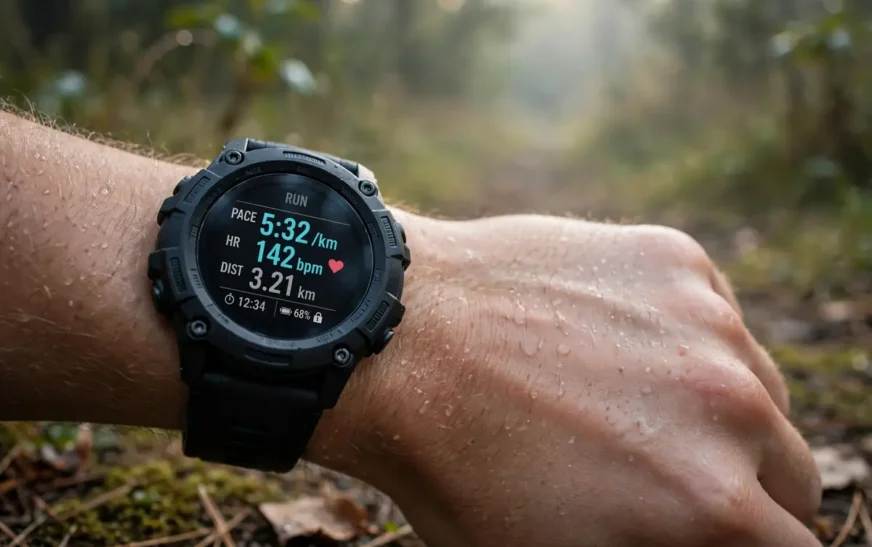
Garmin’s real advantage is also easy to miss in a spec sheet. These watches are built to last days and weeks between charges, not hours, and they work with both iPhone and Android through Garmin Connect. That matters if you train daily and sleep with the watch on for recovery data. The trade-offs become clear when you read a mainstream smartwatch review that weighs everyday convenience against training depth.
How the Garmin lineup actually breaks down
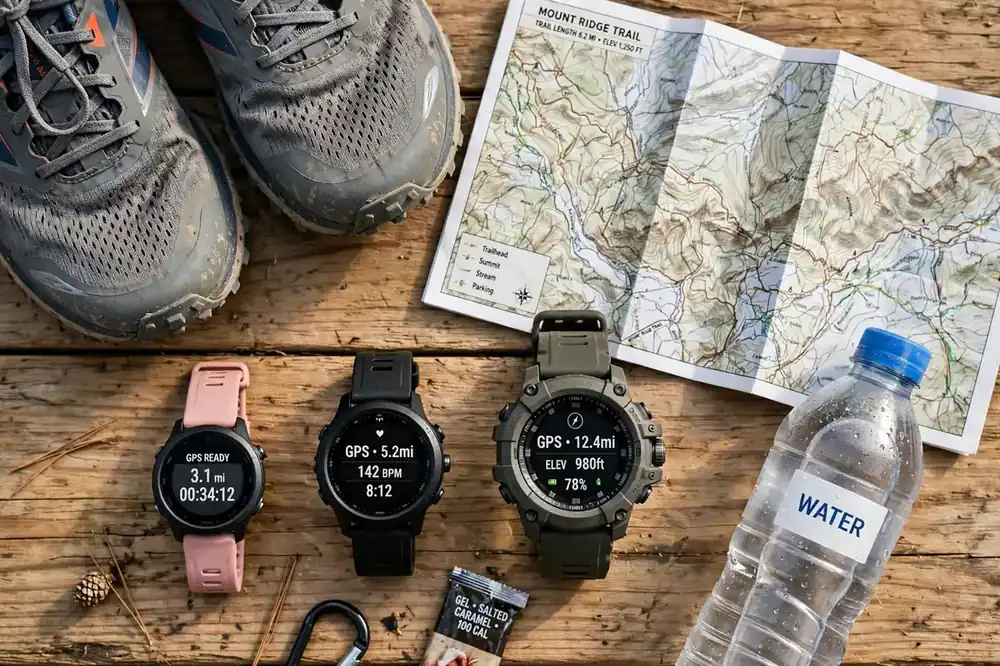
Think of the lineup in jobs, not in model numbers. Forerunner is the running job. Fenix is the do-everything outdoors job. Venu and Vivoactive are the everyday fitness job. Instinct is the rugged, simple, long-battery job. Enduro is the ultra-endurance job, and Lily is the small, discreet job. Once you pick the job, picking the model inside that family gets much easier.
Screen type is the next fork in the road. AMOLED screens look bright and sharp, and they are easy to read at a glance in a gym or on a road. Memory-in-pixel screens, the kind used on many Instinct models, look duller indoors but stay readable in direct sunlight and sip battery. Solar versions stretch battery further in bright conditions, but solar alone does not turn a watch into an unlimited device. If you stare at your watch indoors all day, AMOLED wins. If you spend long days outside and hate charging, the duller screen is a feature, not a flaw.
Size matters more than most buyers expect. A 51mm Fenix can feel like a small brick on a slim wrist, and it can slide during intervals if the strap is not snug. A 42mm model can feel cramped for maps, because trail junctions and data fields get small fast. Try the size on for sleep as well as for a run, and note whether the case digs into your wrist bone.
Best for most runners: Forerunner 265
The Forerunner 265 is the sweet spot for a large group of runners: people who run three to six times a week, follow a plan, and want training guidance without paying for a flagship adventure watch. It gives you an AMOLED screen, dual-frequency GPS for more consistent pace and distance in built-up areas, daily suggested workouts, training readiness, and race predictions. In search comparisons it is consistently listed at up to 13 days in smartwatch mode and 20 to 24 hours with GPS running, depending on size and settings.
What makes it work in real life is restraint. It does not try to be a hiking computer. It has route navigation and breadcrumb-style guidance, but it does not have the full-colour topographic maps of the 965 or Fenix. For road runners and park runners, that gap rarely matters. You follow a planned route, you glance at pace and heart rate, and you get home. For trail runners who regularly need to reroute at an unmarked junction, that gap matters a lot, and it is the main reason to look one tier up.
Weight helps too. At around 47 grams for the larger size and less for the smaller 265S, it disappears on a run in a way a metal adventure watch does not. That sounds trivial until you wear a watch for a two-hour long run, then for sleep, then for the next day’s session. Comfort is a training feature, because a watch you take off gives you no data at all. Lighter everyday trackers make the same point from the other direction, as shown in guides to compact fitness trackers built for daily wear rather than expedition use.
Buy the 265 if you run regularly, you want structured training help, and your idea of off-road is a gravel path or a park trail you already know. Skip it if you need full maps, if you dive, or if you want the longest possible GPS battery for ultras. Those are not small upgrades. They are different jobs, and they point to different families.
Best for serious runners and triathletes: Forerunner 965
The Forerunner 965 is the watch for runners who have outgrown the basics and can name what is missing. It keeps the AMOLED screen and the running tools of the 265, then adds full-colour built-in maps, a titanium bezel, longer battery life, climb planning, and deeper load and stamina metrics. Search comparisons list it at up to 23 days in smartwatch mode and 31 hours with GPS, which is a meaningful jump for multi-day training blocks and long races.
Maps change how you train on trails. Instead of following a breadcrumb line and hoping the next turn is the right one, you see roads, paths, and terrain around you. That does not make you a better runner on its own, but it removes a whole class of mid-run stops, wrong turns, and phone-fumbling. For a trail runner or a triathlete who trains in unfamiliar places, that is worth real money. For a road runner who runs the same three loops, it is an expensive screen decoration.
Triathletes get a second benefit: proper multi-sport modes with transitions that do not require stopping and starting separate activities. If you only run, you will not feel that benefit. If you brick train, race, or swim regularly, you will feel it every session. The 965 is also light for what it does, at around 53 grams, so it does not punish you for choosing the more capable watch on race day.
This is also the point where a direct comparison with a phone-first watch stops being useful, because the question is no longer “which smartwatch is nicer” but “which training tool fits your sport.” A head-to-head comparison with a phone-first watch helps if you are torn between ecosystems, but once you know you want Garmin’s training depth, the choice narrows to 265 versus 965 versus Fenix, and maps plus GPS battery are the deciding factors.
Best for trails and multi-sport adventure: Fenix 8
The Fenix 8 is the watch you buy when your weekends are not just runs. It covers running, hiking, cycling, swimming, skiing, and diving in one heavy-duty case, with full-colour maps, a built-in flashlight on many versions, stronger water resistance, and a tougher build. Search comparisons list the 47mm AMOLED version at up to 16 days in smartwatch mode and 35 hours with GPS, with larger and solar versions stretching further in some modes.
The flashlight sounds like a gimmick until you use it on a trail or in a dark car park. The buttons matter too: on a wet, cold, or gloved hand, physical buttons beat a touchscreen that refuses to respond. The Fenix leans into buttons, metal, and sapphire on higher versions, and that is exactly what you want when conditions turn rough.
The cost is bulk, weight, and price. A Fenix can dominate a small wrist, snag a jacket cuff, and feel heavy during fast intervals. It can also tempt you into features you will never open. Be honest about your last six months, not your bucket list. If you hiked twice, swam once, and mostly ran roads, the 965 gives you almost everything you will use for less money and less wrist. If you genuinely split time between road, trail, water, and mountains, the Fenix earns its size. Rugged watches built for that kind of mixed outdoor use share the same trade-off, as seen in guides to rugged watches designed for outdoor extremes.
Best for everyday athletes: Venu 4 and Vivoactive 6
Not everyone wants to look like they are about to run an ultra. The Venu 4 is Garmin’s polished everyday option: bright AMOLED screen, speaker and microphone on recent versions for calls and voice help, strong health and sleep tracking, and enough sport modes for gym sessions, classes, and weekend runs. The Vivoactive 6 sits a step below it and is often the easy recommendation for first-time Garmin buyers who want one watch for workouts, sleep, and daily wear without a rugged look.
These watches suit people whose training is varied rather than specialised. You lift, you take classes, you run a few times a week, you walk a lot, and you want sleep and stress data without learning a full training platform on day one. The screens look normal in an office, the cases are slimmer than a Fenix, and the experience feels closer to a regular smartwatch, with Garmin’s battery advantage still intact.
The trade-off is depth. You get solid training data, but you do not get the full map, load, and race toolkit of the Forerunner 965 or Fenix. That is fine if you will never miss those tools, and frustrating if you catch the running bug six months later and start wanting structured plans and detailed race predictions. If you suspect you will get serious about running, starting with a Forerunner is usually cheaper than buying twice.
Charging habits decide more than people admit. A watch that lasts a week changes behaviour: you charge it while you shower, you never miss sleep data because the battery died at night, and you stop carrying a charger on short trips. Keeping a small set of charging gear that keeps wearables topped up without a drawer full of cables helps, but the real win is a watch whose battery does not force a daily ritual in the first place.
Best rugged value: Instinct 3
The Instinct 3 is the odd one out, and that is its strength. It looks like a field watch, it shrugs off knocks, and in solar versions it can stretch battery life dramatically in bright conditions. Search guides highlight it as a rugged, outdoors-first pick under the Fenix price tier, with a screen that stays readable in sunlight and a design that does not pretend to be a dress watch.
Who is it for? Hikers, campers, outdoor workers, and anyone who values battery and durability over a flashy display. If you work outside, get your watch wet and dusty, and forget to charge things, the Instinct forgives you in a way an AMOLED flagship does not. It still tracks runs, hikes, sleep, and heart rate, so it is not a dumb watch. It is a focused watch.
Who should skip it? Anyone who lives by a bright touchscreen, wants full-colour maps on the wrist, or needs the deepest running analytics. The monochrome-style display is a deliberate trade, and it feels old-fashioned in a dark room even if it shines in sunlight. Try to see one in person before buying, because photos flatten the difference between the two screen types.
Long days outside also mean long stretches of audio, whether that is music, a podcast, or an audiobook on a trail. A watch that lasts for days pairs naturally with audiobooks and spoken content for long walks and trail days, and that combination is one of the quiet pleasures of a rugged watch: no phone in hand, no battery anxiety, just a route, a watch, and something to listen to.
Training metrics that actually matter
Garmin throws a lot of numbers at you, and most of them can be ignored at first. Start with four: resting heart rate trend, sleep duration and consistency, training load over the past week, and how you feel. If those four point the same way, the fancier scores usually agree. If they disagree, trust sleep and soreness over a single readiness number.
VO2 max estimates, race predictions, and recovery time are useful as trends, not as verdicts. Watch the trend over four to six weeks, compare it with how your sessions actually felt, and use it to set a realistic target, not to rewrite your whole plan overnight. Wrist heart-rate sensors can also struggle with fast intervals, cold hands, and a loose strap, so tighten the strap and warm up properly before trusting a strange reading.
Checklist: buy the right Garmin the first time
| Check | What to decide before you order |
|---|---|
| Main sport | Road running, trail, triathlon, gym, hiking, or a mix — pick the family that matches it |
| Maps or not | Full-colour maps (965, Fenix) vs breadcrumb routes (265) vs no maps on the wrist |
| Screen | AMOLED for brightness indoors, MIP/solar for sunlight and maximum battery |
| Case size | Measure your wrist, check sleep comfort, and avoid a case that slides during intervals |
| GPS battery | Match GPS hours to your longest session, not to the smartwatch-mode headline |
| Phone pairing | iPhone or Android both work, but check app, music, and payment features you rely on |
| Strap | Budget for a second strap if you swim, sweat heavily, or have sensitive skin |
Run through that table with your last month of training in mind, not your dream month. If two models both pass, buy the cheaper one. You can always upgrade later with real data about what you missed, and that data is worth more than any review.
Phone pairing is the practical step people rush. Garmin works across phones, but your music service, contactless payment setup, and notification preferences still need a few minutes of setup. Thinking about picking a phone that pairs cleanly with the wearables you already own before you buy a watch can save a frustrating first evening, especially if you are switching phones and watches in the same month.
Mistakes that waste money on Garmin watches
The most common mistake is buying the flagship first. A Fenix is a superb watch, but a new runner who buys one for couch-to-5K training has paid for maps, dive modes, and expedition features that sit unused while a heavier case annoys them on every run. Start where your training is, not where your ambition might be in two years.
The second mistake is ignoring size. People order the largest case because it looks impressive in photos, then find it catches on sleeves, slides during push-ups, and ruins sleep data because they take it off at night. Size is not a vanity choice. It decides whether the watch stays on your wrist, and a watch that stays on is the only one that collects useful data.
The third mistake is chasing battery headlines. Smartwatch-mode battery life assumes light use. GPS, maps, music, and always-on display cut into it fast. Check GPS hours for your longest session, then add a safety margin for a cold day or a wrong turn. If your longest run is three hours, a watch with 20 GPS hours is plenty. You do not need 90 hours unless you actually race ultras or spend days off grid.
The fourth mistake is skipping the return-window test. Wear the watch for a run, a strength session, and a night of sleep inside the return period. Check GPS accuracy on a known route, check whether the strap irritates your skin when sweaty, and check whether you can read the screen in bright light and in a dark room. A watch that fails any of those tests in week one will fail them in month six, only then you own it. Pairing the watch with workout earbuds that stay put during intervals and lifts is a useful part of that test, because a training setup that distracts you is a setup you will stop using.
First week with a new Garmin: a setup that works
Day one should be boring on purpose. Pair the watch, set your correct weight, age, and resting heart rate if you know it, and wear it for a full day before judging any score. Garmin’s readiness and load numbers need baseline data, and early scores will swing wildly. Do not change your training because a day-one score looks low.
Do one outdoor run with GPS on a route you know, so you can sanity-check distance and pace against a route you trust. Walk around the block first if GPS lock is slow in a new city or under heavy tree cover; tall buildings and dense canopy both slow the first lock, and that is normal, not a fault. Set up safety features if you run alone, including incident detection and emergency contacts, before you need them, not after a scare.
By the end of week one, turn off the metrics you never looked at. A clean watch face with pace, heart rate, distance, and time beats a cluttered face with ten fields you ignore. When you switch phones later, plan the move properly, because a rushed transfer can lose settings and history; guidance on moving your data cleanly when you switch phones covers the same careful approach, applied to the phone side of the setup.
Frequently asked questions
Which Garmin watch is best for beginners?
The Forerunner 165 or 265, depending on budget. The 165 covers entry-level running well, while the 265 adds deeper training tools that grow with you. Beginners who mainly want everyday fitness should look at the Vivoactive 6 instead.
Do Garmin watches work with iPhone and Android?
Yes. Garmin watches pair with both through Garmin Connect. You will miss some phone-specific tricks that phone-first watches offer, such as deep voice-assistant integration, but core tracking, notifications, and training data work on both platforms.
Is a Fenix worth it over a Forerunner?
Only if you use what makes a Fenix different: full adventure sport modes, tougher build, flashlight, and the most complete navigation. For road running and triathlon alone, the Forerunner 965 is usually the smarter buy.
How long does a Garmin battery really last?
It varies by model, screen setting, GPS use, and music. Smartwatch-mode figures assume light use, so judge a watch by its GPS hours for your longest session, and expect heavy GPS and always-on display use to cut the headline figure.
Can I swim with a Garmin watch?
Most current Garmin sport watches are rated for swimming, with 50-metre ratings common on Forerunner models and higher ratings on Fenix models. Rinse the watch with fresh water after pool or sea swims, and check the rating for your exact model before diving.
Should I buy an older Garmin to save money?
Sometimes, yes. An older Forerunner or Fenix can be excellent value if it still covers your sport, screen, and battery needs. Check that it still receives software support, that its battery is healthy, and that you are not giving up the one feature — usually maps or GPS accuracy — that pushed you to upgrade.
Does Garmin charge a subscription for training features?
Core Garmin Connect tracking and training tools do not require a paid subscription in the way some rival platforms do. Some third-party apps and services linked to the watch may charge separately, so check any app you add rather than assuming the watch itself needs a monthly fee.
What to do next
Pick your sport, pick your screen trade-off, and pick the cheapest model that passes the checklist above. Order the size you measured, not the size that looks best in photos, and run your return-window test in the first week: a known route, a strength session, and a night of sleep. If it passes all three without sliding, irritating your skin, or leaving you lost on a trail, keep it and let the data build for a month. If it fails one, swap size or model now, while swapping is still free.

Continue Reading on CripsyWire
For more honest tech matchups, browse our full reviews and comparisons library. AI tool reviews live in AI tools and agents, phone reviews in smartphones, and wearable reviews in wearables. Before you buy, our step-by-step guides may help with setup decisions. The CripsyWire homepage highlights what is newest, all under our Tech coverage.