17 min read
AI Mog Rating: What It Is, How It Works, and Whether You Should Trust It
In this guide
- What Is an AI Mog Rating?
- Where the Idea Comes From: Mogging, Looksmaxxing and the PSL Scale
- How an AI Mog Rating Tool Works
- MogScore vs Mogg: The Two Tools People Search For
- What Goes Into Your Score
- How to Get a Better Score Without Surgery
- The Privacy Problem Nobody Reads Past
- How Accurate Are These Ratings, Really?
- Who Should Skip These Tools
- How to Try One Safely: A Quick Checklist
- Share This Guide
- Frequently Asked Questions
You upload a selfie. Five seconds later, a number stares back at you. The apps behind it borrow their language from looksmaxxing forums, where faces have been ranked and debated for years — only now the ranking is instant, automated, and wrapped in a friendly interface.
This guide explains what the score means, how the tools build it, which ones people actually use, and the privacy trade-offs of handing your face to a stranger’s server. Like other AI tools that rate and rank things for you, these apps promise a fast verdict. The difference is that the thing being judged is you.
What Is an AI Mog Rating?
An AI mog rating is a score produced by software that reads one photo of your face and rates how it comes across, using the vocabulary of mog culture. The word “mog” comes from “mogging,” forum slang for outshining someone else in looks — the idea that in a side-by-side comparison, one face dominates the other. A mog rating turns that comparison into a number.
Most tools return a score out of 10, sometimes with one decimal place, and often pair it with a tier label borrowed from forum culture — LTN (low-tier normie) through MTN and HTN up to Chadlite and Chad at the top. Some tools use a 0–100 scale instead, and a few add a percentile.
The result is always about one photo, not about you as a person. Change the lighting, the angle, or the lens, and the same face can score differently. That gap between “your face” and “your photo” is the single most useful thing to understand before you take any of these numbers seriously.
Why the trend took off
Short video made the idea spread fast. Creators film themselves getting rated, react to the number, then film the “glow-up” — a new haircut, better lighting, a cleaner shave — and get rated again. Dating apps help too: a tool that grades your profile photo feels useful rather than vain.
Where the Idea Comes From: Mogging, Looksmaxxing and the PSL Scale
To read your result, you need the vocabulary. Three ideas do most of the work.
Mogging is the slang at the root of it all. In looksmaxxing circles, to “mog” someone is to outshine them in appearance — to be the face people notice first in a group photo. A mog rating is simply that comparison turned into a score, with the comparison happening against an invisible crowd instead of a real person.
Looksmaxxing is the wider movement: the practice of systematically improving how you look. That covers grooming, skincare, hairstyle, posture, body composition, style, and how you photograph. The community splits the work into “softmaxxing,” the non-surgical stuff you can change yourself, and “hardmaxxing,” which generally means surgery. The rating apps are a softmaxxing product: they point at the changeable parts and sell you a plan for them.
The PSL scale is the ranking system underneath the tiers. PSL stands for PUAHate, SlutHate and Lookism, the three forums where the scale took shape. The original scale runs from 1 to 8, with 4 as the midpoint and 8 as a ceiling for a handful of celebrity faces. On that scale, 5 is an average “normie,” 6 is a high-tier normie or Chadlite, and 7 is Chad.
The scale confusion that trips everyone up
Many apps stretch the same tier names onto a 1–10 scale instead of the original 1–8. On the newer charts, a Chadlite lands around 7 and a Chad around 7.5 to 8.5, while the forum scale puts Chadlite at 6 and Chad at 7. The two scales were never calibrated against each other, so a “7” from one tool can mean something different from a “7” on another. Compare the tier label and the breakdown, not just the headline number — the same drift you see in online communities that turn almost anything into a project.
How an AI Mog Rating Tool Works
Every tool in this space follows the same pipeline. First, you upload a front-facing, well-lit selfie, or scan your face with your camera. The tool locates facial landmarks — the corners of the eyes, the base of the nose, points along the jaw, the hairline — and measures the distances and angles between them. From those it derives proportions: facial thirds, symmetry, jaw angle, and the ratio of face length to width.
Second, it looks at image-level properties that have nothing to do with your bone structure: lighting direction, shadows, sharpness, crop, and lens distortion. A selfie taken at arm’s length with a wide-angle front camera stretches the nose and narrows the face. The better tools split these two groups apart on purpose — one read for your face, one read for your photo — so a bad frame does not get mistaken for a bad face.
Most tools show the headline number first, then a list of parts with a note on each. The paid tier usually adds a plan: which parts are costing you points, and what to change first.
Your phone’s front camera is the weakest link in that chain. A photo taken at arm’s length, in dim yellow light, from slightly below, will score worse than the same face shot at eye level in soft daylight. Our guide to getting more from your phone camera covers the settings that matter here.
MogScore vs Mogg: The Two Tools People Search For
Two names dominate search results for this topic, and they take different approaches to the same idea. Neither is an official standard, and neither agrees with the other on scale — which is exactly why comparing them is useful.
MogScore
Upload a clear photo or scan your face, and within about five seconds you get a 0–10 score with a confidence indicator. The free preview needs no sign-up, and it is described as running entirely in your browser, so the photo stays on your device.
The model behind the preview looks at five dimensions: face structure, eyes and expression, nose and mouth, camera setup, and photo quality. If you want more, the Glow-Up Blueprint turns your saved rating into a full analysis report with a personalised upgrade plan, priced at 10 credits in the tool’s own credit wallet. It labels its analysis as entertainment and photography guidance, not medical advice.
Mogg
Mogg (mogg.ai) is the other name that keeps showing up. Upload one photo, no sign-up, and get a score from 0 to 10 built from 10 parts, with its PSL tier beside it. Every device gets 3 free scans, and the free scan already shows your score, your PSL tier, your strongest part (your “weapon”) and your weakest part (your “leak”), with one tip to fix the leak.
The 10 parts cover presence, smile, hair, brows, grooming, skin, style, jawline, eye area and symmetry. Seven are things you can change, and Mogg says those seven carry about 70 percent of the score. Symmetry is read only on a straight-on, level photo, which is a sensible limit that many tools skip. Next to the score you get its PSL number and tier, on a scale where 4 is average, running from Sub3 up to Chad. Its own pages say it rates one photo, not your worth, and paying never changes your score.
| Tool | Free offer | Scale | What it breaks down | Photo handling |
|---|---|---|---|---|
| MogScore | Free 0–10 preview, no sign-up | 0–10 | 5 dimensions: structure, eyes, nose and mouth, camera setup, photo quality | Free preview described as running in your browser |
| Mogg | 3 free scans per device | 0–10 plus PSL tier | 10 parts, with strongest and weakest flagged | One photo upload per scan |
| Mog Lab (iOS app) | Free scan and Mog Score | Mog Score plus 4-layer read | 8 areas: skin, grooming, ratio, lower third, posture, style, expression, frame | Local-only scan option; opt-in upload for full read |
| Mogger Test | Free tier result, no sign-up | 4 tiers: Chad, Chadlite, Normie, LTN | Facial structure markers such as jawline, eye shape and cheekbones | Photo said to be discarded after the result |
Mog Lab and the Mogger Test cover the same ground in app form, and our roundup of AI image tools is a useful starting point for separating genuine capability from marketing.
Free tiers are the hook in this whole category: a useful free result, then a paid report or credit pack for the detail. Before paying, read the privacy section below — the paid tier is where your photo is most likely to be saved to an account. The same free-first model shows up across the AI tools that save you money, and the same caution applies.
What Goes Into Your Score
Strip away the branding and every tool in this space scores the same handful of visible signals. Knowing them helps you tell a useful tip from a sales pitch.
- Symmetry. How evenly the two sides of the face match — trusted only on a straight-on photo.
- Proportion. The balance of facial thirds and the ratio of length to width.
- Jawline and lower third. Jaw definition, chin projection and jaw angle — the part you can change least without surgery.
- Eye area. Eye shape and spacing, brow position, and canthal tilt.
- Skin quality. Clarity, even tone and texture. Lighting flatters or exposes skin more than any other factor in the photo.
- Hair and grooming. Hairstyle fit for your face shape, beard or shave, and general tidiness.
- Photo quality. Lighting, sharpness, crop, background and lens distortion. A good photo of an average face routinely outscores a bad photo of a strong face.
The honest way to read that list is as a checklist, not a sentence. If your breakdown says skin and photo quality are your weak points, you have a weekend project, not a problem.
Mogg puts a number on the split: about 70 percent of its score comes from seven changeable parts — presence, smile, hair, brows, grooming, skin and style. Our guide to what makes a strong headshot covers the framing and lighting choices that lift any portrait, rated or not.
How to Get a Better Score Without Surgery
The fastest gains come from the photo, not the face. Face a window in soft daylight, or stand in open shade — front light flattens blemishes, while light from below carves hollows the model reads as structure. Shoot at eye level, straight on, and step back from the lens: the front camera’s wide angle stretches whatever is closest to it, which is usually your nose. Use the rear camera with a timer if you can.
Clean up the frame — plain background, shoulders square, relaxed expression — and groom before you shoot: brows trimmed, beard shaped, and a hairstyle that fits your face shape. Then retake, don’t argue: run the same tool on three photos and look at the range, not the best number. If the score swings by a point or more, you have measured the tool’s noise floor. For the camera side of this, the camera tricks hidden in your phone will do more for your score than any filter will.
The Privacy Problem Nobody Reads Past
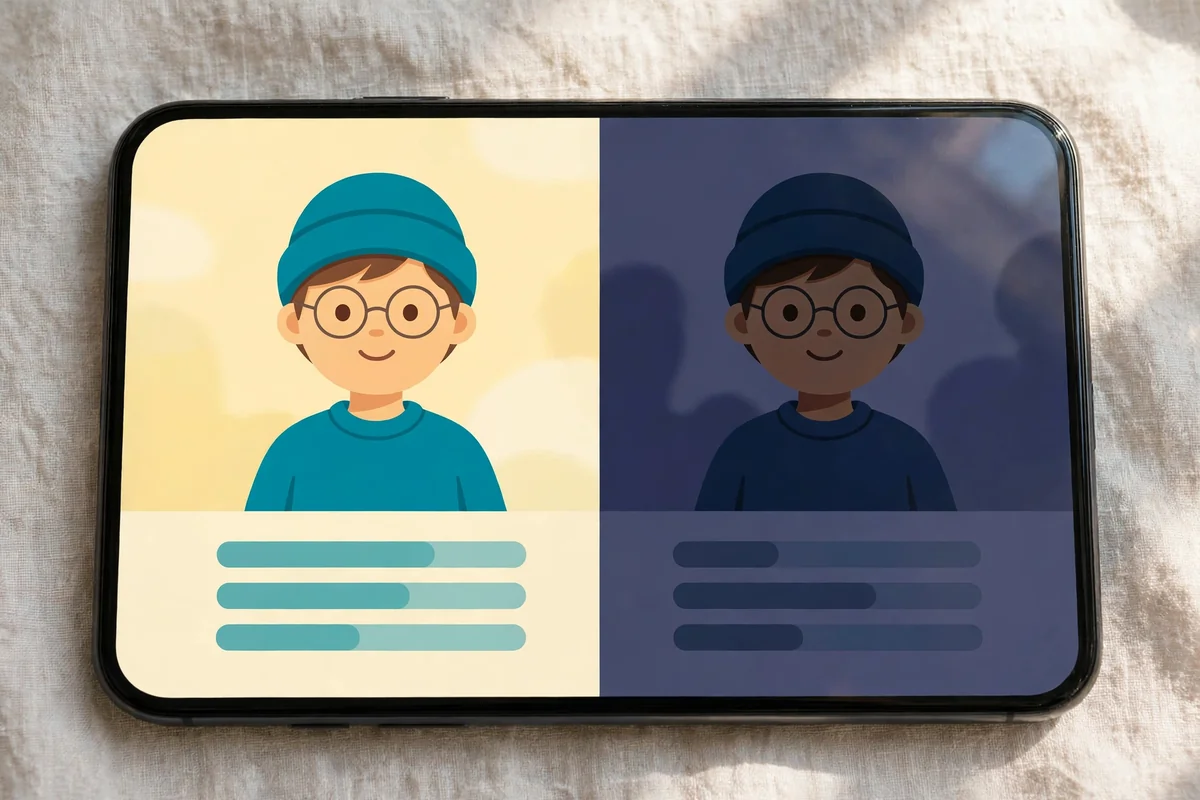
A selfie is not just a photo. It is biometric data — a record of your face geometry, as personal as a fingerprint — and once it leaves your phone you cannot fully take it back.
The single most important question is where the analysis happens. Some tools run the free scan in your browser or on your phone, so the photo never leaves your device. Others upload it to a server, where a model processes it and, depending on the policy, may keep a copy. Prefer tools that offer a local-only option, and treat any tool that demands full photo-library access with suspicion — a face rater needs one photo, not your entire camera roll. The same caution applies to messaging apps that hold your media.
Before uploading, read the privacy policy and search it for four words: retention, deletion, biometric, and training. Look for a clear statement that uploaded photos are deleted after the result. Be wary of any clause that lets the company keep your photos to “improve the service” or train future models — that is the clause that turns your face into training data. Use a photo you have not posted anywhere else, strip its location data, and remember that deleting the app does not delete a server copy — that needs a deletion request. Our walkthrough of removing your photos from an app covers that process. The rule of thumb is simple: if a tool will not tell you, in plain language, where your photo goes and when it is deleted, do not give it your face.
How Accurate Are These Ratings, Really?
Short answer: accurate enough to be interesting, not accurate enough to be believed. Every score is a read of one image, and images are noisy — lighting, lens, angle, expression, and crop each move the number, sometimes by a full point or more.
There is also no ground truth. Attractiveness has no objective measurement, and the PSL scale itself has no published measurement procedure or validation study — it is a community convention built on forum taste. Different tools use different scales, weights and training data, so a 7.4 on one tool and a 6.1 on another can describe the same photo. Used honestly, these tools are a photo coach with a scoring habit: good at catching fixable problems, and a repeatable way to test whether a change helped. AI packed into glasses and cameras keeps getting better at judging what it sees, but judging a face is a different job from recognising one.
Who Should Skip These Tools
These apps are built for a narrow audience — adults curious about their photo presence, and looksmaxxing enthusiasts who already know the vocabulary. If you fall outside that group, skip them.
Anyone under 18. MogScore states its tool is for users aged 18 and over — teenagers’ faces are still changing, and a harsh number from a stranger’s model is a bad input at a sensitive age.
Anyone struggling with body image. If you already worry about how you look, a tool that grades your face will give you a new number to worry about, not peace of mind.
Anyone who needs a real answer. These tools cannot tell you whether you should get cosmetic surgery or what is “wrong” with your face — they are entertainment products, not medical advice.
How to Try One Safely: A Quick Checklist
- Pick a tool with a local option: a free scan that runs in your browser or on your device.
- Read the privacy policy: search it for retention, deletion, biometric, and training.
- Use a fresh photo, with location data stripped first.
- Give minimal access. One selected photo only, never your full library.
- Take three photos, not one. Same tool, different light, then average the breakdown.
- Read the breakdown, ignore the headline. The useful output is the list of fixable parts.
- Do not pay before you understand the free result. Paid reports are where your photo gets saved to an account.
- Check what the app does in the background. An app that uploads every photo will show it in your usage — our guide to checking what an app is doing in the background explains how to spot unexpected uploads.
- Set a limit. One session, one comparison, then stop.
That is the whole safe way to use this category: a quick experiment, a few photo tips, and your face kept off a server you cannot audit.
Share This Guide
Frequently Asked Questions
What is an AI mog rating?
It is a score an app gives your face from a single selfie, using the slang of looksmaxxing culture. The rating — usually a number out of 10, or a tier such as Normie, Chadlite or Chad — is the model’s guess at how your face reads in that one photo. It is an entertainment estimate, not a medical or scientific test.
Is an AI mog rating accurate?
Only within limits. These tools are consistent at measuring visible signals such as symmetry, proportions and photo quality, but the result changes with lighting, angle and lens, and there is no objective ground truth for attractiveness. Treat the breakdown as useful and the headline number as a rough guide.
Are mog rating apps safe to use?
They can be, if you pick carefully. Use a local or in-browser scan when possible, read the privacy policy for retention and training clauses, and give the app access to one photo only.
What is the difference between a mog rating and a PSL rating?
A PSL rating is the forum system itself — the 1–8 scale and tier names from the PUAHate, SlutHate and Lookism forums. A mog rating is what an app returns when it applies that system’s language to your photo, usually on a 0–10 scale with a PSL tier beside it.
Can I improve my mog score without surgery?
Yes — that is where most of the points are. Better lighting, a straight-on shot at eye level, a tidy haircut and groomed brows, and clean skin will move the score more than anything else. What you cannot change in a photo session is bone structure.
Written by Saad Dharejah, Founder & Editor at CripsyWire. View All Articles
Facts checked on 10 November 2026. This guide was made by checking MogScore, Mogg, Mog Lab and the Mogger Test on their own pages, cross-checking the PSL scale and privacy guidance in independent write-ups, and verifying every internal link against CripsyWire’s live post sitemap.

Continue Reading on CripsyWire
For more practical AI coverage for US buyers, see our full AI tools and agents library. When you are deciding between competing tools, the reviews and comparisons section breaks down head-to-head matchups. AI features that live inside your phone are tracked in smartphones, and AI on your wrist or finger in wearables. All of this is part of CripsyWire's broader Tech coverage — start at the homepage for what is newest.