Search for a 4XEM 4 port USB wall charger and you will land on a wall of retailer listings, comparison pages, and marketplace results that all sound confident and none of which quite agree with each other. Some talk about four ports. Some talk about two. Some give you a wattage, some give you a price, and almost none of them tell you the one thing you actually need: which exact 4XEM product is in the box.
Here is the blunt version, up front. I could not verify a single, specific 4XEM 4-port USB wall charger with a published model number, a full port layout, and a total wattage from a source I actually checked. That does not mean the search phrase is fake. It means the phrase is doing something sneaky. It is pulling together different 4XEM chargers, different retailer listings, and generic 4-port chargers into one search result, and shoppers are left to guess which one they are looking at.
So this guide does something different. It tells you what the listings actually show, what 4XEM models I could verify, what to check before you pay, and when a different brand’s 4-port charger is simply the smarter buy. No invented wattage. No guessed price. No pretend review of a product I have not held in my hand.
Quick answer: There is no single verified 4XEM 4-port USB wall charger with a published model number and full specs that I could confirm from the retailer and manufacturer pages checked for this guide. 4XEM does sell verified wall chargers — a 20W dual-port model, a 35W dual-port model, a 65W triple-port GaN model, and a 140W five-port GaN model — but none of those is a 4-port wall charger. If you need four ports today, buy a clearly labelled 4-port charger from a brand that publishes its total wattage and per-port output, and check that listing against the checklist later in this guide.
What the Search Results Actually Show
Type the exact phrase into a search engine and the top results are mostly big US retailers: Staples, Walmart, eBay, Newegg, Target, Best Buy, and smaller electronics sellers. That spread is part of the problem. Retailers do not all describe the same product the same way, and search engines stitch their titles together.
What you will usually find on those pages falls into three buckets. First, genuine 4XEM chargers that do not have four ports. Second, generic 4-port chargers from other brands that show up because the search engine matched “4 port” and “wall charger” and treated 4XEM as a loose keyword. Third, category and brand pages that list a whole range of 4XEM power products, from charging kits to power banks, without pinning down one 4-port wall unit.
That is why two shoppers can both say they “found the 4XEM 4-port charger” and be talking about two different products. One may have seen a 4XEM dual-port charger on a page that also lists 4-port accessories. The other may have seen a no-name 4-port brick that happened to sit next to a 4XEM product in the results. Neither of them is lying. The listing structure is doing the misleading for them. The same “small gear, small power” logic applies to wearables, and
checking what a smartwatch actually needs before buying a high-wattage brick keeps the purchase honest
The gap in almost every one of those pages is the same. They rarely answer, in one place: what is the model number, how many USB-C ports and how many USB-A ports does it have, what is the total wattage when all four ports are in use, what does each port deliver on its own, does it support USB Power Delivery or Quick Charge, and is a cable included. A good charger listing answers all six. The pages ranking for this phrase mostly answer one or two, then move on to a buy button.
The 4XEM Chargers I Could Actually Verify
4XEM is a real brand, sold through real retailers like Staples and CDW in the US and Canada. It makes a wide range of power products, and the ones below are the wall chargers I could confirm from retailer or manufacturer pages checked for this guide. Read the port counts carefully. That is where the 4-port confusion starts.
4XEM 20W Dual USB Wall Charger
This is a two-port charger, not a four-port one. It has one USB-C port and one USB-A port, with a 20W total power budget. Its retailer listing states USB Power Delivery 3.0 and Qualcomm Quick Charge 3.0 compatibility, fixed non-retractable prongs, and safety certifications including CE, RoHS, CB, and ETL.
Who is it for? One phone, or one phone and one small accessory, charged at the same time. It is a solid single-device or two-small-device charger. It is not a desk charger for a family, and it will not solve the “four devices, one outlet” problem that drives this search in the first place.
4XEM 35W USB-C and USB-A Charger
4XEM’s own product spotlight describes this as a dual-port charger: one USB-C port and one USB-A port, with a 35W maximum output and intelligent device recognition that adjusts power to the connected device. Again, two ports, not four.
The jump from 20W to 35W matters for one specific case: a phone plus a tablet, or a phone that can actually take more than 20W. It does not turn a two-port charger into a four-port charger, and any listing that implies otherwise is counting something else, like a bundle or a different product on the same page.
4XEM 65W GaN Wall Charger (Triple Output)
This one gets closer to the multi-device dream, and it is also the one most likely to be mistaken for a four-port unit at a glance. It has three output ports: one USB-C port and two USB-A ports, with 65W Power Delivery, GaN technology, and a built-in display showing real-time voltage and current.
GaN, or gallium nitride, is worth a plain-English note here. Older chargers use silicon components. GaN components run more efficiently and waste less energy as heat, which lets manufacturers build a smaller charger for the same wattage. That is why a 65W GaN brick can be smaller than an old 30W silicon brick. It is a real advantage, but it does not add a fourth port.
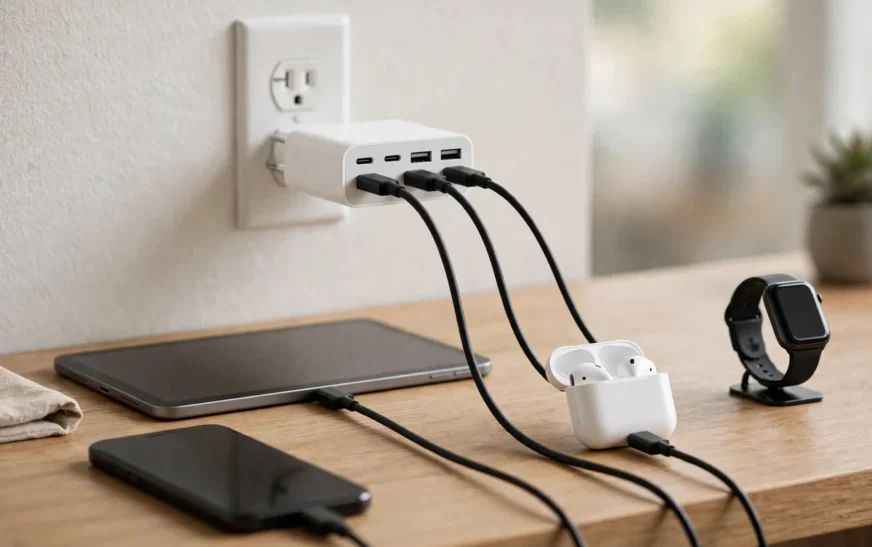
Three ports covers a phone, earbuds, and a watch, or a phone, a tablet, and a small accessory. It still leaves one device waiting if your household has four things to charge at once.
4XEM 140W GaN Power Delivery Charger (Five Ports)
Staples lists a black 4XEM GaN charger at 140W with two USB-A ports and three USB-C ports, with Power Delivery on the USB-C ports. Five ports, not four, and a very different price and size class from a basic wall brick.
This is the model that proves the point about careful reading. A shopper scanning quickly could easily remember “4XEM, multiple ports, big wattage” and later describe it as the 4-port charger. It is not. It is a five-port, high-wattage charger aimed at people charging a laptop plus several smaller devices. If that is what you actually need, it is a far better fit than hunting for a four-port unit that may not exist — but buy it for what it is, not for the port count you assumed.
4XEM 45W GaN Charging Kit and 6-Port Station
Two more verified 4XEM products show how wide the range is. A 45W GaN charging kit pairs dual USB-C ports with a cable, aimed at USB-C devices. Separately, a 4XEM 6-port USB charging station appears in Staples listings. Neither is a 4-port wall charger either. The 6-port station, in particular, is a desktop-style unit, not a wall brick, and it solves a different problem: a permanent charging station on a desk, not a single outlet adapter.
Put together, the verified picture is clear. 4XEM sells 2-port, 3-port, 5-port, and 6-port power products that I could confirm. I could not confirm a 4-port wall charger from the same brand in the pages checked. That may change if 4XEM launches one, or if a retailer lists one with a full spec sheet, but right now, buying on the phrase alone means buying blind.
Quick answer: The verified 4XEM wall chargers are the 20W dual-port (1 USB-C + 1 USB-A), the 35W dual-port (1 USB-C + 1 USB-A), the 65W GaN triple-port (1 USB-C + 2 USB-A), and the 140W GaN five-port (3 USB-C + 2 USB-A). None of them has four ports. If a listing claims a 4XEM 4-port wall charger, ask for its model number and full port layout before paying.
Why Total Wattage Matters More Than Port Count
Four ports sounds like four fast charges. In practice, four ports on a cheap charger often means four slow charges, because the total wattage is split between everything plugged in.
Here is the maths that matters, and it is simple once you see it. A charger has a total power budget — say 40W. Plug in one phone, and that phone may get close to 40W, or up to its own per-port cap. Plug in four devices, and the charger splits that 40W between them. Each device gets a share, and the share depends on the charger’s design, not on what you wish it would do.
That is why two numbers matter on every multi-port charger, and why you should refuse to buy one that only gives you one of them:
- Total wattage — the maximum the whole brick can deliver at once.
- Per-port wattage — what each individual port can deliver, both alone and when every port is busy.
A listing that says “4 ports, fast charging” and gives neither number is not a listing. It is a hope. A listing that says “40W total, 20W max per USB-C port, 12W max per USB-A port” is something you can actually plan around. You can look at your phone, your tablet, your earbuds, and your watch, add up what they need, and see whether the charger covers them or falls short.
The same rule applies to laptops. A phone charger is not automatically a laptop charger. A MacBook that needs a high-wattage adapter will charge slowly, or not at all under heavy load, from a low-wattage phone brick, even though the connector fits perfectly. The connector fitting is not the same as the power being enough, which is why checking how laptop charging actually behaves before buying a brick saves a wasted purchase.
USB-C, USB-A, and Why the Mix Matters
Most 4-port chargers, whatever the brand, use some mix of USB-C and USB-A ports. The mix matters more than most shoppers realise, because it decides which cables you need and which devices get fast charging.
USB-C is the modern standard. It carries USB Power Delivery, which is the protocol that lets a charger and a device negotiate higher wattages safely. If you want fast charging on a current iPhone, Pixel, or Samsung phone, you generally want a USB-C port with Power Delivery, and a USB-C to USB-C or USB-C to Lightning cable to match.
USB-A is the older, rectangular port. It is still everywhere: older cables, earbuds cases, watches, fitness bands, and plenty of accessories. USB-A ports on a multi-port charger are usually slower than the USB-C ports, and they often top out at lower wattages. That is fine for earbuds and watches. It is a poor fit as the main port for a tablet. The wired-versus-wireless trade-off is a separate decision, and
comparing wireless charging pads and stands helps if you are weighing a pad against another cable brick.
Before you buy any 4-port charger, count your cables, not just your devices. A charger with four USB-C ports is useless on the night you only own USB-A cables, and a charger with four USB-A ports will leave a modern phone charging at a crawl. The sweet spot for most households in 2026 is a mix: at least two USB-C ports for phones and tablets, plus USB-A ports for the smaller gear that still uses the old connector.
What to Check Before You Buy Any 4-Port Charger
Use this checklist on any listing, 4XEM or otherwise. If a listing fails three or more of these checks, walk away, no matter how good the price looks.
- Model number. A real product has one. It should appear on the listing, on the box, and on the manufacturer’s site. No model number means you cannot verify anything else on this list, and you cannot get support if it fails.
- Total wattage and per-port wattage. Both numbers, in writing, for all ports in use at once. “Up to” a a wattage on one port, with silence about the rest, is a warning sign.
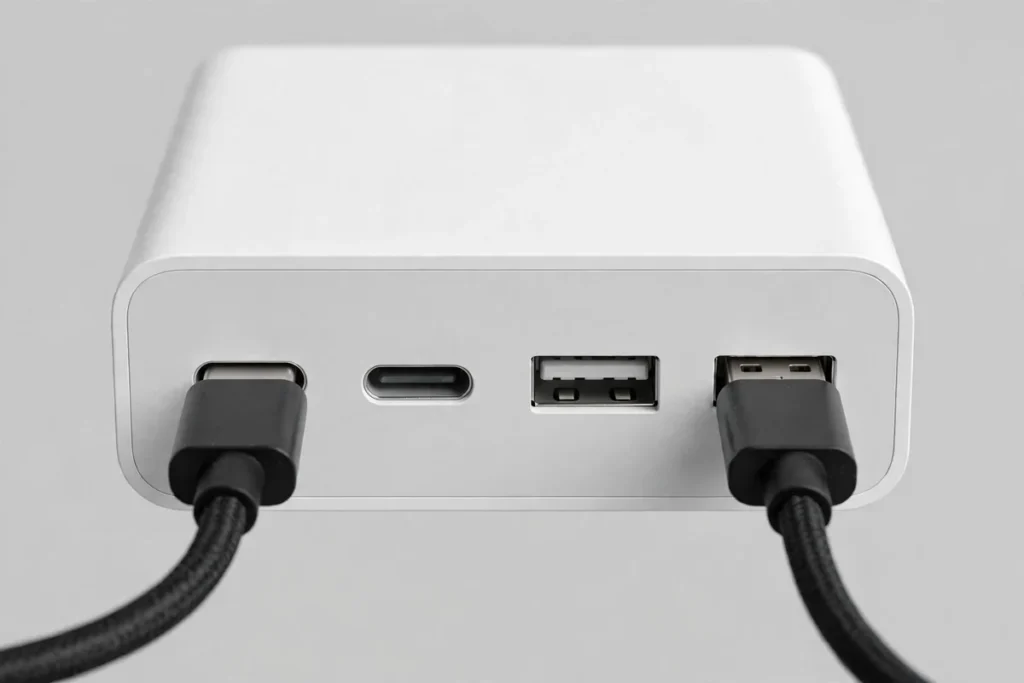
- Port layout, spelled out. Not “4 ports.” Write it as “2 USB-C + 2 USB-A” or whatever the real split is. Then match it against your cables.
- Charging protocols. USB Power Delivery for USB-C fast charging, and Quick Charge only if your devices actually use it. A charger that claims every protocol for every port is probably claiming more than it delivers.
- Safety certifications. Look for recognised marks such as UL, ETL, or CE on the listing and on the product itself. Cheap, uncertified bricks are where overheating and failure stories start.
- Cable in the box, or not. Many wall chargers now ship without a cable. That is fine if you already own good cables, and a nasty surprise if you do not. Factor the cable cost into the price before you compare.
- Size and outlet blocking. A wide brick can block the second socket on a standard US duplex outlet. If the listing shows no dimensions, or shows the charger floating in white space with no outlet for scale, treat the size as unknown. Size questions come up with PCs too, and identifying a PC’s exact hardware is the same discipline: get the model right first, then judge the spec.
- Return policy and warranty. A charger is a safety-adjacent product. A seller with no clear return policy and no warranty is asking you to absorb all the risk.
Run a 4XEM listing through that checklist and you will see the problem fast. The verified 4XEM models pass most of it: they have model numbers, stated wattages, stated port layouts, and stated certifications. A vague “4XEM 4-port” listing that gives you none of that is not the same kind of product, even if the brand name matches.
The Desk Setup Angle Most Guides Skip
A 4-port charger is not just a charger. It is a desk decision. Where it sits, how many cables hang off it, and whether it blocks the next outlet all decide whether you actually like using it after week one.
The cleanest setup I have seen is boring, and that is why it works. One multi-port brick on a power strip or a wall outlet behind the desk, with short cables routed to a phone, earbuds, and a watch, and one longer cable kept free for a tablet or a guest device. Nothing dangles across the desk. Nothing gets unplugged to make room for something else, because the port count already covers the daily load.
The messy setup is the one most people actually live with: three single-port bricks fighting for two outlets, a power strip on the floor, cables tangled behind a monitor, and a phone charging on the floor because the good outlet is taken. A 4-port charger fixes that mess only if its total wattage covers everything at once. A 20W four-port brick does not fix it. It just moves the bottleneck from the outlet to the brick.
Think about your desk the same way you think about your screens. A second monitor only helps if it is arranged to match how you actually sit and work, and setting up a two-screen desk properly is the same kind of job: match the hardware to the habit, not the other way round. A multi-port charger only helps if its ports and wattage match how you actually charge.
When a 4-Port Charger Is the Wrong Buy
Sometimes the honest answer is not a better 4-port charger. It is a different product entirely.
If you charge a laptop plus a phone, skip the small 4-port brick and look at a higher-wattage GaN charger with at least one high-output USB-C port. Laptop charging lives in the 45W to 140W range depending on the machine, and a brick built for phones will leave a laptop draining under load, even while plugged in.
If you only ever charge a phone and earbuds, a 4-port brick is overkill. A good dual-port charger, like the verified 4XEM 20W or 35W models, costs less, takes less space, and does the job without a tangle of unused ports.
If your charging happens mostly at night, on a nightstand, a wireless pad may suit you better than any wired brick. Wireless charging is slower, and it wastes more energy as heat, but for overnight charging that rarely matters, and the convenience of dropping a phone on a pad beats fumbling for a cable in the dark.
And if your phone is not charging properly at all — not slowly, but not at all, or cutting in and out — a new brick may not be the fix. Cables fail internally without visible damage, ports collect lint, and software settings can block charging. Diagnose the phone and cable first, in the same patient order you would use when
working through a phone fault step by step, then buy a charger, or you will end up owning two bricks and the same problem.
How Retailer Listings Mislead (Without Lying)
Retailer pages rarely lie outright. They mislead by omission, by grouping, and by letting search engines do the rest.
Grouping is the biggest trick. A retailer page titled with a brand and a category — “4XEM chargers” — will show a dozen products. A search engine may surface that page for a specific phrase like “4XEM 4-port USB wall charger” because the page contains the words “4XEM,” “4-port” (from a different product), and “wall charger” (from another). The shopper clicks, sees the 4XEM logo, and assumes the product they wanted is right there. It may not be.
Bundles do the same thing. A “charging kit” with a wall adapter plus cables can be listed in a way that makes the port count look bigger than it is. A kit with a 2-port adapter and two cables is not a 4-port charger, but a hurried scan can make it feel like one. Creators fall for the same bundle trick with software, which is why tested free video tools and their real limits are worth reading before trusting a “free” label at face value.
Then there is the marketplace problem. On large marketplaces, third-party sellers reuse titles, copy descriptions from other listings, and attach their product to a popular search phrase. The brand in the title may be correct. The specs in the body may belong to a different product. The only defence is the checklist above: model number, port layout, total and per-port wattage, certifications, all in writing, from the seller you are actually buying from.
A Buying Shortlist That Does Not Invent a Product
Since I cannot honestly recommend a specific verified 4XEM 4-port wall charger, here is what I can recommend instead, in plain terms.
If you want 4XEM specifically: buy one of the verified models for what it actually is. The 65W GaN triple-port model is the closest to a multi-device desk charger in the verified range, with a display that shows what is happening. The 140W five-port model is the pick if a laptop is in the mix. The 20W and 35W dual-port models are the pick if you only charge one or two small devices and want to spend less.
If you want four ports specifically: buy a 4-port charger from any reputable brand that publishes its model number, its total wattage, its per-port wattage, and its safety certifications, and that states its USB-C and USB-A split in plain numbers. Do not buy on brand name alone, and do not buy on a search result title alone.
If you want the cheapest safe option: a lower-wattage 4-port brick is fine for earbuds, watches, and overnight phone charging, where speed does not matter. It is not fine for fast-charging two tablets at once, and no listing should pretend otherwise.
If you want one charger for everything, including a laptop: look for GaN, at least 65W total, with at least one USB-C port rated for laptop charging, and check your laptop’s required wattage first. A charger that cannot meet that number will disappoint you every day, no matter how many ports it has.
That shortlist is less satisfying than a single “buy this one” link. It is also the only shortlist I can write without inventing a product that I could not verify.
Quick answer: Buy a 4-port charger on its published numbers, not its search title. You need a model number, a total wattage, a per-port wattage, a stated USB-C and USB-A split, and recognised safety certifications. If a listing gives you fewer than three of those five, skip it.
Safety Notes Worth Taking Seriously
Chargers are one of the few tech products where a bad buy can do more than waste money. Overheating, melting, and short circuits are rare with certified products from reputable sellers, and far less rare with uncertified bricks from unknown sellers.
A few rules that cost nothing and prevent most of the bad outcomes. Do not cover a charging brick with bedding or clothing while it is in use. Do not use a charger that smells hot, feels soft, or has a loose plug. Do not charge a phone with a swollen battery, and do not keep using a cable with exposed wiring. If a charger gets too hot to hold comfortably, unplug it and stop using it. Heat is not a feature. It is a warning.
Also, keep chargers away from water, obviously, but also away from the edge of a sink or a bath where a splash can reach them. And if a charger fails within its warranty period, use the warranty. That is what it is for, and a brand that honours warranties is telling you something about its product that a low price never will. Separately, if the whole house seems slow while everything charges, rule out
a slow name-resolution problem before blaming the brick.
Frequently Asked Questions
Is there a 4XEM 4 port USB wall charger?
Not one I could verify with a model number and full specs from the retailer and manufacturer pages checked for this guide. 4XEM sells verified 2-port, 3-port, 5-port, and 6-port power products, but no 4-port wall charger surfaced with complete, checkable specs. If you find one with a model number and a full spec sheet, check it against the checklist in this guide before buying.
What is the closest verified 4XEM charger to a 4-port model?
The 65W GaN triple-port charger, with one USB-C port and two USB-A ports, is the closest multi-device wall charger in the verified range. The 140W GaN model has five ports, not four, and is aimed at laptop-plus-devices setups. Neither is a 4-port charger, and neither should be sold as one.
How many watts do I need for four devices at once?
It depends on the devices. Four small devices — earbuds, a watch, a phone trickle-charging overnight — can live happily on a lower-wattage brick. Two phones plus a tablet, charged quickly at the same time, need a materially higher total wattage, and a laptop in the mix pushes the requirement higher again. Add up what your devices actually draw, then buy a total wattage above that sum, not equal to it, so the charger is not running flat out all the time.
Are USB-A ports still worth having on a 4-port charger?
Yes, for the small gear that still uses USB-A cables: earbuds cases, older fitness bands, and plenty of accessories. USB-A ports are usually slower than USB-C ports on the same brick, so reserve them for small devices and keep the USB-C ports for phones and tablets.
Does GaN actually matter, or is it marketing?
GaN matters, but it is not magic. Gallium nitride components waste less energy as heat than older silicon components, so a GaN charger can be smaller and cooler at the same wattage. It does not add ports, and it does not turn a low-wattage brick into a high-wattage one. Judge a GaN charger on its published wattage and port layout, same as any other charger.
Can a 4-port charger damage my phone by delivering too much power?
A properly designed charger and a modern phone negotiate power between them, so a higher-wattage charger does not force extra power into a phone that cannot take it. The risk comes from uncertified or faulty chargers, not from a reputable charger with a higher wattage rating than your phone needs. Buy certified, buy from a seller with a return policy, and stop using anything that runs hot or smells wrong.
Should I buy the cheapest 4-port charger I can find?
Only if your devices are all small, slow-charging gear and you have checked its certifications. For phones and tablets you charge every day, the cheapest brick is usually the most expensive one in the long run, because it charges slowly, runs hot, and gets replaced. Spend the difference once, on a charger with published specs and a warranty. The same check-before-you-blame-the-hardware habit applies to laptops, including knowing
how to switch off a Chromebook touchscreen before assuming a device is faulty.
Does this charger come with a cable?
That depends on the exact listing, and it is one of the most common surprises in charger shopping. Many wall chargers now ship without a cable, and some 4XEM listings state that explicitly. Check the “in the box” section before you pay, and budget for a good cable if one is not included.
Final Verdict
The search phrase “4XEM 4 port USB wall charger” promises a simple product. The reality, after checking the listings, is messier and more useful: 4XEM makes good, verified chargers, but the 4-port wall charger in that exact form is not one I could pin down with a model number and a full spec sheet. Pretending otherwise would be easier, and it would also be wrong.
So here is the honest verdict. If you are loyal to 4XEM, buy the verified model that matches your real device count: dual-port for one or two devices, triple-port GaN for three, five-port GaN if a laptop is involved. If you genuinely need four ports, buy a four-port charger from a brand that publishes its numbers in full, and run it through the checklist in this guide before you pay.
Either way, you will end up with a charger that does what its box says, which is more than most listings for this search phrase can promise. Once the charger is sorted, the rest of the desk routine is worth the same tidy-up, and tools that cut browser clutter are a cheap place to start.
That is not the answer a search result wants. It is the answer that keeps you from buying the wrong brick twice.

Continue Reading on CripsyWire
For more honest tech matchups, browse our full reviews and comparisons library. AI tool reviews live in AI tools and agents, phone reviews in smartphones, and wearable reviews in wearables. Before you buy, our step-by-step guides may help with setup decisions. The CripsyWire homepage highlights what is newest, all under our Tech coverage.