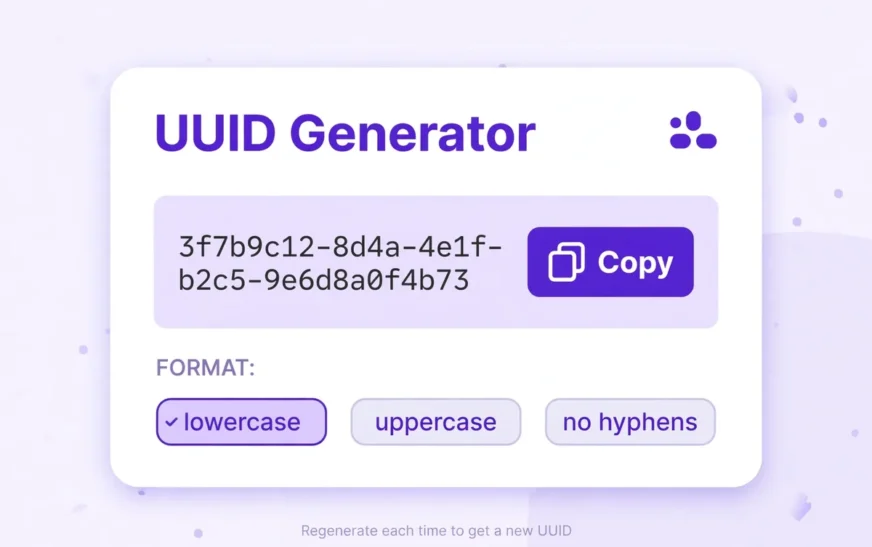
Quick answer: An online UUID generator creates a 128-bit Universally Unique Identifier, usually shown as 32 hexadecimal characters in five groups separated by hyphens, for example 550e8400-e29b-41d4-a716-446655440000. The safest kind runs entirely in your browser: it uses your device’s built-in secure random source, sends nothing to a server, and lets you copy the result straight away. Use it for test data, database keys, file names, and API placeholders. Do not paste a real secret, token, or password into any generator, and do not trust a random-looking string from an untrusted page for work where uniqueness actually matters.
You need an identifier. Not a username, not a sequential number that reveals how many users you have, and not a name that collides the moment two people pick the same one. You need a string that is practically unique, that you can paste into code, a database, a config file, or a test case, and then move on.
That is what a UUID is for. Finding a generator is easy. A search returns dozens in seconds. The harder job is knowing which one you can trust, what it is doing behind the button, and which format the system on the other end expects.
If you only need one identifier right now, use the CripsyWire UUID Generator and copy the result. If you want to understand what you just copied, keep reading.
What a UUID actually is
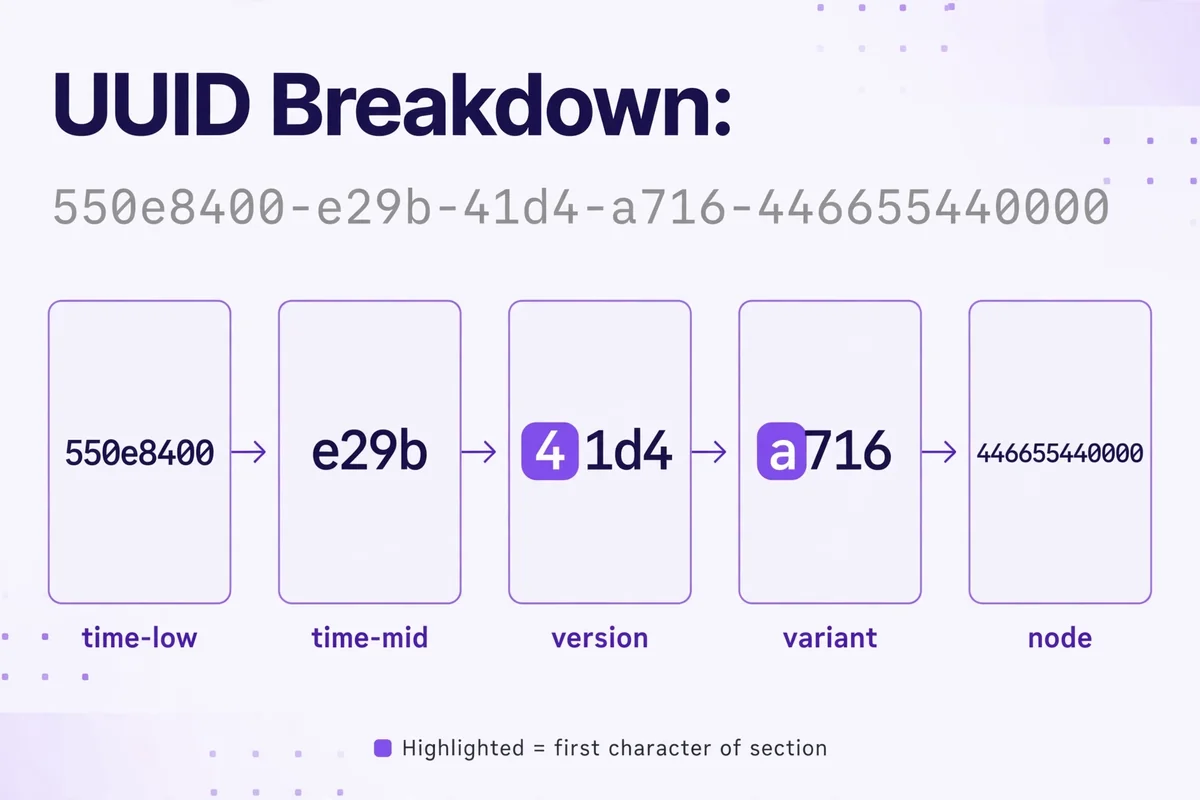
A UUID is a 128-bit number, normally written as 32 hexadecimal digits in five groups of 8, 4, 4, 4, and 12 characters, joined by hyphens. The format looks like xxxxxxxx-xxxx-Mxxx-Nxxx-xxxxxxxxxxxx, where M marks the version and N marks the variant. The total number of possible values is 2 to the power of 128, so the chance of two independently generated UUIDs colliding is negligible for ordinary use, provided the generator uses a proper random source.
The current standard is RFC 9562, published in May 2024. It obsoletes RFC 4122, the older specification most developers learned from. RFC 9562 keeps the familiar versions, clarifies how they should be built, and adds newer time-ordered versions. You do not need to memorise the whole document. You need to know that a UUID is not a random jumble of letters and numbers, and that the version digit tells you how it was made.
For everyday work, most people reach for version 4. It is the default on most generator pages, in most libraries, and in most tutorials, for a simple reason: it is easy to explain and hard to get wrong, as long as the random source is sound. Version 4 uses 122 random bits, with the remaining six bits fixed to mark the version and variant. The result has no timestamp, no machine address, and no input name hidden inside it.
Why browser-based generation protects your privacy
Here is the distinction that separates good generators from risky ones: where does the generation happen?
A server-side generator sends a request to a remote machine, waits for a response, and displays whatever comes back. Your browser, your network, and the server operator are all involved in creating a supposedly private identifier. The value may be logged in server logs, analytics, or error reports. You have no way to verify that it was not stored, and no way to prove that it was not handed to someone else later.
A client-side generator works differently. The page loads once, the code runs on your device, and the identifier is created by your browser’s own secure random function. Nothing leaves the browser. There is no request per identifier, no server log entry for the value itself, and nothing for a third party to intercept in transit, because there is no transit. You can test this yourself: load a genuinely client-side page, disconnect from the network, and generate again. If it still works offline, the value never needed a server.
For a practical example of that habit, see the guide on how to back up an Android phone.
Clearing cached data before handing a device to someone else follows the same logic, as explained in the guide on how to clear the cache on Android.
The versions you will actually meet
Version 1: timestamp plus node
Version 1 combines a timestamp with a node identifier, historically a device MAC address. That combination made it useful for ordering and for guaranteeing uniqueness on a single machine, but it also leaks information. Anyone who sees a version 1 UUID can extract the time it was created and, in older implementations, the machine identifier. RFC 9562 discusses this privacy problem explicitly and recommends against exposing node identifiers in this way. Unless you are maintaining a legacy system that already uses version 1, there is rarely a good reason to generate new ones.
Version 4: random
Version 4 is the workhorse. It uses 122 random bits, so the output carries no timestamp, no machine address, and no name. Two version 4 values generated a second apart on the same machine have no visible relationship. That makes it a sound default for test data, API placeholders, session placeholders, file names, and anywhere you need an identifier that reveals nothing about how or when it was made.
Version 5: name plus namespace
Version 5 takes a namespace UUID and a name, hashes them together with SHA-1, and formats the result as a UUID. The same namespace and name always produce the same output, which is the entire point: it gives you a repeatable identifier for a known thing. That is useful for stable IDs for content, categories, or external references, where you want the same input to map to the same identifier every time.
Version 7: time-ordered
Version 7 is the newer time-ordered version defined in RFC 9562. It starts with a Unix timestamp in milliseconds, followed by random bits. Because the timestamp comes first, version 7 values sort in roughly the same order they were created, which makes them far friendlier for database indexes than purely random values. Databases that store rows in index order spend less time shuffling pages when new keys arrive in increasing order, and that difference shows up in write-heavy workloads.
Nil and Max: the two special values
Two values deserve a brief note because they appear in specifications and test suites. The Nil UUID is all zeros: 00000000-0000-0000-0000-000000000000. The Max UUID is all ones: ffffffff-ffff-ffff-ffff-ffffffffffff. Neither is generated for ordinary use. They serve as placeholders, lower and upper bounds, and test values. If you see one in a database, it usually means “no value assigned” or “end of range”, not a real identifier.
Bulk generation without the busywork
One UUID is easy. Five hundred is a different job. Bulk generation exists for test databases, seed scripts, load tests, and any workflow where clicking one at a time would waste an afternoon and invite copy errors.
A good bulk mode lets you choose how many values you need, generates them in one pass, and gives you a single block of text to copy. Look for a clean output format: one UUID per line, no extra commentary mixed into the block, no trailing spaces that break a parser. That plain list pastes directly into an array, a CSV column, or a seed file without manual cleanup.
CripsyWire’s phone storage calculator follows that pattern.
Its data usage calculator does the same.
Format options: uppercase, no hyphens, braces, and URN
The same 128-bit value can be written in several ways, and the system on the other end usually cares which one you send. Getting the format wrong produces errors that look mysterious until you compare the strings character by character.
Lowercase with hyphens is the standard, canonical form: 550e8400-e29b-41d4-a716-446655440000. Most APIs, databases, and libraries expect this form, and it is the safest default when you are unsure. Uppercase is the same value with capital letters: 550E8400-E29B-41D4-A716-446655440000. Some older Windows tools, .NET code, and enterprise systems prefer or produce uppercase, and some string comparisons are case-sensitive, so a value that is logically identical can fail a naive equality check if the case differs. Normalise case on input if you control the receiving system, and match the expected case if you do not.
No-hyphen form removes the four separators, leaving 32 continuous hexadecimal characters: 550e8400e29b41d4a716446655440000. This form appears in compact storage, in URLs where hyphens might be stripped or misread, and in systems that store identifiers as plain strings without punctuation. It is still the same value, but a parser that expects hyphens will reject it, and a parser that expects no hyphens may reject the hyphenated form. Check the target system’s examples before you paste.
Braces wrap the standard form in curly brackets: {550e8400-e29b-41d4-a716-446655440000}. This is common in Windows registry entries, COM identifiers, and configuration files that use brace-delimited GUIDs. The braces are not part of the UUID itself; they are packaging. If you copy a braced value into a system that expects a bare UUID, strip the braces first.
That principle is visible in CripsyWire’s AI image prompt builder.
How to judge whether an online generator is trustworthy
No single signal proves a generator is safe. Trust comes from several small checks that together make deception harder. Run through this list before you rely on any page for work that matters.
First, check whether generation works offline. Load the page, disconnect from the network or turn on airplane mode, and generate again. A genuinely client-side page keeps working. A server-side page fails or shows a loading spinner forever. This is the single most useful test, and it takes under a minute.
Second, open the browser’s developer tools and look at the network tab while you generate. A trustworthy client-side page shows no new network request when you click generate. If you see a request to an API endpoint on every click, the value is coming from a server, whatever the page claims. You do not need to understand the code to read that signal.
Third, test uniqueness in bulk. Generate a few hundred values, paste them into a text editor or spreadsheet, and check for duplicates. A sound generator will not repeat values in a small batch. Duplicates, or values that look patterned rather than random, mean the random source is broken or the page is recycling output.
Fourth, consider the operator. A generator hosted on a site with a real about page, a clear purpose, and other maintained tools is easier to trust than an anonymous page with no contact details and no history. That does not guarantee quality, but accountability changes behaviour.
You can judge that for yourself on CripsyWire’s about page.
The CripsyWire blog shows what else the site maintains alongside its tools.
When not to use an online generator
An online generator is a convenience, not a universal solution. There are jobs where it is the wrong tool, and naming them plainly will save you from a bad habit.
Do not use an online generator for cryptographic keys, passwords, or secrets. A UUID is an identifier, not a secret. Version 4 values have 122 random bits, which sounds like a lot, yet the format, the generation method, and the handling are not designed for key material. Use your platform’s dedicated key generator or secret manager for anything that must stay secret.
Do not use an online generator for production database keys if your application already has a library that generates UUIDs natively. Server code in Python, JavaScript, Java, Go, and most other languages can generate version 4 and version 7 values in one function call, with no browser involved and no copy-paste step to introduce errors. The online tool is for quick manual work, testing, and one-off tasks, not for replacing a library call in production code.
Do not use a UUID where a sequential or meaningful identifier is required. UUIDs are deliberately opaque. If humans need to read, sort, or speak the identifier, or if support staff need to find a record from a fragment of it, a shorter human-friendly code may serve better. UUIDs solve uniqueness and unpredictability. They do not solve readability, and pretending otherwise creates support tickets.
Practical uses, from testing to everyday work
Most people meet UUIDs in testing. A developer seeds a database with fake users, orders, or files, and each row needs a unique key. Generating a batch by hand, or copying the same placeholder into every row, leads to constraint errors and confusing test results. A bulk list, pasted into a seed script, avoids that failure mode and keeps test data realistic without using real customer identifiers.
API work is another common use. Documentation examples, Postman collections, and integration tests often need a placeholder identifier that looks real but is not tied to a live record. A fresh version 4 value serves that purpose without risking an accidental call against production data. The same logic applies to bug reports: a reporter can include a generated identifier to show the format that failed, without exposing a real record’s key.
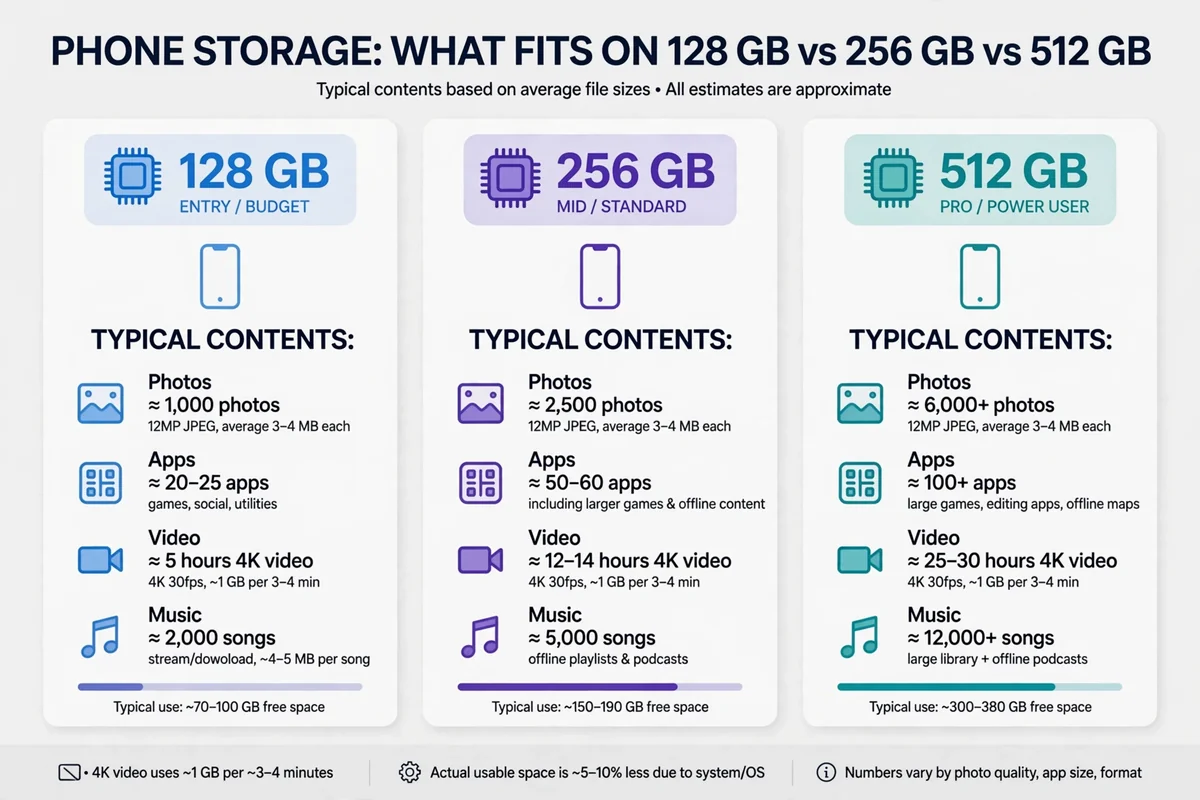
If you manage a phone full of photos, the same practical question of space comes up before you organise them, as covered in the guide on how many photos 128GB can hold.
That traceability point is central to the guide on how to create an AI agent.
It also runs through the roundup of the best AI productivity tools.
The bottom line for choosing a generator
A good online generator is boring in the best sense. It loads fast, it generates locally, it offers the formats you need, it copies exactly what it shows, and it does not ask for anything it does not need. It does not promise security it cannot prove, it does not hide network requests behind a clean interface, and it does not turn a trivial utility into a sign-up funnel.
You do not need to become an expert in RFC 9562 to make a sound choice. You need to know that UUIDs are 128-bit values, that version 4 is random and version 7 is time-ordered, that client-side generation keeps the value on your device, and that format and case must match the receiving system. With those facts, plus the offline test and the network-tab check, you can judge any generator page in a couple of minutes and move on to the actual work.
For the latest tools and plain-language tech guides, start at the CripsyWire homepage.
The CripsyWire tools index lists the full set of utilities.
Frequently asked questions
What is an online UUID generator?
An online UUID generator is a web page that creates a Universally Unique Identifier for you, usually version 4 by default. A browser-based version runs the generation code on your device using the browser’s secure random source, so the value never needs to travel to a server. You click generate, copy the result, and paste it into code, a database, a test case, or a config file.
Is it safe to use an online UUID generator?
It can be, if the page genuinely generates locally and makes no network request when you click generate. Test it offline and check the network tab in developer tools. Avoid pages that require sign-up for a random string, that fail when disconnected, or that send a request on every click. Never paste a secret, password, or production token into any generator, and never use a UUID as a substitute for real authentication.
What is the difference between version 4 and version 7?
Version 4 is purely random, using 122 random bits, so it reveals nothing about when or where it was created. Version 7 starts with a Unix timestamp in milliseconds and then uses random bits, so values sort in roughly creation order and work better as database index keys. Choose version 4 when timing must stay hidden. Choose version 7 when index performance matters and a visible creation time is acceptable.
Why do some UUIDs use uppercase, braces, or no hyphens?
Those are different written forms of the same 128-bit value. Lowercase with hyphens is the canonical form most systems expect. Uppercase suits some Windows and enterprise tools. Braces suit registry and COM-style identifiers. No-hyphen form suits compact storage and systems that strip punctuation. URN form, prefixed with urn:uuid:, suits linked-data and document contexts. Match the form your target system shows in its examples, and strip packaging before storing if the system expects a bare value.
Can two UUIDs ever be the same?
In theory, yes, because the space of possible values is finite. In practice, with a proper random source, the chance of a collision is so small that it is negligible for ordinary use. The real risk is not mathematics but a broken generator: a weak random source, a reused seed, or a page that recycles output can produce duplicates in a small batch. That is why checking a bulk batch for duplicates is a useful habit, and why production systems should generate identifiers with a vetted library rather than by copying from a browser tab.
Should I use an online generator for production database keys?
For quick manual work and testing, yes, provided the page passes the trust checks in this guide. For production code, no: generate identifiers in your application with a vetted library. That removes the copy-paste step, guarantees a proper random source, and keeps generation inside the system that owns the data. Use the online tool when you need a value now, and use the library when the system needs a value every time it runs.
What should I do if a system rejects my UUID?
First, compare the value character by character against an example the system accepts. Check the case, check for missing or extra hyphens, and check for braces or a URN prefix that the system does not expect. Check the version digit as well: a system that expects version 4 may reject a version 1 or version 7 value, even if the format looks correct. If the format matches and the value is still rejected, generate a fresh value locally and test again, because a copy error, such as a dropped character during manual selection, is a common cause.
Need a UUID right now?
Generate one in your browser — nothing is sent to a server, and you can copy it straight into your project.

Continue Reading on CripsyWire
For more practical AI coverage for US buyers, see our full AI tools and agents library. When you are deciding between competing tools, the reviews and comparisons section breaks down head-to-head matchups. AI features that live inside your phone are tracked in smartphones, and AI on your wrist or finger in wearables. All of this is part of CripsyWire's broader Tech coverage — start at the homepage for what is newest.