Quick answer: The Samsung MV800 is a 16.1MP compact camera from 2011 with a 3-inch touchscreen that flips up over the top of the body. In 2026, it is worth buying only if you want the soft, slightly grainy CCD look that phones cannot reproduce. As a general-purpose camera, any mid-range phone beats it. Expect to pay $40–$90 used, and budget for a replacement BP-70A battery.
There’s a specific kind of photo the MV800 makes. Slightly warm. A little soft in the corners. Flash that blows out the nearest face and leaves the background in a black void. If you were online at all in 2011, you already know exactly what I mean, and that is the entire reason this camera has a second life.
Let’s be honest about what you’re actually getting.
What the Samsung MV800 Actually Is
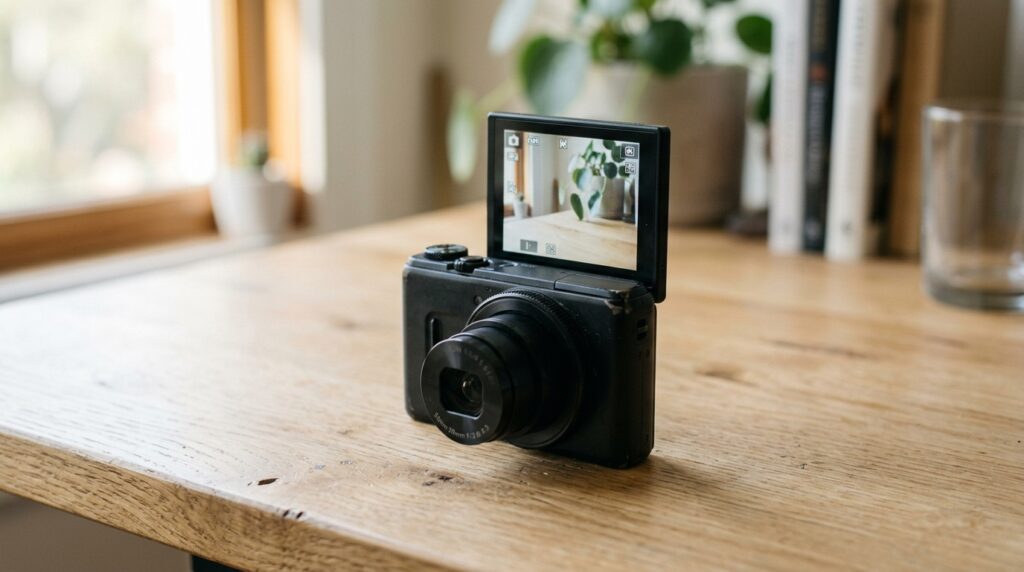
Samsung launched the MV800 in September 2011 as part of its “MultiView” idea. The pitch was simple: put the whole screen on a hinge so it flips up and over the top of the camera, then add a shutter button on the back so you can still press it while the screen faces you.
This was Samsung’s answer to a problem nobody had solved cleanly yet. Front-facing phone cameras in 2011 were dreadful — VGA sensors with no flash, mostly there for video calls. So if you wanted a decent self-portrait, your options were a mirror, a timer, or a stranger. Samsung’s earlier DualView cameras bolted a second small LCD onto the front. The MV800 skipped that and just moved the main screen instead.
It launched at $279.99 in the US and around £249.99 in the UK, in black, red and white. Samsung wound down its consumer camera business a few years later, which matters more than it sounds — there is no ongoing support, no app updates, and no accessory pipeline. Everything you buy for it now comes from third parties or someone’s attic.
Full Samsung MV800 Specifications
| Specification | Detail |
| Announced | September 2011 |
| Sensor | 1/2.3-inch CCD, 16.4MP total / 16.1MP effective |
| Max resolution | 4608 x 3456 (4:3) |
| Lens | Schneider-Kreuznach 5x optical zoom, 26–130mm equivalent |
| Aperture | f/3.3 (wide) to f/5.9 (telephoto) |
| ISO range | 80–3200 |
| RAW support | No — JPEG only |
| Screen | 3.0-inch tilting touchscreen, 460k dots, flips 0–180° |
| Stabilisation | Dual IS (optical + digital) |
| Video | 1280 x 720 at 30fps, MPEG-4 / H.264 |
| Max clip length | Around 20 minutes |
| Storage | microSD / microSDHC only |
| Battery | Samsung BP-70A rechargeable Li-ion |
| Max shutter speed | 1/2000 sec |
| Flash range | Roughly 3.2 metres |
| Dimensions | 92 x 56.2 x 18.3 mm |
| Weight | 121g (body only) |
| Wi-Fi / GPS | Neither |
| Manual exposure modes | None |
Two lines in that table do most of the work. CCD sensor explains the colour rendering people chase. No RAW, no manual modes explains why serious photographers ignored it then and still ignore it now.
The MultiView Flip Screen: Genuinely Clever, Slightly Fragile
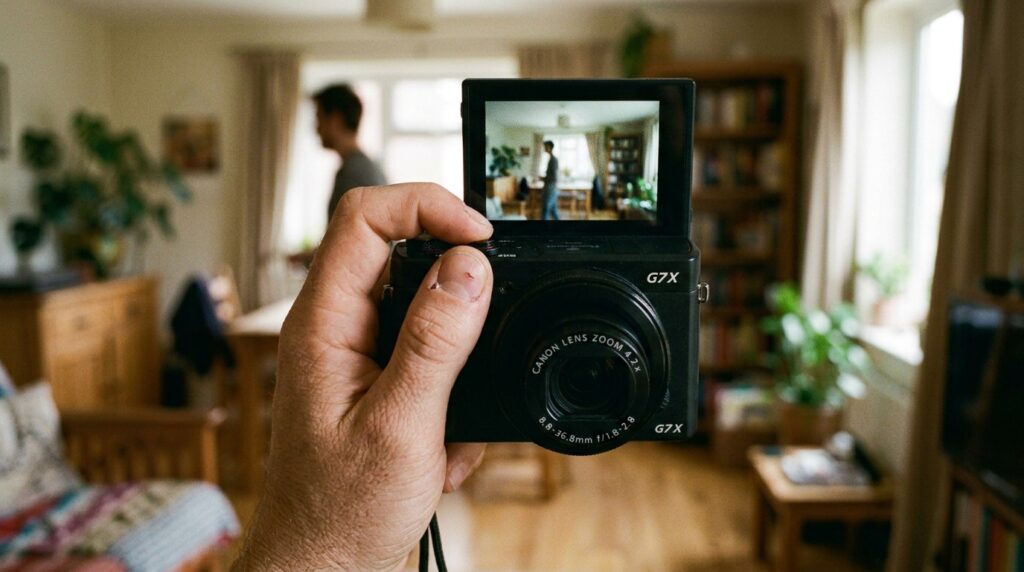
The hinge is the whole product. Push the screen and it swings up and back over the top plate, stopping anywhere between flat and fully folded. At 180° it faces forward for selfies. Around 90° it becomes a waist-level finder, which is unexpectedly useful for shooting kids and pets without crouching. Fold it right back and it props the camera up like a kickstand for the self-timer.
Samsung called the interface Smart Touch 3.0, and it responds to swipes and drags rather than only taps. For a resistive-era compact this felt modern. In 2026 it feels sluggish — you press, then wait a beat, then the menu moves. If you’ve spent a decade on 120Hz phone screens, the lag will annoy you for the first hour and then stop registering.
The screen itself is 460k dots. That was mid-tier in 2011 and it is genuinely poor now. In bright sunlight you are framing by hope. This is the single most common complaint from people who buy an MV800 expecting a modern experience.
Here’s the honest structural warning: the hinge is the part that fails. Fifteen years of flipping, plus a decade in a drawer, plus whatever the previous owner did to it. When you buy used, the hinge is the first thing to test, before you even care whether the sensor works. A camera with a dead hinge is just a mediocre 2011 compact.
Samsung MV800 Image Quality: The Truth, Not the Nostalgia
Sixteen megapixels on a 1/2.3-inch sensor is too many pixels for that much silicon. It was too many in 2011 and physics has not changed. Individual photosites are tiny, which means less light per pixel and more noise fighting.
In good light, the MV800 is fine. Genuinely fine. Daylight shots at ISO 80 or 100 come out with pleasant, slightly warm colour and enough detail for anything you’d put on a screen. The Schneider-branded lens is reasonably sharp in the middle of the frame at 26mm.
Past ISO 400, it collapses. Noise reduction smears fine detail into watercolour mush. ISO 800 is a last resort. ISO 1600 and 3200 exist on the spec sheet as a marketing decision, not a usable setting. I would not shoot this camera above 400 unless the alternative is not getting the shot at all.
Corner softness is visible at wide angle, more so at 130mm where the lens is already slow at f/5.9. Combine a slow aperture with a small sensor indoors and the camera reaches for the flash almost immediately. That flash has a range of about 3.2 metres and a very characteristic falloff — bright subject, dark background, hard shadow behind. Which, again, is the look people are actually buying.
There is no RAW file. Every image is a JPEG the camera has already sharpened, denoised and colour-graded. You cannot undo those decisions. If you want to edit heavily, you’re editing an image that has already been squeezed once, and it will fall apart faster than a phone’s computational JPEG would.
How Does the MV800 Compare to a Modern Phone Camera?
Snippet answer: A 2026 mid-range smartphone beats the Samsung MV800 on detail, low-light performance, dynamic range, video and convenience. The MV800 only wins on optical zoom reach and on producing an authentic CCD-era look that phone software cannot fully imitate.
Not close. A $300 phone today has a larger sensor, faster lens, and years of computational photography stacking multiple exposures before you’ve lifted your finger. Read any current comparison of the best Android phone 2026 and the worst camera on that list will out-resolve the MV800 in every measurable way.
But measurable is the operative word. The MV800’s charm is what it does wrong. Modern phones fight flatness, lift shadows, and smooth skin. The MV800 does none of that. It clips, it flares, it blows highlights, and the result looks like a memory instead of a render. Filter apps approximate this. They don’t nail it, because they’re adding grain to an image that was captured cleanly rather than capturing it imperfectly in the first place.
One real advantage: 5x optical zoom. Your phone’s 5x is usually a crop or a small dedicated telephoto that struggles in anything but daylight. The MV800 physically moves glass. At 130mm in good light it holds up.
Samsung MV800 Video: 720p, and That’s That
Video maxes out at 1280 x 720 at 30fps in MPEG-4 / H.264, with clips capped around 20 minutes. There’s a Zoom Noise Reduction feature that tries to keep the lens motor out of the audio track, and it half works.
Audio is mono and thin. There’s no microphone input, no headphone jack, no stabilisation worth the name once you’re moving. If you’re thinking of this as a vlogging camera because the screen flips — and I understand why you would — temper that. The screen flips, but the video underneath is 720p from 2011. It looks like 720p from 2011.
That said, some creators want exactly this. Low-res, slightly compressed, mono-audio footage reads as “found footage” in a way that intentionally-degraded 4K never quite does. If that’s the goal, fine. If you want usable everyday video, this isn’t it, and a five-year-old phone will humiliate it.
The Feature Set Samsung Actually Shipped
Samsung packed the MV800 is the best smartphone 2026 with in-camera effects, which is very 2011 and, weirdly, ages better than expected.
Smart Auto 2.0 picks a scene mode for you. It’s decent at obvious scenes — landscapes, portraits, backlighting — and confused by anything mixed. Most people leave it on and shouldn’t feel bad about that.
Smart Filter 2.0 applies effects at capture: Half Tone Dot, Old Movie, miniature, vignette, fish-eye and more. Baked in, not reversible. Shoot a duplicate without the filter if you care about the file.
Picture-in-Picture Shot takes one photo, then a second that drops into a frame inside the first. Genuinely fun, still fun.
Funny Face warps a face and holds the distortion via face tracking as you move the camera. Exactly as silly as it sounds.
Magic Frame, Beauty Shot, Live Panorama and MultiSlide Show round it out. Beauty Shot smooths skin in a heavy-handed way that has, through no effort of Samsung’s, come back around into looking like a specific era.
SmartCrop corrects converging lines after the fact — a mild perspective fix that’s more useful than it sounds if you shoot buildings.
None of these are reasons to buy the camera. They’re reasons you’ll enjoy it more than you expected once you have it.
Buying a Samsung MV800 Used in 2026: The Checklist
There is no other way to buy one. Samsung stopped making these more than a decade ago, so every unit is used, and condition varies wildly. Typical eBay and Facebook Marketplace pricing sits somewhere between $40 and $90 depending on condition and whether the seller knows about the digicam revival. Boxed, mint, with original accessories, sellers will ask more. Whether it’s worth more is your call.
Run through this before you pay:
1. Flip the screen, twice. Slowly. Feel for grinding, listen for clicks, watch for flicker in the display when it moves. Flicker means the ribbon cable inside the hinge is going. That’s a repair nobody is doing economically in 2026.
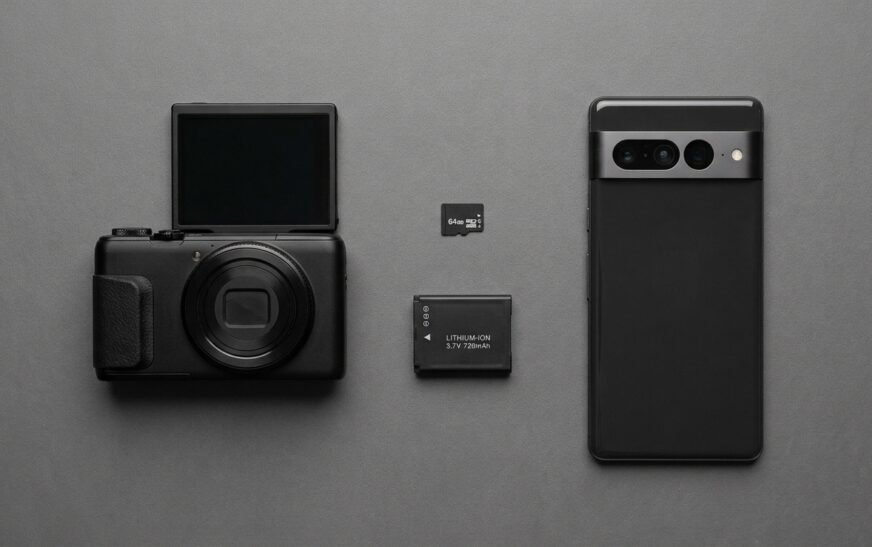
2. Check for a battery — and expect to replace it. The MV800 uses the Samsung BP-70A. Original cells are fifteen years old and will be well below rated capacity even if they hold a charge at all. Third-party BP-70A packs and chargers are still widely sold, often in two-pack kits with an external charger, and they’re cheap. Assume you’re buying one.
3. Confirm a charging method. Original chargers get lost. If the camera you’re buying charges only over its proprietary USB connector and that cable is missing, you have a problem. An external BP-70A cradle charger sidesteps this entirely and is the more reliable route. If a camera arrives and refuses to take a charge at all, the diagnostic order is much the same as when a phone won’t charge — test the cable first, then the power source, then the battery, then conclude the port is dead.
4. It takes microSD, not SD. This trips up almost everyone. Samsung used the phone-sized card format to keep the body thin. If you have a drawer of full-size SD cards, none of them fit. Buy a microSDHC card — and note the SDHC part, because SDXC cards above 32GB are not something you should assume will work on a 2011 body. A 16GB or 32GB card is plenty; at roughly 4–5MB per JPEG, 16GB holds several thousand photos. If you want to sanity-check capacity for photos and video, the phone storage calculator does the same maths for camera files.
5. Test the touchscreen across the whole surface. Resistive-era panels develop dead zones. Tap every corner and drag across the middle. A dead strip along one edge makes some menus unreachable, because there are only five physical buttons on the body.
6. Zoom in and out three or four times. Listen for grinding. Lens motors in old compacts seize, and “Lens error” is the classic terminal diagnosis on cameras of this generation.
7. Shoot one photo against a plain white wall and look at it on the screen zoomed in. Dust on the sensor shows up as dark specks. On a sealed compact, sensor dust is not user-serviceable.
8. Ask about firmware. Samsung’s support site historically hosted an MV800 firmware file, last touched around 2013. If the camera is already on the final version, fine. If not, availability now is inconsistent and I would not buy a camera on the assumption you can flash it.
Getting Photos Off the MV800 (Nobody Explains This Part)
No Wi-Fi. No Bluetooth. No app. This camera predates the assumption that images move wirelessly, and that surprises people who’ve only ever used phones.
Three routes:
microSD reader into a computer. Fastest, most reliable. Pull the card, drop it into a USB-C or USB-A reader, copy the DCIM folder. Costs a few dollars for the reader.
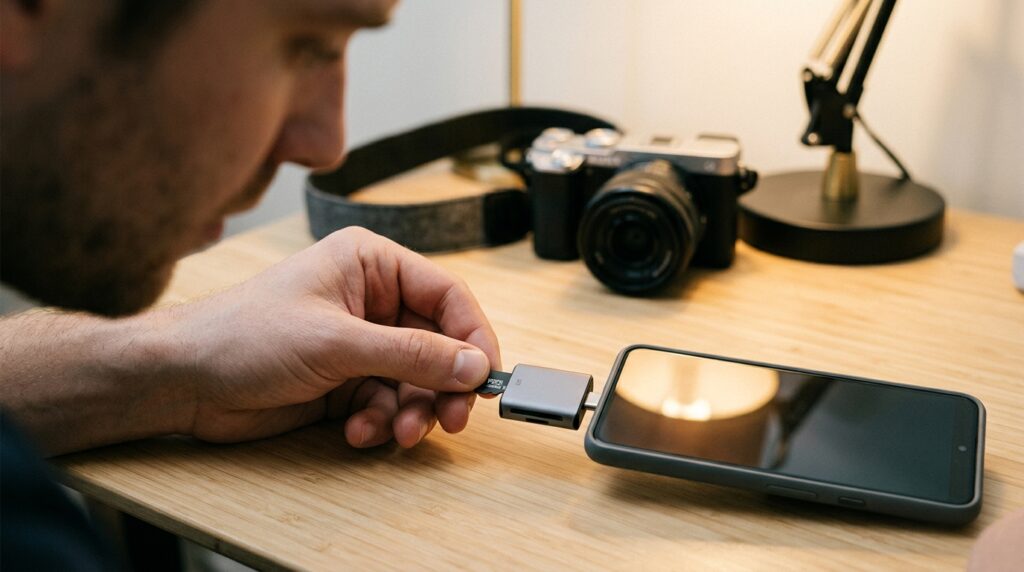
microSD reader into a phone. A microSD-to-USB-C reader plugs straight into most modern Android phones and iPhones. Files land in your gallery and you’re editing on your phone in under a minute. This is what most people actually want. It’s also the closest this camera gets to feeling modern.
USB cable to a computer. Works if you have the proprietary cable. Slow. Fine for occasional use.
Whatever route you pick, get the files off the card and into two places. Card corruption on old bodies with old cards is common and the failure is usually total. If you’re archiving to an external drive, it’s worth knowing how to check SSD health before you trust it with the only copy of anything.
One more note on editing. There’s a temptation to run these images through AI upscalers to “fix” them. Resist it for the shots you care about. Upscaling a 2011 JPEG produces a plasticky, over-defined image that loses precisely the quality that made you pick up the camera. If you’re generating a look deliberately rather than preserving one, that’s a different project — our AI image prompt examples and the AI Image Prompt Builder are the better tools for that job.
Who Should Buy the Samsung MV800 — and Who Really Shouldn’t
Buy it if:
You want the 2011 compact-camera aesthetic and you want it captured, not simulated. You like the friction of a device that does one thing and can’t check email. You’re shooting parties, nights out, holidays — situations where flash-lit, slightly-blown, undeniably-of-a-moment photos are the point. You’re buying it for under $70 and treating it as a fun object rather than an investment.
You also want the flip screen specifically. Plenty of 2011 compacts produce a similar look. Almost none of them let you frame a self-portrait.
Don’t buy it if:
You need reliable photos of important things. Weddings, documents, anything you can’t reshoot — use your phone. You want video. You shoot indoors or at night regularly. You want to edit heavily, because there’s no RAW and JPEG-only workflows have a hard ceiling. You need it to work in five years, because it’s a fifteen-year-old sealed electronic device with a moving hinge and no support.
And don’t buy it as an “upgrade” from your phone. It isn’t one. It’s a sideways move into a different look, and anyone selling it to you as an upgrade is either confused or hoping you are. If your goal is genuinely better photos, that money goes further toward a better phone — and if you already own a recent flagship, most people are leaving capability on the table, which is why guides like iPhone 17 Pro hidden features exist.
Alternatives Worth Considering
Samsung ST95 / PL120 / DV300F — same era, same sensor family, similar output, usually cheaper because they lack the flip screen. If you want the look and not the selfie feature, these are better value.
Canon PowerShot ELPH / IXUS series (2010–2013) — generally better JPEG colour and more reliable lens mechanisms. My default recommendation to anyone who wants a CCD compact and doesn’t care about flipping the screen.
Kodak PIXPRO FZ45 and similar new budget compacts — brand new, cheap, warrantied, and deliberately unsophisticated. The output is modern-sensor rather than CCD, so the look isn’t identical, but nothing is fifteen years old.
Your current phone with a filter — I have to say it. It gets you 70% of the way for free, and for a lot of people that’s where the exercise ends honestly.
Frequently Asked Questions
Is the Samsung MV800 a phone? No. The Samsung MV800 is a compact digital camera released by Samsung in September 2011. It has no cellular connection, no apps, and no operating system in the phone sense. Some searchers confuse it with Samsung phone model numbers, but the MV800 belongs to the MultiView compact camera line.
How many megapixels is the Samsung MV800? The Samsung MV800 has a 16.4MP 1/2.3-inch CCD sensor producing 16.1 effective megapixels, with a maximum image size of 4608 x 3456 pixels. Megapixel count here is misleading — the sensor is physically small, so per-pixel light gathering is weak and image quality drops sharply above ISO 400.
What battery does the Samsung MV800 use? The Samsung MV800 uses a BP-70A rechargeable lithium-ion battery. Original packs are long past their useful life, but third-party BP-70A batteries and external chargers remain widely available and inexpensive. Buying a two-pack with a standalone charger is the most practical setup for a used body.
Does the Samsung MV800 have Wi-Fi? No. The MV800 has no Wi-Fi, Bluetooth, GPS or companion app. To transfer photos, remove the microSD card and use a card reader, or connect the camera to a computer with its USB cable. A microSD-to-USB-C reader lets you move images straight to a phone.
Does the Samsung MV800 shoot 1080p video? No. Video tops out at 1280 x 720 (720p) at 30fps in MPEG-4 / H.264, with clips capped at roughly 20 minutes. Audio is mono with no external microphone input.
What memory card does the Samsung MV800 take? The MV800 uses microSD and microSDHC cards, not full-size SD. Stay at 32GB or below, since SDXC compatibility on a 2011 body is not something to count on. A 16GB card holds several thousand JPEGs at this camera’s file sizes.
How much is a Samsung MV800 worth in 2026? Used prices generally land between $40 and $90 depending on condition, accessories and whether the hinge and lens work properly. Boxed examples with original charger and cable sell for more. Prices fluctuate with interest in vintage digital cameras.
Is the Samsung MV800 good for beginners? It’s easy to use but limiting. There are no manual exposure modes, so you cannot learn aperture, shutter and ISO control on it. As a point-and-shoot with a fun screen it’s beginner-friendly. As a camera to grow into, it’s a dead end.
The Verdict
The Samsung MV800 was a smart idea executed on compromised hardware. Samsung solved self-portraits two years before phones did, then attached that solution to an oversampled small sensor, a slow lens, a low-resolution screen and 720p video. In 2011 that was an acceptable trade. In 2026 it’s only acceptable if the compromises are what you came for.
Which, for a lot of people right now, they are. Buy it because you want photos that look like 2011, not because you want good photos. Check the hinge before you pay. Order the BP-70A battery before the camera arrives. Get a microSD card and a reader. Then stop reading reviews and go shoot four hundred bad photos at a party, because roughly six of them will be better than anything your phone produced that night, and neither of us will be able to explain exactly why.

Continue Reading on CripsyWire
For more honest tech matchups, browse our full reviews and comparisons library. AI tool reviews live in AI tools and agents, phone reviews in smartphones, and wearable reviews in wearables. Before you buy, our step-by-step guides may help with setup decisions. The CripsyWire homepage highlights what is newest, all under our Tech coverage.