Here’s something strange. Type “copilot vs chatgpt” into Google and you’ll get dozens of guides comparing two products that run on the same AI models. Both are powered by OpenAI’s GPT-5 family. Same brain. So why does one feel completely different from the other the moment you start working?
Because the model was never the real difference. The wrapper is.
I’ve run both assistants side by side for months — drafting emails in Outlook with Copilot, then switching to ChatGPT for research and code, then back again. Some days Copilot saved me an hour. Other days it fumbled a task ChatGPT handled in one prompt. That messy, inconsistent reality is exactly what most comparison articles smooth over, and it’s the reason so many people pay for the wrong tool.
This guide fixes that. Real pricing (including the costs Microsoft doesn’t put on the pricing page), honest feature testing, and a straight answer for your specific situation — whether you’re a student, a writer, an office worker drowning in Excel, or someone exploring ways to make money with AI tools on the side.
Quick Answer: Is Copilot Better Than ChatGPT?
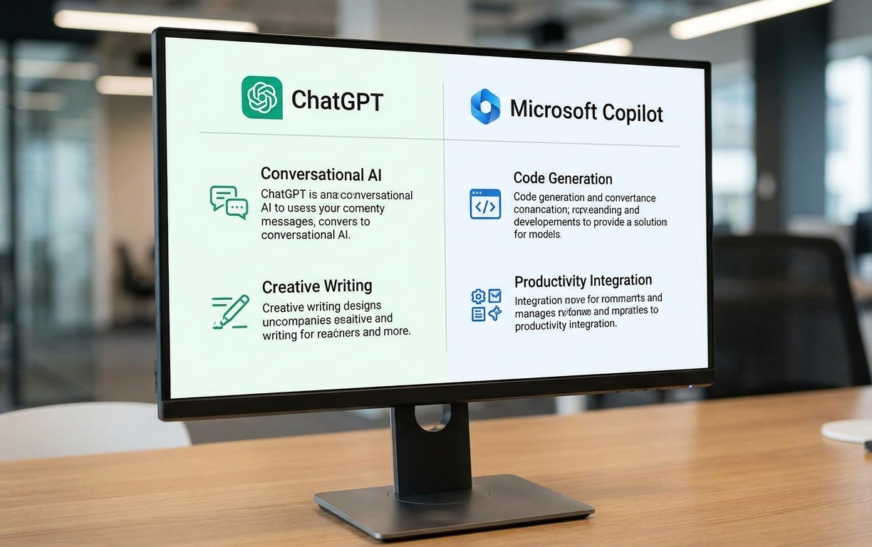
ChatGPT is the better all-around AI assistant for writing, coding, research, and creative work. Microsoft Copilot is better if your day runs on Word, Excel, Outlook, and Teams, because it reads your actual files, emails, and meetings. Same underlying GPT-5 models — the winner depends entirely on where you work.
That’s the 50-word version. The rest of this article explains the parts that short answer can’t — like why Copilot’s “$20/month” can quietly become $30+, and why the free versions of both tools are closer than the paid ones.
First Problem: Which Copilot Are We Even Talking About?
Most comparison guides skip this, and it causes endless confusion. “Copilot” isn’t one product. Microsoft slapped the name on at least four different things:
- Microsoft Copilot (free) — the chatbot built into Windows 11, Edge, and the Copilot app. This is the one most people mean when they compare it to free ChatGPT.
- Copilot Pro ($20/month) — the consumer upgrade with priority model access and Copilot inside Office apps, but only if you also have a Microsoft 365 subscription.
- Microsoft 365 Copilot (business, roughly $21–$30/user/month) — the enterprise version that connects to your company’s emails, files, SharePoint, and Teams meetings. This is the genuinely different product.
- GitHub Copilot — a separate coding assistant for developers inside code editors. Different product, different comparison. If you searched “copilot vs chatgpt” wanting the coding tool, know that GitHub Copilot autocompletes code inside your editor, while ChatGPT is a conversational assistant that also writes code. They solve different problems.
ChatGPT, by contrast, is one product with tiers: Free, Plus ($20/month), Business (around $20–$25/seat), and Enterprise (custom pricing, reportedly $45–$75/seat). Simpler mental model. That simplicity matters more than it sounds — half the battle with AI tools is knowing what you actually bought.
Microsoft Copilot vs ChatGPT at a Glance
| Category | ChatGPT | Microsoft Copilot |
| Made by | OpenAI | Microsoft (using OpenAI models) |
| Core models | GPT-5 family, direct from OpenAI | GPT-5 family via Azure, plus Microsoft layers |
| Best at | Writing, coding, research, creative work | Working inside Word, Excel, Outlook, Teams |
| Free tier | Yes — generous, with GPT-5 access | Yes — built into Windows and Edge |
| Individual paid plan | $20/mo (ChatGPT Plus), standalone | $20/mo (Copilot Pro) + M365 subscription needed for Office features |
| Business plan | ~$20–$25/seat standalone | ~$21–$30/user, requires M365 base license |
| Reads your work data | Only what you upload or connect | Yes — emails, files, chats, meetings (business tier) |
| Custom assistants | Custom GPTs, huge marketplace | Copilot agents, tied to Microsoft ecosystem |
| Platform | Web, desktop, mobile — works anywhere | Windows, Edge, Office apps — Microsoft-centric |
Same Brain, Different Body: How Copilot and ChatGPT Actually Differ
Both tools run on OpenAI’s GPT-5 model family. Ask each one a general knowledge question and the answers land within shouting distance of each other. Tested it myself dozens of times. On raw intelligence, calling a winner is mostly noise.
The difference between Copilot and ChatGPT lives in three places:
1. Where the AI sits
ChatGPT is a destination. You go to it — a browser tab, a desktop app, your phone. Copilot is an ambient layer. It’s in your taskbar, your browser sidebar, and (if you pay) inside every Office app. Neither approach is objectively better, but they train completely different habits. ChatGPT users develop a “let me think this through with AI” workflow. Copilot users develop a “fix this thing in front of me” workflow.
2. What the AI can see
This is Copilot’s trump card, and it only fully exists in the business tier. Microsoft 365 Copilot can pull from your actual work context: the Teams meeting you missed, the email thread from last Tuesday, the budget spreadsheet on SharePoint. Ask it to draft a follow-up to a client and it knows who the client is. ChatGPT can’t see any of that unless you feed it manually or wire up connectors — which have improved a lot, but still aren’t as native as living inside the ecosystem.
3. How fast new features arrive
OpenAI ships features at a pace Microsoft simply doesn’t match for consumers. New models, voice upgrades, research tools — they hit ChatGPT first, then trickle into Copilot weeks or months later. If staying current matters to you, that gap is real. (Though honestly, keeping up with releases is its own job — this guide to following AI news without drowning in hype is a saner approach than refreshing announcement pages.)
Copilot vs ChatGPT: Feature-by-Feature Breakdown
Writing and Content Creation
ChatGPT wins, and it isn’t close for long-form work. It holds tone better across a 2,000-word draft, handles revision loops more gracefully, and its Canvas editing mode makes iterating on a document feel like working with an editor rather than re-prompting a chatbot. Copilot writes perfectly fine emails and short documents, but push it into longer creative territory and it starts sounding like, well, a Microsoft product — competent, safe, slightly beige.
Where Copilot claws back ground: rewriting inside Word. Highlight a clumsy paragraph, ask Copilot to tighten it, and the edit happens in place with your document’s formatting intact. No copy-paste round trips. For office workers who write in Word all day, that friction removal is worth more than ChatGPT’s superior prose. One caution for anyone publishing AI-assisted content: detection tools are wildly inconsistent about flagging it, as this hands-on test of Grammarly’s AI checker showed — so edit heavily and add your own experience regardless of which assistant drafted it.
ChatGPT vs Copilot for Coding
For conversational coding — “explain this error,” “write a script that does X,” “refactor this function” — ChatGPT is stronger. Longer context handling, better debugging conversations, and Code Interpreter can actually run Python, test the output, and fix its own mistakes. That execute-and-verify loop is something Copilot’s chat simply doesn’t replicate.
The nuance: if you’re a professional developer, the real comparison isn’t ChatGPT vs Microsoft Copilot at all — it’s ChatGPT vs GitHub Copilot, and most working devs end up using an in-editor tool for autocomplete plus a conversational AI for architecture and debugging. Two different jobs.
Excel, Documents, and Office Work
Copilot’s home turf. Ask Copilot in Excel to analyze a table, build a pivot, or explain why Q3 numbers dipped, and it works directly on the live spreadsheet. Ask it in PowerPoint to turn a Word doc into a slide deck and you get a genuinely usable first draft. ChatGPT can analyze uploaded spreadsheets impressively well — sometimes with sharper statistical reasoning than Copilot — but everything happens in a chat window, disconnected from the file you actually need to update.
My rule after months of both: analysis of data, either tool. Changes to a live Office file, Copilot every time.
Image Generation and Creative Media
Both generate images using OpenAI’s image models, and both do it well. ChatGPT gives you more control over iterations — you can push revisions conversationally (“same scene, golden hour, wider angle”) and it tracks the thread. Copilot’s image generation is solid for quick one-offs and it’s free-tier friendly. The bigger factor than the tool is your prompting; the difference between a generic result and a great one is almost entirely in how you describe the shot, and these AI image prompt examples demonstrate that gap better than any feature list.
Neither tool does serious video generation natively — that’s still the territory of dedicated AI video tools like PixVerse, which is worth knowing before you pay for either assistant expecting Sora-level output built in.
Research and Web Search
ChatGPT’s deep research mode can chew on a question for several minutes and return a cited, structured report — genuinely useful for competitive research, purchase decisions, or getting up to speed on an unfamiliar topic. Copilot searches the web fine (Bing under the hood) and handles quick factual lookups well, but it doesn’t match the depth of ChatGPT’s long-running research runs. For students and analysts, this one category might justify ChatGPT Plus by itself.
Copilot vs ChatGPT Pricing: The Math Nobody Shows You
Sticker prices first, then the trap.
| Plan | ChatGPT | Microsoft Copilot |
| Free | $0 — GPT-5 access with usage limits | $0 — built into Windows and Edge |
| Individual | Plus: $20/mo, complete product | Pro: $20/mo, needs M365 (~$10/mo) for Office features |
| Small business | Business: ~$20–$25/seat | M365 Copilot: ~$21/user + M365 base license |
| Enterprise | Reportedly $45–$75/seat | $30/user + M365 E3/E5 license |
Here’s the trap: ChatGPT Plus at $20/month is the whole price. Copilot Pro at $20/month is an add-on — the Office integration that makes it worth buying requires a Microsoft 365 subscription on top, pushing real cost toward $27–$33/month. On the business side it’s the same story amplified: Microsoft 365 Copilot sits on top of a base M365 license, so the true per-seat cost for a company can land at $50+ once you stack the layers. Comparing “$20 vs $20” is comparing a full meal to a side dish.
One number that should give every buyer pause: only a small fraction of Microsoft’s hundreds of millions of commercial 365 subscribers actually pay for the Copilot add-on — reported figures in early 2026 put it in the low single digits percentage-wise. Access to GPT models isn’t the product. The wrapper is the product, and companies are voting cautiously with their wallets.
The flip side, and it’s a genuinely good deal: Microsoft 365 Personal at around $10/month now includes Copilot in Office apps plus the entire Office suite. If you were going to pay for Word and Excel anyway, that bundle undercuts everything else on this page. Worth factoring in if you’re also deciding on hardware — the Chromebook vs laptop question changes shape when your AI assistant is welded to Windows.
Privacy and Data: Where the Difference Gets Serious
For personal use, both are similar: free consumer tiers may use your conversations to improve models unless you opt out, and both offer that opt-out. Read the toggle, flip it, move on.
For work, the gap widens. Microsoft 365 Copilot inherits your organization’s existing permissions — it can only surface files and emails you already have access to, it respects sensitivity labels, and business data stays within your tenant with commercial data protection. That permission-inheritance model is why IT departments who distrust every other AI tool will sign off on Copilot.
ChatGPT’s Business and Enterprise tiers also exclude your data from training and carry solid enterprise governance — this isn’t 2023 anymore, and the “ChatGPT leaks your data” fear is outdated for paid business tiers. But Copilot’s integration with an existing Microsoft security stack is deeper by design. If your company runs on M365 with strict compliance needs, that’s not a tiebreaker. It’s the whole decision.
One honest caution that applies to both: an AI that can read everything you have access to will occasionally surface things that were technically accessible but practically forgotten — old HR files, misfiled documents. Companies rolling out Copilot without cleaning up their permissions first learn this the awkward way.
Which Should You Choose? Honest Verdicts by User Type
Students and researchers
ChatGPT. Deep research mode, better long-form explanation, file analysis, and the free tier is genuinely usable. Copilot adds little here unless your school runs on Microsoft 365.
Writers and content creators
ChatGPT. Better prose, better revision workflow, custom GPTs for repeatable tasks. Use Copilot only if your final output lives in Word and formatting friction bugs you.
Office workers in Microsoft 365 shops
Copilot — if your employer pays for the business tier. AI that has read the meeting you missed beats a smarter AI that hasn’t. If you’d be paying personally, start with free Copilot plus free ChatGPT and see which limit you hit first.
Developers
ChatGPT for conversation, GitHub Copilot for autocomplete. Microsoft’s consumer Copilot isn’t really in this race.
Small business owners and freelancers
Depends on your stack, not your preference. Already paying for Microsoft 365? The Copilot bundle math is attractive. Working across Google Workspace, Notion, Slack, and a dozen web tools? ChatGPT is ecosystem-neutral and travels with you. Plenty of freelancers building AI-powered side income run the $20 ChatGPT Plus plan as their entire software budget and do fine.
The “use both” answer (which is more common than you’d think)
Lots of teams quietly run both: Copilot for anything touching internal files and meetings, ChatGPT for research, drafting, and specialized work. The free tiers make this a zero-cost experiment. Try both for two weeks on your real tasks — not demo prompts — and the winner for your workflow becomes obvious fast.

What Both Tools Still Get Wrong
Neither deserves a free pass. Both hallucinate — confidently stating wrong facts, inventing sources, misreading numbers in spreadsheets. Both struggle with truly current events despite web access. Copilot in Excel still occasionally mangles complex formulas, and ChatGPT still sometimes loses the plot in very long conversations. Verify anything that matters, especially numbers, legal wording, and citations. An AI assistant is a fast junior colleague, not a fact-checker.
FAQs: Copilot vs ChatGPT
Is Microsoft Copilot the same as ChatGPT?
No. They use the same OpenAI GPT-5 models, but Copilot is Microsoft’s assistant built into Windows and Office, while ChatGPT is OpenAI’s standalone platform. Same intelligence, different integration, different pricing, different data access.
Is Copilot free to use?
Yes. The basic Microsoft Copilot is free in Windows 11, Edge, and the Copilot mobile app. Copilot inside Word, Excel, and other Office apps requires a paid plan — either Copilot Pro plus a Microsoft 365 subscription, or a business M365 Copilot license.
Which is better for coding, Copilot or ChatGPT?
ChatGPT is better for conversational coding, debugging, and explaining code. For in-editor autocomplete while you write code, GitHub Copilot (a separate product) is the relevant Microsoft tool. Many developers use both together.
Does Copilot use ChatGPT?
Copilot doesn’t use the ChatGPT product, but it runs on the same OpenAI model family through Microsoft’s Azure deployment, with Microsoft’s own grounding and safety layers on top.
Is Copilot Pro worth it over ChatGPT Plus?
Only if you live in Office apps and already pay for Microsoft 365. For everyone else, ChatGPT Plus delivers more capability per dollar because it’s a complete standalone product at the same $20 price.
Can I use both Copilot and ChatGPT together?
Yes, and many people should. Both have capable free tiers. A common split: Copilot for tasks inside Microsoft files and email, ChatGPT for research, writing, and creative work. Nothing about either tool prevents running both.

Continue Reading on CripsyWire
For more practical AI coverage for US buyers, see our full AI tools and agents library. When you are deciding between competing tools, the reviews and comparisons section breaks down head-to-head matchups. AI features that live inside your phone are tracked in smartphones, and AI on your wrist or finger in wearables. All of this is part of CripsyWire's broader Tech coverage — start at the homepage for what is newest.