Quick answer: The biggest AI writing tools updates in 2026 are model churn at OpenAI (GPT-5.5 then GPT-5.6 in under three months), Gemini’s full co-editing overhaul inside Google Docs, Grammarly’s rebrand into Superhuman, Jasper pivoting to marketing agents, and Microsoft letting Word users pick Anthropic models. Prices rose, free caps tightened, and detection tools stayed unreliable.
Here is a small confession. In January I had four AI writing subscriptions. Today I have two, and neither of them is the tool I expected to keep.
That is what 2026 has felt like for anyone who writes for a living. The tools did not just get better. They changed shape. Chatbots turned into workspaces. A grammar checker turned into an email and docs company. A copywriting app decided it was a marketing operating system. And the model you built your prompts around in March was retired by July.
Most articles ranking for this topic are recycled “best tools” lists. They tell you Jasper is good for marketers and Claude is good for long documents, which was true in 2024 and is still true now, but it is not what changed. This piece is about what actually shipped in 2026, what quietly got worse, and what I would do about it if I were setting up a writing workflow today.
What Changed in AI Writing Tools in 2026 (The Short Version)
Five themes explain almost every update this year.
Chat is dead, workspaces won. ChatGPT Work, Superhuman Docs, Copilot Cowork, Gemini’s side panel in Docs. Every vendor moved the writing surface out of the chat box and into the place where the document already lives.
Model choice inside the tools you already use. Word lets you pick Anthropic or OpenAI models. Jasper picks models for you automatically. Copilot ships Claude Sonnet 5 alongside GPT-5.6. The model became a setting, not a product.
Provenance and attribution got serious. Grammarly Authorship now records which specific AI agent touched a sentence. Watermarks are landing on Copilot-generated media. Schools and enterprises asked for it, and vendors listened.
Brand voice became infrastructure. Google’s Match writing style, Jasper IQ, Gemini’s saved instructions. Consistency across a team’s documents is now a feature you configure once, not a prompt you rewrite daily.
Prices went up and free tiers shrank. Jasper dropped its cheapest plan. Grammarly capped free prompts. OpenAI’s most capable modes sit behind higher tiers. If your budget was set in 2025, revisit it.
Now the detail, tool by tool.
ChatGPT Writing Updates in 2026: More Power, Less Stability
OpenAI shipped more this year than in the previous two combined, and that is both the good news and the problem.
The model churn problem for writers
The lineup moved fast. GPT-5.4 Thinking was the flagship in March. GPT-5.5 arrived in late April and became the default in early May. GPT-5.6 went into limited preview on June 26 and rolled out broadly around July 9, with GPT-5.4 retired by July 23. Along the way GPT-4o, GPT-4.5, o1, o3 and o4-mini disappeared from the consumer picker entirely.
For casual users the picker is simpler now: Instant, Thinking, Pro. Pick one and go.
If you run a content operation, it matters a lot. Custom GPTs tuned for one model’s quirks behave differently on the next. Style prompts that produced clean, tight prose on 5.4 came back wordier on 5.5 for several people I know, then tightened again on 5.6. Three model generations in four months means every prompt library needs re-testing quarterly. Nobody puts that in a launch post.
GPT-5.5 Instant: the update most people actually felt
The flashiest releases get the headlines, but the June 9 rollout of GPT-5.5 Instant to Free and Go accounts is the one that changed everyday writing for the most people. OpenAI’s own notes describe tighter answers, a more natural tone, and heavier use of your past chats for personalization, with the Free tier drawing from a smaller slice of history.
In practice this cuts two ways. Emails and short drafts come out sounding closer to how you actually write. But personalization also means ChatGPT drifts toward your habits, including the bad ones. If you overuse a phrase, expect it back.
ChatGPT Work and the File Library
Two structural changes for writers. The File Library, added in spring, makes uploaded style guides and sources reusable across chats. And ChatGPT Work, launched alongside GPT-5.6, is an agentic workspace that pushes rough notes through multi-step tasks across your files and connected apps.
For long-form writers the honest verdict is: Work is impressive for research-to-outline pipelines and clumsy for prose. It will assemble a briefing document from six sources faster than you can open them. Ask it to write a 2,000-word feature with a real voice and you still get a competent first draft that needs a human edit.
Claude’s 2026 Updates for Long-Form Writing
Anthropic’s year has been a steady climb rather than a series of fireworks. Opus 4.7 landed in April with better instruction following and self-checking. Opus 4.8 followed. By August the current lineup was Claude Opus 5, Sonnet 5 and Fable 5, with every 4.x model marked legacy.
What that means at the keyboard:
Long documents are still the reason to pick Claude. Feed it a 150-page style guide plus a draft and ask for a voice-consistent edit, and it holds the thread better than anything else I have tested. The API now supports up to a million tokens of context on top models, though the consumer app’s practical limits depend on your plan.
Projects matured into a real editorial tool. You upload brand voice docs, banned-word lists and a handful of exemplar articles once, and every chat inside that Project inherits them. This is the closest thing to Jasper’s Brand Voice for people who do not want to pay Jasper prices.
Instruction adherence is the underrated improvement. Tell the 2026 models “no bullet points, keep every paragraph under 60 words, never open with a question,” and they mostly obey for the whole document. That was not reliably true a year ago.
Where Claude still loses: it has no native SEO layer, no template library, and web research inside the writing flow is less seamless than in ChatGPT. Writers who need a keyword score next to their draft will pair it with something else.
Gemini in Google Docs: The Biggest Quiet Upgrade of 2026
If you had asked me in January which tool would improve the most for everyday writers, I would not have said Google Docs. I would have been wrong.
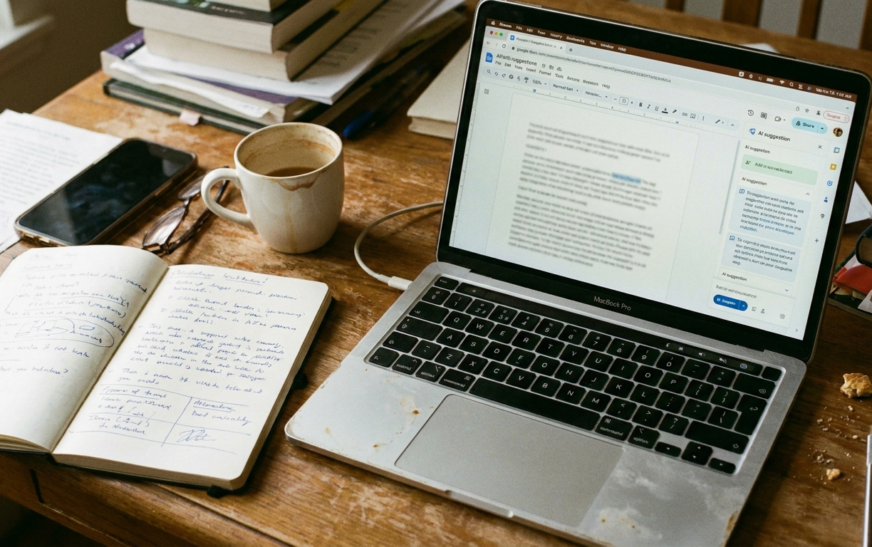
Google announced the overhaul on March 10 and rolled it out from late April into May. The old “Help me write” button, which mostly produced a paragraph you deleted, is now a full co-editing layer.
Help me create, refine, and match
Help me create builds a formatted first draft from your prompt and pulls context from Drive, Gmail and Chat. Ask for a project update using last week’s meeting notes and it finds the notes.
Help me write now edits across the document from a bottom bar or side panel. Suggested changes appear only to you until you accept them, one at a time or all at once. That review step is exactly what most AI editors were missing.
Match writing style scans a document with several authors and proposes edits so the voice reads as one person. For teams, this alone justifies the AI add-on.
Match document format copies the structure and styling of a document you like. Google noted that more than a third of new Docs start as copies of old ones, which explains why they built it.
Saved instructions and sources
On May 4, Google added persistent writing instructions in Docs, up to 1,000 characters, that Gemini applies to every draft. Formal tone, no exclamation marks, always end with a three-point summary, whatever you want. Set it once and stop repeating yourself. Language support widened again in August.
The catch: promotional higher usage limits for Match writing style and Match format expired on July 15, 2026. Since then, per-user caps apply and the higher ceilings sit with AI Pro, Ultra and Expanded Access licenses. Heavy users on basic plans will hit walls.
Grammarly Becomes Superhuman: What the Rebrand Actually Changed
This one confused a lot of people, so let me untangle it.
The company formerly called Grammarly renamed itself Superhuman on October 29, 2025, after buying the Superhuman email client and the docs platform Coda. The writing product is still called Grammarly. In February 2026 it bought the spreadsheet startup Rows. On July 8, 2026, Coda was folded in and relaunched as Superhuman Docs.
So the 2026 bundle is four things under one subscription: Grammarly, Superhuman Mail, Superhuman Docs, and an assistant called Superhuman Go that lives in your browser and drafts, schedules and pulls context across apps. Go was free for subscribers until February 1, 2026, then moved to paid.
What did not change: Grammarly Pro still runs about $12 a month annual, and the core checks work as before. The free plan still exists, now with 100 generative prompts a month; Pro raises that to 2,000 and unlocks full rewrites, tone changes, and the plagiarism and AI detection tools. The Business suite with Mail included runs roughly $33 per member per month billed annually.
Authorship and the provenance trend
The most important Grammarly update of the year got the least coverage. On March 10, 2026, Superhuman turned on Grammarly Authorship by default inside its docs surface and added agent-specific attribution. Authorship already tracked whether text was typed, pasted or AI-generated. Now it records which Superhuman agent was used and for what: research support, generation, or revision feedback.
This matters beyond classrooms. Publishers, agencies and legal teams increasingly want a receipt for how a document was made. Expect this to become table stakes across the category within a year.
The Expert Review misstep
Not everything landed. In March, Grammarly drew sharp criticism for an “Expert Review” feature that offered feedback in the simulated voice of real authors, some living and some deceased, without their involvement or consent. Whatever the intent, it read as tone-deaf in a year when writers are already anxious about their work being absorbed into these systems. It was a reminder that “innovative” and “advisable” are different words.
If you are deciding whether Grammarly is still worth paying for, our hands-on test of how accurately Grammarly’s AI checker catches machine-written text is a good place to start, because the detector is the feature most people overestimate.
Jasper’s 2026 Updates: From Copywriter to Marketing Agent Platform
Jasper stopped competing with ChatGPT for individual writers this year and made that explicit.
The monthly product notes tell the story. March brought an external MCP server so Jasper agents run inside other software, plus the ability to feed Brand Voice, Audiences and Style Guides directly into bulk generation grids. April added an IQ Agent that builds your brand voice and audience profiles automatically from a company profile, and made style guides apply to inline edits in Canvas. May introduced a Slack agent and automatic model selection, so teams stop choosing models manually. On June 16 Jasper launched a GEO Agent and GEO Hub for tracking and improving how a brand appears in AI-generated answers.
Read that list again and notice what is missing: anything for a solo blogger. Jasper is now an enterprise governance product with a writing feature attached.
The pricing confirms it. In May, Jasper removed its $49 Creator plan and migrated those users to Pro at $59. Thirty days’ notice, then a higher invoice. If you were on Creator and did not cancel, check your billing.
Is the pivot smart? For Jasper, probably. For the freelancer who signed up in 2023, it means the tool has outgrown you. There are cheaper ways to get brand-voice consistency now, which I cover below.

Microsoft Copilot in Word: Model Choice Finally Arrives
Microsoft’s writing story in 2026 is about choice and control rather than raw capability.
In June, Copilot in Word gained model selection, letting users pick Anthropic models for rewriting, summarizing and restructuring instead of being locked to OpenAI. Claude Sonnet 5 began rolling into Copilot surfaces from July 2 and reached Word on August 11, 2026. GPT-5.6 is available where selection is enabled. Access is admin-controlled and varies by region and tenant, so your IT department may be the deciding factor.
Other Word-relevant updates: Copilot Catchup summarizes what changed in a shared document since you last opened it. Agents built on the Model Context Protocol can now be called from inside Word, Excel, PowerPoint and Outlook. Copilot Cowork, the long-running agent that carries tasks across apps, went generally available on June 16. Deep citations that jump straight to the relevant passage in a source document were slated for preview in August and general release in September.
For writers the practical upside is Track Changes. Copilot edits now flow through Word’s native review tooling, which means you approve or reject AI changes the way you would a human editor’s. That is how it should have worked from the start.
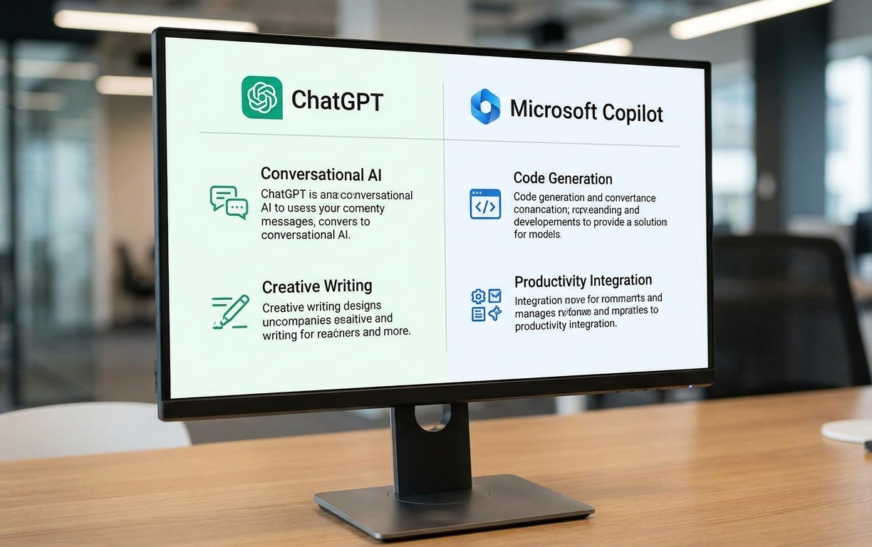
If you are weighing the two Microsoft-adjacent options, the case for one over the other is less obvious than it looks. We broke down the real differences in our Copilot vs ChatGPT comparison, and the short answer is that it comes down to where your documents live, not which model is smarter.
AI Detection and Google’s Position in 2026
Every conversation about AI writing tools eventually lands here, so let me be direct.
Google has not changed its stance in 2026. Using AI to help write is fine. Using AI, or humans, to mass-produce pages whose main purpose is ranking rather than helping is spam. The March 2026 spam update reportedly sharpened SpamBrain’s detection of scaled, mass-produced content, but that targets behavior, not authorship method.
AI detectors remain unreliable as a ranking signal or a truth signal. They flag human writing, especially from non-native English speakers, at rates that make them unfit for high-stakes decisions. No one has shown that a detector score moves rankings. What does move rankings is whether the page says something the other ten results do not.
A related shift: AI Overviews and answer engines reward pages with clear structure, direct answers and verifiable claims. Jasper’s GEO Agent exists because brands noticed their visibility inside AI answers was becoming as important as their blue links. If you publish, write the direct 50-word answer near the top of the section. It helps humans and machines alike.
My honest take after a year of watching this: the writers getting hurt are not the ones using AI. They are the ones publishing AI output without adding anything a reader could not get from the model directly.
The Updates Nobody Advertises: Price Hikes, Caps and Retirements
Launch posts do not mention these. Your invoice will.
Retired models. GPT-4o, GPT-4.5, o1, o3, o4-mini and GPT-5.4 all left ChatGPT this year. Any workflow, integration or custom GPT built on a named model needed migration. Anthropic marked the entire Claude 4.x line legacy by August.
Plan removals. Jasper’s Creator tier is gone. Superhuman Go moved from included to paid on February 1.
Usage caps. Google’s promotional limits on Match writing style ended July 15. Grammarly’s free tier is capped at 100 generative prompts a month. Some premium Claude Code review runs that were free expired May 5 and now bill per use.
Bundling pressure. Superhuman sells email and docs to people who came for grammar. Microsoft sells Cowork credits to people who came for Word. Expect the “complete suite” pitch even when you want one feature.
None of this is scandalous. It is a category maturing. But price the tool you will actually use, not the one the vendor wants to sell you. Our roundup of AI productivity tools we actually kept paying for came from exactly this kind of subscription pruning.
Which AI Writing Tool Updates Matter for You? (By Use Case)
Solo bloggers and freelancers. Claude or ChatGPT on a mid-tier plan, plus Grammarly free or Pro for the final pass. Skip Jasper unless a client pays for it. If writing is part of a broader income plan, the AI side hustles that are actually paying people this year lean heavily on exactly this stack.
Teams already in Google Workspace. Turn on the Gemini add-on and use Match writing style. It solves the multi-author voice problem better than any standalone tool, and your documents never leave Docs.
Teams in Microsoft 365. Copilot in Word with model choice enabled, and insist on Track Changes for every AI edit. Ask IT whether Anthropic models are switched on for your tenant.
Marketing departments at scale. Jasper, if you need governance, audiences and GEO tracking under one roof and have the budget. Otherwise Claude Projects with a strong brand-voice file gets you 80 percent of the way.
Educators and students. Grammarly with Authorship on. It is currently the only mainstream tool that documents which parts of a draft were human, pasted or generated, and by which agent.
Anyone worried about AI sounding like AI. Stop chasing detector scores. Save your style rules once (Gemini, Claude Projects, Jasper IQ, ChatGPT File Library all support this), feed real examples of your voice, and edit the output.
How I Would Set Up an AI Writing Stack Today
Three tools, no more.
One model for drafting and heavy editing. For long, voice-sensitive work I reach for Claude. For research-heavy pieces that need live web context, ChatGPT. Not both on paid plans at once; pick the one that matches the work you do most.
One in-document layer. Gemini if you live in Docs, Copilot if you live in Word. This is where the multi-author consistency and review tooling now lives, and it is worth the add-on because it removes the copy-paste loop.
One checker with a receipt. Grammarly, mostly for Authorship and tone flags rather than the AI detector, which I would not trust with anything that matters.
Then three habits. Store your voice once, in a Project or saved instruction, with three real examples of your writing. Re-test your prompts every time a model retires, because behavior drifts. And read the release notes yourself. Vendors are shipping monthly now, and the changes that cost money are rarely in the headline. If keeping up feels like a second job, our guide to following AI news without drowning in hype lays out a two-source routine that takes ten minutes a week.

Frequently Asked Questions About AI Writing Tools Updates in 2026
What is the biggest AI writing tool update of 2026? The shift from chat windows to in-document workspaces. Gemini’s co-editing overhaul in Google Docs, ChatGPT Work, Copilot Cowork and Superhuman Docs all moved AI writing into the file itself, with reviewable suggestions instead of pasted output. For most people, that changed daily workflow more than any single model release.
Did Grammarly shut down or get replaced in 2026? No. The parent company renamed itself Superhuman in October 2025 and now sells a bundle including Superhuman Mail, Superhuman Docs and Superhuman Go. Grammarly the writing product still exists, Pro pricing stayed around $12 a month, and the free plan continues with a 100-prompt monthly limit.
Which AI writing tool is best for long-form content in 2026? Claude remains the strongest for long documents because it holds an entire manuscript or style guide in context and follows detailed formatting instructions reliably. ChatGPT is better when the piece needs live research. Jasper suits marketing teams needing governance rather than individual long-form writers.
Does Google penalize AI-written articles in 2026? No. Google evaluates whether content is helpful and original, not how it was produced. Its spam policies target mass-produced pages built to manipulate rankings, whether written by humans or machines. AI detector scores are not a ranking signal, and detectors misfire often enough that chasing them is wasted effort.
Can Copilot in Word use Claude instead of GPT? Yes, where your organization has enabled it. Model choice arrived in Copilot in Word in June 2026, and Claude Sonnet 5 reached Word on August 11, 2026. Availability is controlled by tenant admins and varies by region, so check with IT if the option is missing.
Are AI writing tools more expensive in 2026? For many users, yes. Jasper removed its $49 Creator plan and moved those subscribers to $59 Pro. Superhuman Go became a paid add-on in February. Google ended promotional usage limits in July. Core plans like Grammarly Pro and ChatGPT Plus held their prices, but the cheapest paths narrowed.

Continue Reading on CripsyWire
For more practical AI coverage for US buyers, see our full AI tools and agents library. When you are deciding between competing tools, the reviews and comparisons section breaks down head-to-head matchups. AI features that live inside your phone are tracked in smartphones, and AI on your wrist or finger in wearables. All of this is part of CripsyWire's broader Tech coverage — start at the homepage for what is newest.