Your iPhone battery does not fail overnight. It fades in steps that are easy to blame on something else: an update, a cold morning, a charger that feels slower than it used to.
One day you leave home at 90% and feel fine. Months later you are hunting for a charger by lunch and watching the percentage drop in chunks.
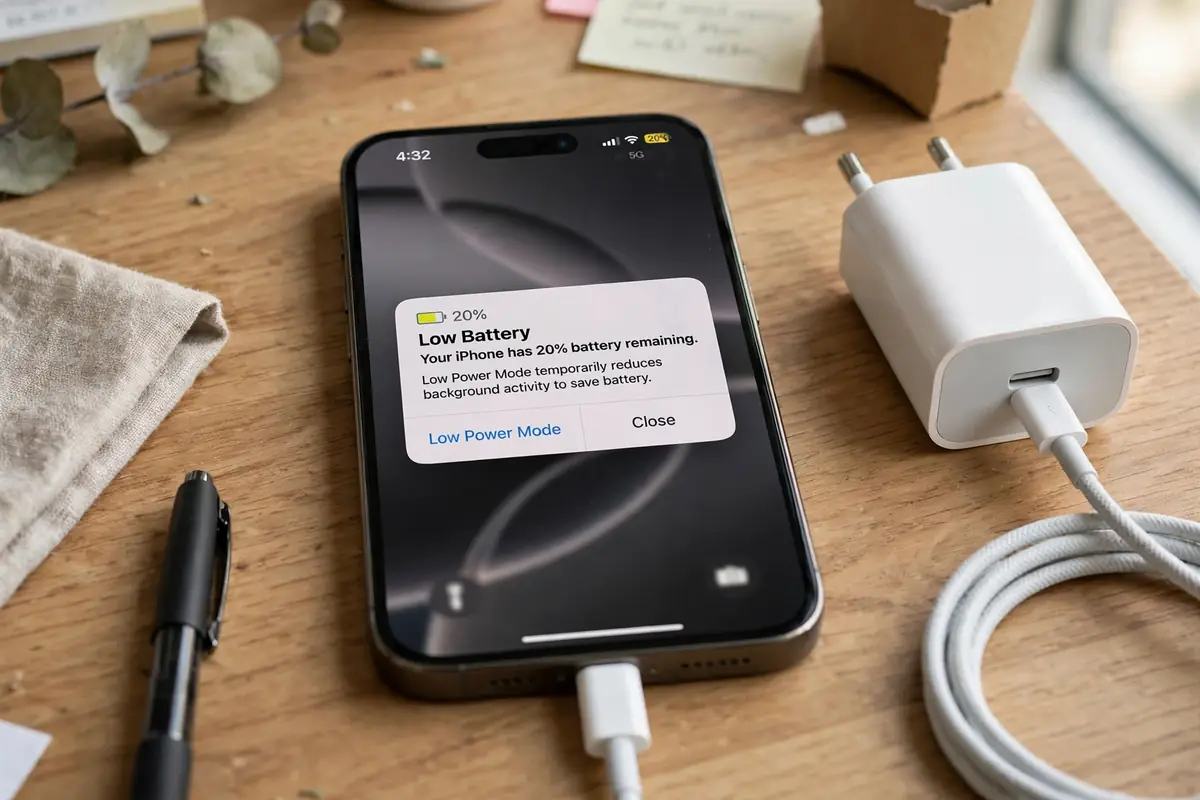
How to check your iPhone battery health
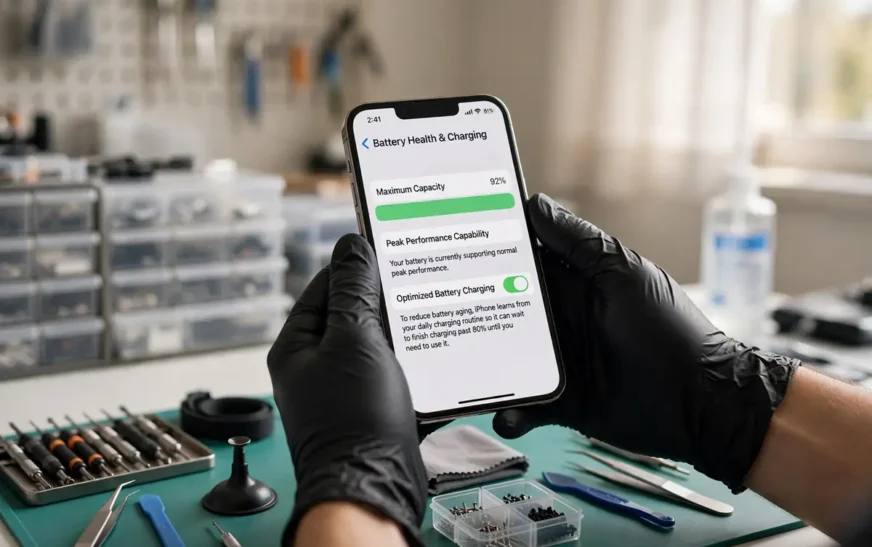
Open Settings, tap Battery, then tap Battery Health, or Battery Health & Charging on newer iOS versions. The number that matters most is Maximum Capacity: how much charge your battery can still hold compared with when it was new. A new iPhone starts near 100%. A small drop in the first year is normal, not a defect.
Apple treats 80% as the key line. Batteries in iPhone 14 models and earlier were designed to retain 80% of original capacity at 500 complete charge cycles under ideal conditions. For iPhone 15 models and later, the design figure is 80% at 1,000 cycles. A cycle is cumulative use equal to a full charge, so half a charge today and half tomorrow adds up to roughly one cycle.
Read the message under the percentage, not just the number. A phone at 87% with normal peak performance is aging normally. A phone at 79% with a service message can no longer deliver power reliably. Performance management means the phone has already slowed itself to prevent a shutdown, and an unable-to-verify message usually means a past repair used a non-Apple part.
One trap deserves a warning here. A phone that dies on the charger, or refuses to charge past a low percentage, may not have a battery problem at all. Before you book a replacement, rule out a broken cable, a dirty port, and a charger that has stopped delivering power, and read up on a phone that will not take a charge at all so you do not pay for a battery the phone never needed.
Warning signs your battery is actually failing
Not every short battery day means the battery is worn out. Look for a pattern over several days rather than one bad afternoon, and match what you see to this table.
| Symptom | Points toward a worn battery | Points somewhere else |
|---|---|---|
| Dies by midday on light use | Yes, if Maximum Capacity is low | Check brightness, background refresh, and weak signal first |
| Shuts down at 20–30% remaining | Strong sign, especially if it repeats | A single shutdown after extreme cold is less conclusive |
| Percentage drops in large jumps | Yes, the battery can no longer hold voltage steady | A faulty meter after a bad repair can mimic this |
| Phone feels slow during games or video exports | Possible, if performance management is active | Full storage, overheating, or old iOS can also slow a phone |
| Needs a power bank every day | Yes, if the pattern is new and steady | A new app, a travel week, or constant hotspot use can explain a short spell |
| Battery swells, screen lifts, or case no longer sits flat | Stop using it and get it checked promptly | This is not normal wear and it is not a wait-and-see problem |
Swelling needs a direct warning because people underreact to it. A lithium-ion battery that swells is physically damaged. Do not press the screen flat, do not charge the phone overnight, and do not try to open it yourself. Back up what you can if the phone still works safely, then take it to Apple or a qualified shop and say the word swelling first.
Is it the battery, or something else draining it?
Start with the Battery screen itself. Settings > Battery shows usage by app over the last 24 hours and the last 10 days. Look for one app taking a share that makes no sense for how much you used it. A navigation app running in the background, a social app refreshing constantly, or a mail account stuck syncing can drain a healthy battery in hours. Update the app, restrict its background activity, or delete and reinstall it, then watch one full day before you conclude anything.
Next, check signal. A phone hunting for service in a weak coverage area, a basement office, or on a rural road burns power fast because the radio works harder to stay connected. If battery life is fine at home and terrible on one commute or in one building, signal is a stronger suspect than the battery. Wi-Fi calling, when your carrier supports it, can ease that load indoors.
A phone that runs hot for other reasons needs a different fix from a worn battery, and swapping the battery first will leave the heat problem untouched. Only when the health reading is low, symptoms repeat across chargers and locations, and no single app or signal problem explains the drain should you treat replacement as the main fix. That order protects you from the most common regret here: a new battery in a phone whose real problem never left.
What a new battery fixes, and what it will not fix
A new battery restores capacity. With a fresh battery, the phone should last closer to what it managed when new, hold voltage steady under load, and stop shutting down early. If performance management was active because the old battery could not deliver peak power, replacing the battery should let the phone return to normal peak performance. For many people, that alone makes an older phone feel new again.
A new battery will not fix a phone that is slow because storage is full, because iOS is several versions behind, or because the processor is old for the apps you now run. It will not repair a cracked screen, a failing speaker, or a charging port full of lint. It will not improve signal or fix Wi-Fi dropouts. Expecting all of those to improve guarantees disappointment even when the battery itself is perfect.
Your four routes: Apple, authorized, independent, or DIY
Apple Stores and mail-in service use genuine parts and trained technicians, and Apple stands behind the repair with its own service warranty. The trade-off is price and waiting time, and parts for older models may take longer to arrive. If you have AppleCare+ and your battery is below 80%, this route is the obvious first call. Get the model-specific fee in writing before you hand the phone over.
Independent repair shops are the middle ground. Many do same-day swaps, often within an hour, and many charge less than Apple. Quality varies far more here, because part quality varies. A shop that cannot tell you the part type, the warranty length in writing, and what happens if health reporting stops is a shop to walk away from, however cheap the quote looks.
If the repair conversation turns into a replacement conversation, sort the practical side early. Knowing the steps for moving contacts to a replacement phone before you commit means a shop delay or a failed repair does not leave you scrambling to recover numbers from a phone you can no longer unlock.
Questions to ask any shop before you agree
- Is the part genuine Apple, Apple-authorized, or aftermarket, and will Battery Health still report after the repair?
- What warranty covers the new battery, for how long, and does it cover labor if the battery fails early?
- Is the quoted price all-in, or are diagnostics, adhesive, or a service fee added later?
- How long will the phone be with you, and what happens to my data if the repair finds a second fault?
- Will the water-resistance seal be replaced, and what do you check before handing the phone back?
What replacement costs in practice
Use this framework instead. First, check your coverage. If you have AppleCare+ and Maximum Capacity is below 80%, Apple is the route to price first. If you are inside the one-year limited warranty, note that normal wear is not the same as a defective battery. If you have no cover, expect an out-of-warranty fee that rises with newer Pro models and falls for older models, and get the exact figure for your model from Apple’s service page.
Second, get two independent quotes in writing, and compare like with like. A quote with a genuine or high-grade part, a written warranty, seal replacement, and post-repair testing is not comparable with a quote for an unbranded cell with no warranty. The cheapest quote often buys the shortest-lived battery, and a second replacement within a year erases any saving.
Repair the phone, or replace the phone?
Replacement starts to win when several factors stack up. The screen is cracked, storage is constantly full, the camera or speakers are failing, and the battery is worn — that is four repairs chasing one aging phone. Or the model is so old that app support is already dropping away, and a new battery only delays an upgrade you will need within months. Or you need features the old phone cannot run, and no battery will supply them.
Run the numbers in plain terms. Compare the all-in repair quote with the cost of the replacement you would actually buy, not the flagship you admire. Subtract any trade-in value the current phone still holds with a fresh battery. If a repair buys you 12 to 18 months of comfortable use, it usually wins. If it buys three months before the next fault, it does not.
Size and handling belong in that comparison too. A replacement is not just a spec sheet; it is a phone you will hold every day. Before you commit to a larger or smaller model as the alternative to repair, spend time comparing sizes before you pick a replacement so you do not trade a battery problem for a phone that feels wrong in your hand and pocket.
DIY battery replacement: an honest verdict
DIY guides make this job look calm and methodical. In practice, it is fiddly, adhesive-bound work on a sealed device with fragile cables a millimeter from where you are prying. The screen must be lifted without cracking it or tearing flex cables. Old battery adhesive must be pulled slowly and evenly; yanked adhesive can snap and leave the battery glued in place. A bent or punctured battery is not a minor slip. It is a safety incident that needs ventilation, distance from flammable material, and professional handling, not a second attempt with more force.
Tool cost is the part DIY guides understate. A proper kit needs the right pentalobe and tri-point drivers, a suction tool, picks, and fresh adhesive. Buying those separately, on top of the battery itself, narrows the saving over a shop quote considerably, especially for a one-time repair.
Warranty loss is the second hidden cost. Opening the phone yourself can end any remaining Apple warranty or AppleCare+ cover, even if the battery job itself goes well. That trade only makes sense if the phone is already out of cover, or if you accept that a later fault will be yours to pay for in full.
Model differences matter more than guides admit. Newer models add more adhesive and tighter seals, while older models may have brittle cables and parts that are harder to source in good condition. Owners of the smaller SE model face a tighter repair decision than owners of a large current phone, because the workspace inside is smaller and the remaining software life is shorter; reading about owners of the smaller SE model helps frame whether DIY on that phone is time well spent.
If you still want to do it yourself, use a reputable kit with a battery that carries a written warranty, follow a model-specific guide that shows the exact internal layout for your phone, and work on a clean, well-lit surface with the right drivers. Discharge the battery below a quarter charge first, keep metal tools away from the battery itself, and stop if adhesive resists or the battery bends. The saving from DIY disappears the moment you crack a screen or damage Face ID, and both are common first-timer outcomes. For most readers, the verdict is simple: watch a full guide first, price the kit plus the risk, and let a shop do it unless you already enjoy this kind of repair.
After the repair: checks to run in the first week
First, check Settings > General > About > Parts and Service History on supported models, and Settings > Battery > Battery Health. A genuine or authorized part should report cleanly. A non-genuine part may show an Unknown Part message or stop reporting health, which affects resale value. If the shop promised health reporting and it does not work, raise it immediately.
Second, test the hardware that lives near the repair. Make a call on speaker and on earpiece, record a voice memo, take photos with front and rear cameras, test Face ID or Touch ID several times, and check touch response across the whole screen, especially near the edges where the screen was lifted. Check for light bleed, dead spots, or a screen that sits unevenly.
A display that looks grainy after screen work is worth flagging early, and guidance on a display that looks grainy after screen work helps you separate a protector problem from a panel problem before you blame the battery. That distinction matters, because a protector is a five-minute fix and a panel fault is a return-to-shop job.
Third, test charging properly. Charge from a low level to full with a known-good cable and charger, and note whether charging stalls, jumps, or stops early. Then run one normal day and compare it with the pre-repair test you recorded. A new battery should show a clear improvement in the same routine. If runtime barely changes, go back with your before-and-after notes, not just a feeling. Shops respond to dated numbers far better than to vague complaints.
Making the new battery last longer
Heat is the biggest enemy of a new battery. Do not leave the phone in a hot car, on a sunny windowsill, or under a pillow while charging. Remove a thick case while charging if the phone gets warm, and avoid gaming while plugged into a fast charger if the phone is already hot.
Overnight habits deserve attention too. A phone that stays awake all night with a bright display, constant notifications, and background refresh will cycle more than it needs to. Reviewing overnight StandBy display habits is a practical place to start, since a display left at full brightness beside the bed is an easy drain to fix without losing the bedside-clock convenience.
A simple overnight test helps here. Note the percentage at bedtime and again at waking, with the phone untouched. A drop of only a few points is normal. A large overnight drop points to an app, a notification habit, or a display setting worth fixing before you blame the new battery.
Charging gear after a repair
Charging gear matters as well, and it is worth revisiting once the new battery is in. Use Apple or certified cables and chargers, and replace a cable that only works at certain angles. A faulty cable can mimic battery failure all over again, and you do not want to misdiagnose a new battery because of old accessories.
Test each cable you own with the new battery, not just your favorite one. A cable that worked with a worn battery can still be marginal, and the first week after a repair is the right time to retire any cable that charges slowly, disconnects when moved, or runs hot at the plug.
For wireless charging, heat and alignment matter: a pad that holds the phone slightly off-center can generate more heat than a well-aligned one. Spending time on choosing a well-reviewed wireless charger is worthwhile if wireless is your daily method, because a cooler, better-aligned charge is kinder to a new battery than a hot, marginal one.
A car charger deserves the same check. Cheap car chargers can deliver unstable power, especially on long drives with navigation running. If the phone runs hot or charges slowly in the car but fine at home, the car charger, not the new battery, is the suspect to replace first.
When to get a second opinion
Get a second opinion, ideally from Apple or an authorized provider, if the battery is swollen, if the phone has liquid damage, if a previous repair already shows an unknown-part warning, or if the phone has other faults that interact with power. A second quote also makes sense when one shop’s price is far below every other quote, when the part type is unclear, or when the shop cannot offer a written warranty.
Test cameras and Face ID in the same session. Take a photo with each camera, record a short video, and unlock with Face ID several times in different light. These checks take five minutes, and they catch the most common post-repair faults while the original shop can still address them easily.
Test the phone fully before any warranty window closes. That includes alarms, timers, and notification sounds. A speaker fault after a repair is easy to miss until it matters, so check guidance on alarms that sound quiet after a repair and run a test alarm at your normal volume in the first days. Finding a fault in week one is a repair conversation. Finding it in month three is an argument.
Frequently asked questions
How do I know if I need an iPhone battery replacement?
Check Maximum Capacity and the service message in Settings > Battery > Battery Health. Below 80%, a service message, repeated shutdowns above 20%, or a phone that cannot last a normal day all point toward replacement. Rule out a rogue app, weak signal, heat, and faulty charging gear first.
Does Apple replace iPhone batteries for free?
AppleCare+ covers battery service at no extra fee while the plan is active, once Maximum Capacity drops below 80%. The one-year limited warranty covers a defective battery, but normal wear is a different category. Without AppleCare+, expect an out-of-warranty fee that varies by model.
How long does an iPhone battery replacement take?
Apple Store and authorized appointments are often completed the same day if parts are in stock, while mail-in service takes longer. Independent shops often complete a swap within an hour. Ask for a realistic turnaround for your exact model first.
Will a third-party battery show Battery Health?
Not always. A non-genuine battery may trigger an Unknown Part message, and the health reading may stop updating. The battery can still power the phone, but you lose accurate aging tracking and some resale value. Ask the shop before the job whether health reporting will still work.
Is it safe to replace an iPhone battery myself?
It is possible with the right kit and a model-specific guide, but it carries real risk. Puncturing a lithium-ion cell can cause fire, and mistakes can damage the screen, Face ID, or logic board. Most owners get a better outcome from a shop with a written warranty.
Should I replace the battery or buy a new iPhone?
Replace the battery when the rest of the phone still works well, storage is sufficient, and no other major fault is waiting. Upgrade when cracked screens, full storage, failing hardware, and a worn battery stack up, or when the model no longer runs the apps you need.
Will a new battery make my iPhone faster?
It can restore normal peak performance if performance management was active because the old battery could not deliver peak power. It will not speed up a phone slowed by full storage, outdated software, or an aging processor. Judge it with the same daily routine before and after.
What to do next
Start tonight with the one-minute health check, and write down Maximum Capacity, the cycle count if your model shows it, and any service message word for word. With that evidence, get the model-specific fee from Apple and one written independent quote, compare part type and warranty rather than headline price alone, and book the route that fits your coverage. After the repair, run the full checks in the first week.

Continue Reading on CripsyWire
For more flagship phone coverage, browse our full smartphones section. Comparing iPhone, Galaxy, and Pixel side-by-side? Our reviews and comparisons area handles the head-to-head decisions. The AI tools and agents that power your phone get their own deep coverage, and the wearables section covers everything that pairs with your device. All sits under Tech — the homepage ties it all together.