Quick answer: Hulu Watch Party is a built-in feature on Hulu.com that lets up to eight adult subscribers stream the same on-demand title in sync with a side chat. No extension needed. It only works in a desktop browser, only on titles showing the Watch Party icon, and everyone needs their own Hulu login. Phones and TVs are out unless you use Apple SharePlay or a third-party tool like Teleparty.
Search “hulu watch party” and you’ll land on a dozen pages that repeat Hulu’s own help article word for word. Click Watch Party icon. Copy link. Send to friends. Done.
That’s not wrong. It’s just not the whole story.
I’ve hosted these sessions on and off since the feature was in beta in 2020, and the reality is messier than the setup steps suggest. Mixed subscription plans cause sync drift. Ad blockers throw cryptic errors. Half your friends will try to join from their phone and hit a wall. And in 2026, there’s a bigger question hanging over the whole thing: Hulu itself is being folded into Disney+, and nobody at Disney has said what happens to Watch Party when that finishes.
So this guide covers all of it. The setup, sure. But also the requirements people miss, the failures that actually happen, the workarounds when the native tool isn’t enough, and an honest read on where the feature is heading.
What Is Hulu Watch Party, Exactly?
Hulu Watch Party is Hulu’s native co-viewing feature. It synchronizes playback across up to eight viewers who are each logged into their own Hulu subscription or profile, and it adds a group chat panel next to the video. Hulu launched it in May 2020 for ad-free subscribers, then opened it to everyone on the on-demand plans in December 2020.
The thing that made it notable back then still holds now: it runs inside Hulu’s own website. Most streaming services never built anything like this. Netflix never did. Disney+ had GroupWatch and killed it in September 2023. Amazon Prime Video shut down its Watch Party in April 2024. Hulu kept theirs running, which makes it one of the very few major US streamers with a first-party group viewing tool that still functions.
Here’s what a session actually looks like. The host picks a movie or episode, starts the party, and shares a link. Everyone who joins sees the same video and a chat column on the right side of the player. When the host hits play, everyone’s stream starts. But, and this surprises people, each viewer keeps independent control. You can pause your own stream to grab a drink, and nobody else’s video stops. When you’re ready, you hit “Click to Catch Up” in the chat panel and you snap back to the group’s position.
That independent-playback design is smart in theory. In practice it means the group is never perfectly locked together, and small drift is normal.
Hulu Watch Party Requirements: What You Actually Need
This is where most sessions fall apart before they start. Hulu’s requirements are stricter than they look, and the help center buries several of them.
Everyone needs a Hulu subscription (or a profile on one)
Watch Party doesn’t share your stream. Every participant authenticates with their own Hulu access. That can be eight separate subscriptions or multiple profiles on a single account. Hulu allows up to six profiles per account, so a family can technically fill most of a party from one subscription.
There’s a catch with the shared-account route. If profiles from the same subscription join from different locations, Hulu may require those users to mark themselves as “away from home” before they can enter. This is Hulu’s account-sharing enforcement bleeding into Watch Party. If your college kid is joining from a dorm on your family plan, expect this prompt.
Everyone must be 18 or older
Hulu enforces this at the profile level. Any profile flagged as under 18, including Kids profiles, cannot start or join a Watch Party. Period. There’s no parental override. If you’re trying to host a family movie night with a 14-year-old, this feature will not work for them, and Hulu is upfront about that.
It only runs on Hulu.com in a desktop browser
Not the Hulu app. Not your Roku. Not your phone. Hulu Watch Party is a web-only feature, and Hulu has described it that way since 2020 without ever expanding it.
Supported setups, according to Hulu’s published requirements:
- macOS 10.13 or newer
- Windows 10 or newer
- ChromeOS
- Latest versions of Chrome, Firefox, Safari, or Microsoft Edge
A cheap Chromebook works fine here, which is one of the few times I’d say that without hesitation. If you’re weighing whether a Chromebook or a full laptop makes sense for light streaming and browser-based stuff like this, Watch Party runs identically on both.
The title must carry the Watch Party icon
Not every movie or show supports it. Hulu says “thousands” of on-demand titles qualify, but licensing restrictions exclude plenty. Live TV channels are not supported at all, despite Hulu briefly testing Watch Party with ABC News election coverage in November 2020. That experiment never turned into a permanent feature.
You’ll know a title is eligible when you see the Watch Party icon (a small group-of-people symbol) on its Details page. If it’s not there, that title is off the table.
How to Start a Hulu Watch Party (Step by Step)
Once you’ve cleared the requirements, the actual setup takes under a minute.
- Open Hulu.com in a supported desktop browser and sign in with an adult profile.
- Search for the movie or show you want to watch and open its Details page.
- Look for the Watch Party icon. For a series, click the three-dot menu on a specific episode and choose Watch Party from there.
- Click Start the Party.
- Click the chain-link icon to copy your unique invite link.
- Send that link to your guests through text, Discord, email, whatever you use.
- Wait for people to appear in the chat panel, then press Play.
Hulu doesn’t have a friends list or invite system. The link is the only way in, so keep it handy in case someone drops and needs to rejoin.
How to join a Hulu Watch Party someone else started
Guests paste the invite link into a supported browser on a computer. Hulu shows a welcome screen with a Join the Party button. If you’re on the same subscription as the host but in a different physical location, you may get the away-from-home prompt first. Confirm it and you’re in.
One practical tip from experience: tell your guests to open the link on a laptop before the scheduled start time. Someone will inevitably try it on their phone, get nothing, and spend ten minutes texting “it’s not working” while everyone waits.
Hulu Watch Party Chat, Reactions, and Playback Controls
The chat panel is simple. Text messages, a handful of emoji reactions, and system notices when people join or leave. There’s no voice or video, which is deliberate on Hulu’s part. If you want to hear your friends, run a Discord call or FaceTime alongside the party.

Playback works like this:
- Host controls the group position. When the host pauses or seeks, the group’s reference point moves.
- Guests have local control. Pausing your own stream doesn’t affect anyone else.
- Click to Catch Up appears in chat whenever you’ve drifted. Hit it and you jump to where the group is.
- Subtitles and audio are per-viewer. You can turn on captions without forcing them on everyone.
That last one matters more than you’d think. In mixed groups where someone is hard of hearing or watching in a noisy room, individual caption control keeps the peace.
The Ad Problem: Why Mixed Plans Break Sync
This is the single most important thing competitors skip, and it’s the reason a lot of people conclude Hulu Watch Party is broken.
Hulu has two on-demand tiers in 2026: Hulu (With Ads) at $11.99 a month and Hulu (No Ads) at $18.99 a month. Both tiers can use Watch Party. Hulu opened it to ad-supported subscribers back in late 2020.
Here’s the problem. When someone on the ad tier hits an ad break, their video stops to play commercials. Hulu pauses the group reference point too, so the no-ads viewers sit on a paused frame while the ad-tier person watches a 90-second block of ads. Then everyone resumes. Except the timing is never clean. Users report drift of 10 to 15 seconds after each ad break, and it compounds over a two-hour movie.
If the ad-tier viewer sees three or four breaks, your group will spend a chunk of the night hitting Click to Catch Up.
The only reliable fix is everyone being on the same plan. Ideally No Ads. If that’s not realistic, pick a short episode rather than a film, and accept that the sync will wobble. Or use a third-party extension that ignores Hulu’s ad handling (more on that below).
Hulu Watch Party on Phone, Tablet, or TV: Your Real Options
Hulu Watch Party does not work on mobile or TV. Full stop. Hulu has never shipped it in the app, and after six years, it’s fair to assume that’s not changing before the Disney+ merger finishes.
You have three realistic workarounds.
Option 1: Apple SharePlay (iPhone, iPad, Apple TV)
Hulu’s own help center points iOS and tvOS users toward SharePlay. Start a FaceTime call, open the Hulu app, and start playing something. SharePlay syncs the stream across everyone on the call, with FaceTime handling voice and video. It’s the closest thing to a proper Hulu group watch on a TV screen.
Limitations: Apple-only, everyone needs their own Hulu subscription, and it’s tied to an active FaceTime call. Android friends are out.
Option 2: Cast from a laptop
Run the browser Watch Party on your laptop and cast the tab to a Chromecast, or plug into your TV over HDMI. The chat panel gets cast too, which looks awkward on a 65-inch screen, but the video is on the big display and that’s usually what people want. I’d recommend a second screen or just keeping the laptop open beside the couch for chat if you go this route.
Option 3: Third-party extension with mobile support
Teleparty offers an Android app, and Scener has an iOS app, both of which can sync Hulu on mobile. Coverage is uneven and the experience is clunkier than desktop, but it’s the only way to get an Android phone into a Hulu group session.
Hulu Watch Party vs. Teleparty vs. Other Watch Party Extensions
The native feature covers a narrow, specific case well: eight or fewer US adults, all on desktop, watching a single Hulu title. Step outside that box and a third-party tool wins.
| Tool | Cost | Max viewers | Works on mobile | Cross-service | Voice/video |
|---|---|---|---|---|---|
| Hulu Watch Party (native) | Free with sub | 8 | No | No | No |
| Teleparty | Free tier; premium $3.99–$6.99/mo | Higher on paid tiers | Android app | Yes (Netflix, Disney+, Max, more) | Yes on paid |
| Hulu Party (Chrome extension) | Free | Not published | No | No | No |
| SyncUp | Free (5 per room); paid lifts cap | 5 free | No | Yes | No |
| Scener | Free | Up to 20 | iOS app | Yes | Yes |
A few honest notes on this table.
Teleparty is the most polished and the one I’d hand to a non-technical friend. It’s the extension formerly called Netflix Party, and it handles Hulu cleanly. The free tier covers basic syncing and chat. Voice, video, and bigger rooms require a subscription.
Hulu Party on the Chrome Web Store is a small, unaffiliated extension with an odd feature: every participant can pause or rewind for the entire group. That’s chaos with eight people, but fine for two.
SyncUp is worth a look if you want to mix a YouTube clip into the same room as a Hulu episode, which the native feature can’t do.
Every one of these still requires each viewer to have their own Hulu login. None of them share your stream. If anyone tells you an extension lets you watch Hulu together without everyone paying, they’re either wrong or describing screen sharing over Discord, which violates Hulu’s terms and looks terrible.
If you end up managing several of these tools, it’s worth being picky about what lives in your browser. A bloated extension bar slows everything, including video playback. I’ve written about which browser extensions are worth keeping installed, and the same logic applies here: install the watch party tool you’ll actually use and remove the rest.
Hulu Watch Party Not Working? Fixes That Actually Solve It
These are the failures I’ve personally hit or seen reported repeatedly, in rough order of how often they happen.
The Watch Party icon is missing
Three likely causes. You’re on a mobile browser or the app (switch to a desktop browser). The title isn’t eligible (check a different show). Or you’re on a Kids or under-18 profile (switch to an adult profile). If all three check out and the icon still isn’t there, log out and back in. Hulu’s web session occasionally loses feature flags.
“We’ve encountered an error processing this request”
This one is almost always an ad blocker. uBlock Origin in particular has been documented breaking the Watch Party loader. Brave’s built-in Shields does the same thing. Disable the blocker for Hulu.com (or turn Shields down for the site), reload, and try again. Clearing cache alone usually doesn’t fix it, despite what the error message says.
Guests can’t join from a shared account
They need to confirm they’re away from home. Hulu shows this prompt when profiles from one subscription connect from different networks. If the prompt doesn’t appear and joining still fails, the account may have hit Hulu’s limit for out-of-home devices.
Everyone’s out of sync
Refer back to the ad section. If the plans are mixed, this is expected. If everyone is No Ads and still drifting, have each person hit Click to Catch Up after any pause. If one person is consistently behind, their connection is the bottleneck.

Video buffers or won’t load for one person
Hulu’s on-demand HD stream wants a stable connection, and Watch Party adds a small real-time sync overhead on top. Anyone on a spotty Wi-Fi extender or a congested network will struggle. If the browser itself is throwing page-load errors before Hulu even opens, that’s a different beast and usually points to connection errors at the network level rather than anything Hulu-side.
VPN or non-US location
Hulu is US-only. Watch Party is US-only. A VPN will often break Watch Party even when regular Hulu playback works, because the sync service does its own location check. Turn it off.
How Much Data Does a Hulu Watch Party Use?
Each viewer streams independently, so an eight-person party is eight separate Hulu streams, not one shared feed. That matters if anyone is on a capped home connection or, worse, tethering from a phone.
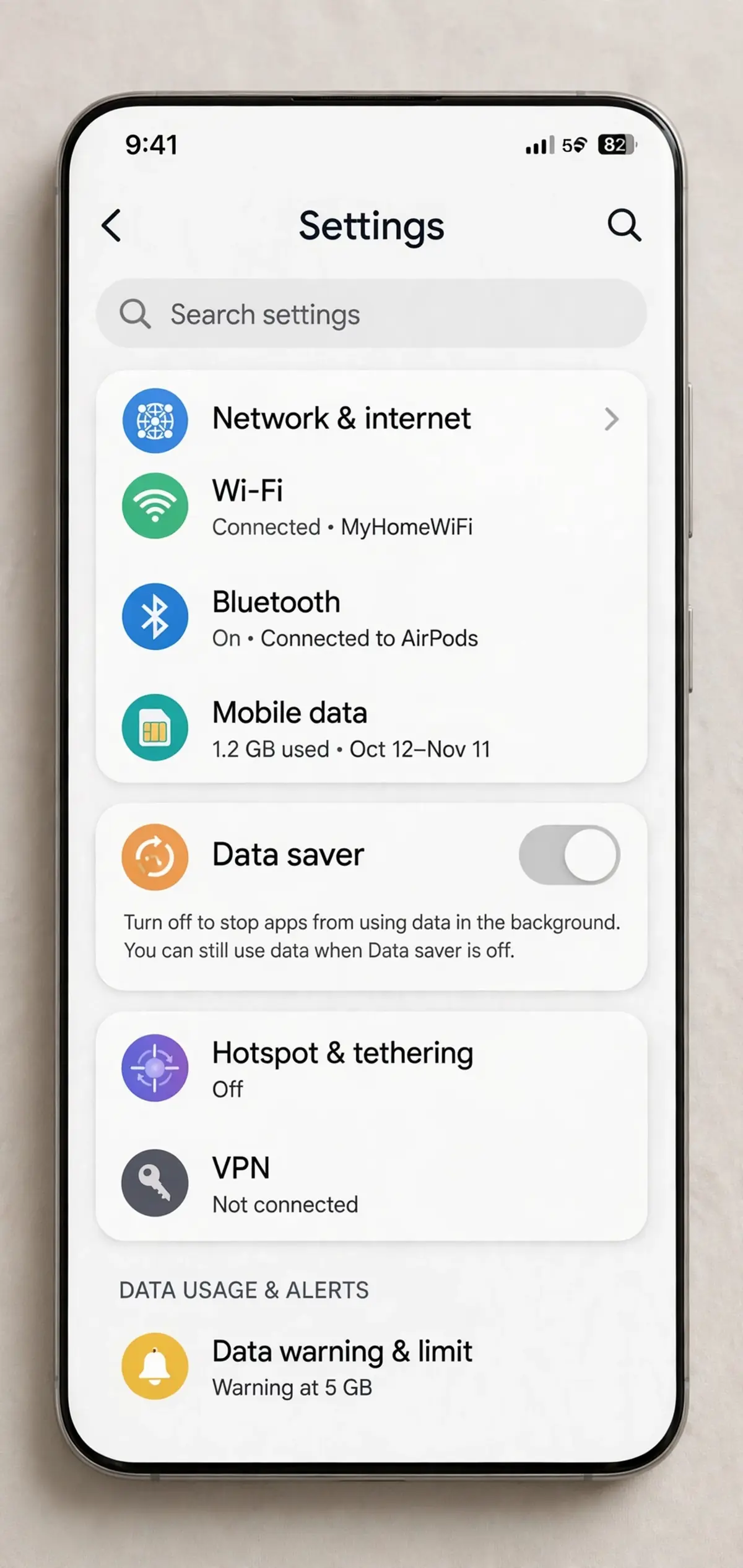
Hulu’s general guidance puts HD on-demand streaming in the range of 3 GB per hour, with 4K roughly doubling that. A two-hour movie in HD is roughly 6 GB per person. That’s manageable on most home broadband, but it adds up fast on a metered plan. If you or a guest are unsure what a movie night will cost against a monthly data plan, it’s worth running the numbers first. A quick streaming data usage estimate before you send invites saves an awkward “my hotspot died” mid-movie.
Bandwidth-wise, Hulu recommends around 8 Mbps for HD on-demand content. Watch Party doesn’t materially change that. What breaks sessions is inconsistency, not raw speed. A stable 10 Mbps beats a 200 Mbps connection that drops every few minutes.
Hulu Watch Party and the Disney+ Merger: What Happens Next
Here’s the part every 2024-era guide is missing, and it’s the most important context for anyone reading this in late 2026.
Disney bought out Comcast’s remaining stake in Hulu in 2025 and announced in August of that year that it would fully integrate Hulu into Disney+, retiring the standalone Hulu app during 2026. The rollout has been platform by platform. The Nintendo Switch Hulu app shut down on February 5, 2026. Disney’s own statements have pointed to significant progress through the first half of the year, with exact dates varying by device.
As of this writing, Hulu.com still exists and Watch Party still functions on it. But there are two things nobody at Disney has confirmed:
- Whether Watch Party will exist inside the unified Disney+ app. Disney+ built its own co-viewing tool, GroupWatch, and shut it down in 2023. That’s not an encouraging precedent. It’s entirely possible Disney sees no reason to port a niche, desktop-only feature into an app it’s trying to simplify.
- How long Hulu.com remains a separate destination. If the website is eventually redirected into Disney+, the only place Watch Party currently lives disappears with it.
I’ll be blunt: I would not build a recurring weekly movie night around this feature expecting it to survive the year. Learn how Teleparty or SharePlay works now, so you have a fallback ready if the icon vanishes one Friday.
If Disney does bring co-viewing into the unified app, that would be a real upgrade, since it could finally reach TVs and phones. But that’s speculation, not a roadmap. Treat the native Watch Party as a nice-to-have with an uncertain shelf life.
Tips for a Hulu Watch Party That Doesn’t Fall Apart
Small things that consistently make sessions go smoother:
- Send the link 15 minutes early. Someone always needs to switch devices, disable an extension, or find their password.
- Get everyone on the same plan tier if at all possible. This kills the ad-drift problem outright.
- Run voice separately. A Discord or FaceTime call alongside the party beats typing during a tense scene.
- Pick episodes over films for mixed groups. Less runtime means less accumulated drift.
- Use wired or strong Wi-Fi. Not a laptop three rooms from the router.
- Check audio gear before start. If someone’s wireless earbuds keep dropping, a quick reset beforehand saves a mid-movie panic.
- Agree on a pause rule. Since guests can pause locally, decide whether the host will wait for bathroom breaks or keep rolling and let people catch up.
Is Hulu Watch Party Worth Using in 2026?
For the right group, yes. Eight or fewer adults, all on laptops, all on No Ads, all in the US: the native feature is free, clean, and requires zero installs. That’s a real advantage over anything third-party.
Outside that box it gets weaker fast. No mobile. No TV. No live channels. No voice. Mixed plans wreck the sync. And the Disney+ integration could pull the rug out at any point.
My honest recommendation: use Hulu Watch Party when it fits your group exactly, keep Teleparty installed as backup, and don’t be surprised if you’re reading an updated version of this article next year explaining where the feature went.
Frequently Asked Questions About Hulu Watch Party
How many people can join a Hulu Watch Party?
Up to eight people can join a single Hulu Watch Party session. Participants can be on separate Hulu subscriptions or different profiles under one account. All eight must be at least 18 years old and connected through a desktop browser on Hulu.com, since the feature doesn’t support mobile apps or TV devices.
Does Hulu Watch Party work with ads?
Yes, ad-supported subscribers can use Hulu Watch Party. The downside is that when an ad-tier viewer hits a commercial break, the group’s playback pauses for everyone, and streams often fall 10 to 15 seconds out of sync afterward. Groups where everyone is on the No Ads plan avoid this problem entirely.
Can you do a Hulu Watch Party on your phone?
No. Hulu Watch Party is a browser-only feature on Hulu.com and isn’t available in the Hulu mobile app. iPhone and iPad users can watch Hulu together through Apple SharePlay during a FaceTime call instead. Android users need a third-party tool like Teleparty’s Android app to sync Hulu playback.
Does Hulu Watch Party work on TV?
Not natively. The feature only exists on Hulu’s website in a desktop browser. To get it on a TV, cast the browser tab from a laptop, connect via HDMI, or use SharePlay on an Apple TV. There’s no Watch Party option in the Hulu app on Roku, Fire TV, or smart TVs.
Why can’t I see the Watch Party icon on Hulu?
The icon is missing when you’re using a mobile browser or the app, when the title isn’t licensed for Watch Party, or when you’re on a Kids or under-18 profile. Only select on-demand titles support the feature. Switch to a desktop browser and an adult profile, then check a different title.
Do all Hulu Watch Party participants need a subscription?
Yes. Hulu Watch Party never shares one person’s stream. Every participant logs in with their own Hulu subscription or a profile on a shared account. Guests joining from a different location on a shared account may need to confirm they’re “away from home” before Hulu allows them into the session.
Is Hulu Watch Party going away with the Disney+ merger?
Nobody knows yet. Disney is folding the Hulu app into Disney+ throughout 2026 and hasn’t said whether Watch Party will survive the transition. Disney+ previously shut down its own GroupWatch feature in 2023. As of now, Watch Party still works on Hulu.com, but treat it as uncertain and keep a backup like Teleparty ready.
What’s the difference between Hulu Watch Party and Teleparty?
Hulu Watch Party is Hulu’s free built-in tool, limited to eight desktop users watching Hulu only. Teleparty is a third-party browser extension that syncs Hulu plus Netflix, Disney+, Max, and others, supports larger groups and mobile on paid tiers, and adds voice and video chat. Both require every viewer to have their own Hulu login.

Continue Reading on CripsyWire
For more practical tutorials and hidden features, see our full how-to guides section. AI workflow guides feed into the broader AI tools and agents coverage, phone tricks live in smartphones, and wearable setup walkthroughs in wearables. When you are deciding what to buy, the reviews and comparisons section helps. All part of CripsyWire Tech, and the homepage shows what is newest.