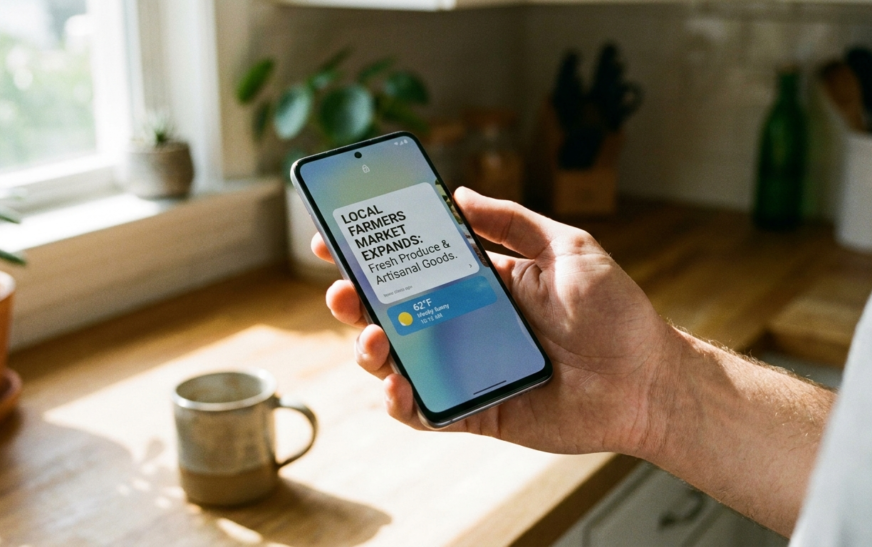
Quick answer: Glance is a lock screen content platform owned by InMobi that comes pre-installed on many Android phones, especially budget and mid-range models from Samsung, Motorola, Xiaomi, Vivo, Oppo and Realme. It replaces your plain wallpaper with rotating cards showing news, sports scores, weather, games, shopping deals and, in most regions, sponsored content. You did not download it. It shipped with the phone.
Why Everyone Suddenly Wants to Know What the Glance App Is
You wake your phone to check the time and there is a headline about a cricket match you never asked about. Or a “steal deal” on sneakers. Or a horoscope. You swipe once, the story changes. You swipe again, there is a game. And somewhere in the back of your head a small alarm goes off: I never installed this.
That moment is exactly why “what is glance app” gets typed into Google thousands of times a month. People are not curious about a product. They are trying to figure out whether something suspicious got onto their phone.
Short version: it is not malware. It is a business. And once you understand the business, everything about how Glance behaves, including why it nags you to turn it back on, makes complete sense.
I have set up a fair number of Motorola and Samsung A-series phones over the past few years, and Glance is one of the first things I look for during setup. Not because it is dangerous, but because it is a decision most people make by accident when they tap “Continue” too quickly.
What Is Glance App, Exactly?
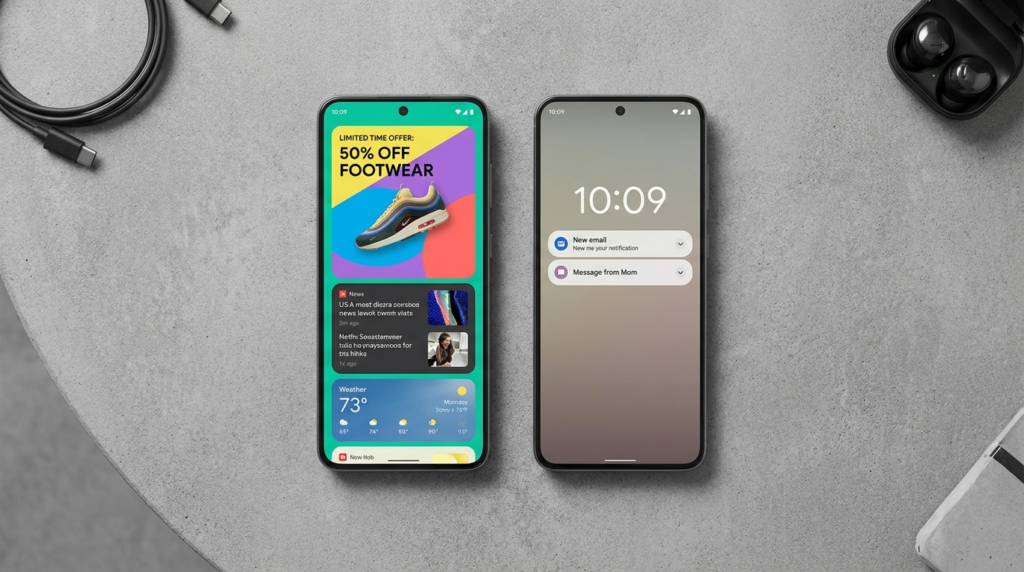
Glance is a smart lock screen service. Instead of showing a static photo behind your clock, it turns the lock screen into a swipeable feed of cards. Each card is a piece of content: a news headline, a live score, a weather alert, a casual game you can play without unlocking, a shopping offer, sometimes a short video.
The idea behind it is simple and slightly clever. Most people wake their phone dozens of times a day just to look at it, then put it back down without opening a single app. InMobi, the Indian ad-tech company that built Glance, looked at that behaviour and saw unused screen time. Glance fills it.
On the device itself, Glance does not appear as a normal app icon. On Motorola phones it runs as a system-level package called com.glance.lockscreenM and shows up in Settings as “Glance for Moto.” On Samsung phones it is typically com.glance.ailockscreen, and on some Samsung and Xiaomi models it hides under names like “Lock Screen Stories,” “Wallpaper Services,” or “Wallpaper Carousel.” That naming mess is the main reason people cannot find it, and the main reason this article exists.
Who owns Glance?
Glance is a subsidiary of InMobi Group, a Bengaluru-founded mobile advertising company that was reportedly India’s first unicorn. Glance launched around 2019, and Google became an investor in 2020, which is one of the reasons it has managed to land deals with nearly every major Android manufacturer. InMobi also acquired Roposo, a short-video platform, and folded that content into Glance.
That ownership detail matters. Glance is not a hobby project or a sketchy third-party download. It is a well-funded ad-tech product with distribution agreements baked into the phone before you ever open the box.
The Three Different “Glance” Products People Confuse
This is the single biggest gap in most guides on this topic. There is more than one thing called Glance, and they are not the same product.
Glance Smart Lock Screen (the one on your phone)
This is the pre-installed lock screen feed from InMobi. It is what 95 percent of people are asking about when they search for the Glance app. It lives on Samsung, Motorola, Xiaomi, Vivo, Oppo and Realme devices, mostly in India, Southeast Asia, and since 2024, a pilot in the United States through Motorola and Verizon.
Glance AI (the shopping app)
In 2025 the company pivoted hard toward AI commerce and launched a standalone app, listed on Google Play as Glance – Shop with AI. You upload a selfie, and an AI agent generates a personalised fashion feed with you as the model in every outfit. It also runs as a screensaver on some smart TVs. This is a separate download, not the pre-installed lock screen, though the two are increasingly cross-promoted. The lock screen version has started absorbing these AI features too: “Style Me,” “Rate My Look,” “Skin Scan AI,” and a reverse image search for clothes.
If you want a sense of how these agent-style AI products actually work under the hood, the way AI agents are built to act on your behalf is a useful comparison. Glance AI is essentially that concept aimed at your wardrobe.
Things that are NOT Glance
- At a Glance on Google Pixel phones. This is Google’s own widget showing calendar events, weather and commute info. Different company, no ads, no relation.
- Nokia Glance Screen from the old Windows Phone Lumia days. A battery-friendly clock display. Long dead, and nothing to do with InMobi.
- Glance App, a small screen-time tracker that reports how often you unlock your phone. Also unrelated.
If you searched “what is glance app” because a Pixel is showing weather and calendar events on the lock screen, you have Google’s At a Glance, and you can stop reading here. Nothing needs fixing.
How the Glance Lock Screen Actually Works
Once enabled, Glance takes over the wallpaper layer of your lock screen. Your clock, notifications and fingerprint prompt stay where they are, but the background becomes a card that changes every time you wake the phone. Swipe left or right to move through the feed. Tap a card and you get a prompt to unlock, after which it opens the full article, game or shopping page inside a Glance web view.
Content categories on the current version include:
- News from partner publishers, sortable by Business, Tech, Sports and Entertainment
- Sports with team-following and scores
- Weather including air quality and wind
- Step counter pulling from Samsung Health on Galaxy devices
- Games that run in a lightweight instant format without installing anything
- Steal Deals and Coupons linking to shopping partners
- Horoscope
- AI features like Style Me, Rate My Look, Calorie Tracker and Skin Scan
The company says an AI recommendation engine tunes the feed based on what you tap and swipe past. In practice, on a fresh device, you get a generic mix heavy on entertainment and shopping until it learns anything about you.
Does Glance use mobile data?
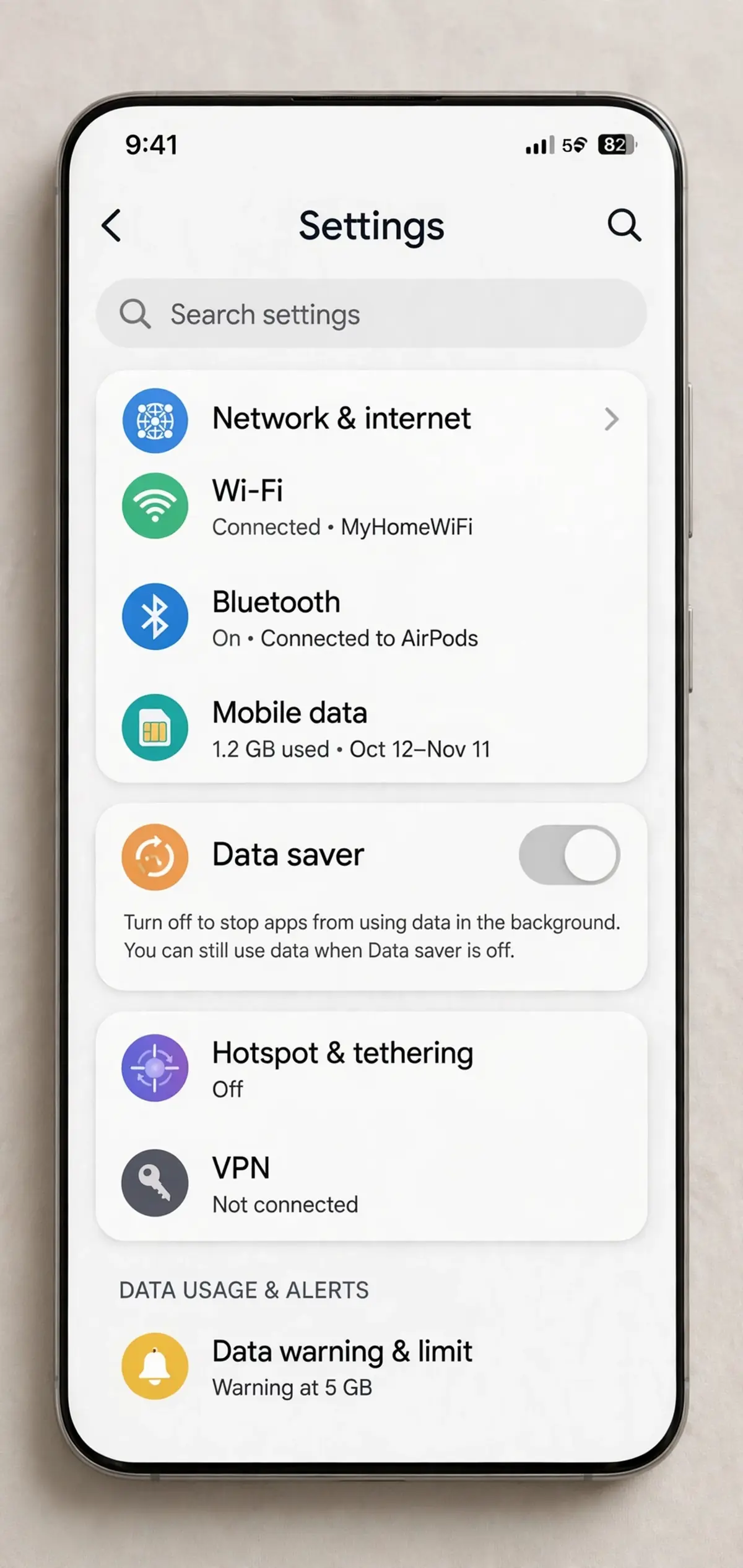
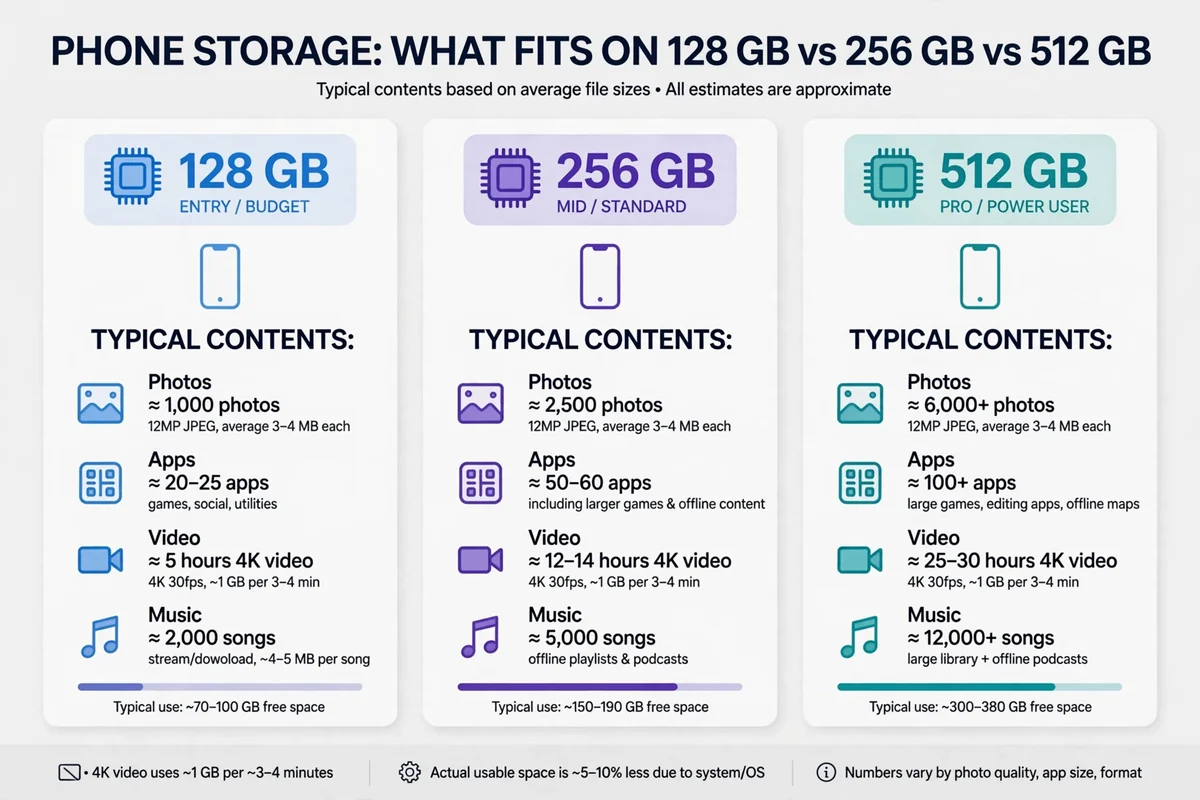
Yes. Every card is downloaded content, and the feed refreshes throughout the day. It is not a huge amount, but it is not zero either, and on a tight prepaid plan it adds up. If you are already unsure how much data your phone realistically needs each month, Glance is one of those background consumers worth knowing about. Games and short videos within Glance are the heavier items; static news cards are light.
Does Glance drain battery?
A little. It wakes a content layer every time the screen turns on and periodically fetches new cards. On most phones the impact is small enough that you will not notice, but on an older budget device with a tired battery, turning Glance off is one of the easier wins. If your phone is struggling to hold charge at all, the problem is more likely a charging fault than a lock screen feed, but Glance is worth eliminating when you are troubleshooting.
Why Is Glance on My Phone If I Never Installed It?
Because the manufacturer or carrier put it there, and because InMobi pays for that placement.
This is how the economics work. Phone makers operating on thin margins, especially in the budget segment, get paid to pre-load Glance. Glance then earns money from advertisers who want the most valuable real estate on any device: the screen you look at before anything else. On top of standard ad placements, Glance runs what it calls one-click install campaigns, where tapping a lock screen card can trigger an app download directly, skipping the Play Store flow entirely on some Xiaomi, Realme and Samsung models.
By InMobi’s own figures, Glance crossed 100 million daily active users within 21 months of launch and has shipped on something in the region of 400 million devices. Reported time spent is around 25 minutes per user per day. Those are extraordinary numbers for a product almost nobody deliberately chose, and they explain why the company fights so hard to keep you opted in.
The setup-screen trap
On Motorola devices in particular, Glance is presented during initial phone setup as a screen with a prominent “Continue” or “Turn on” button. Skip past it without reading and you have enabled it. This is also why people who move to a new phone and rush through the setup wizard often end up asking what Glance is a week later. The moment to say no was buried on page six of a setup flow you were trying to get through as fast as possible.
Is Glance Safe, or Is It Spyware?
Glance is not spyware in the technical sense. It is a legitimate, signed system component from a large company, and Google Play Protect does not flag it. If you were worried about a virus, you can relax.
That does not mean it is harmless, and this is where I think honest reviews should be blunt. Glance is an advertising platform living on your lock screen. Its Play Store listing states it may share certain data types with third parties, and its whole reason for existing is to learn what content and offers you respond to. The company says personalisation is moving on-device through a partnership with Qualcomm, and that it does not collect personal data in the way a social network does. Take that as a marketing position rather than an independent audit.
The practical concerns are less about spying and more about:
- Attention. A feed designed to be engaging sits on the one screen you cannot avoid.
- Ads and sponsored content, presented in a format that looks identical to news.
- Accidental taps that open shopping pages or trigger app installs.
- Nag prompts asking you to re-enable it after you have turned it off.
- Kids. On a child’s or older relative’s phone, an always-on shopping and gaming feed is a poor default.
None of that is a security emergency. All of it is a reasonable reason to switch it off.
How to Turn Off Glance (Every Major Brand)
The toggle exists on almost every phone. It is just labelled differently depending on the manufacturer, the Android version and sometimes the carrier. The fastest universal method: open Settings, use the search bar, and type Glance. If that returns nothing, try wallpaper services, carousel, lock screen stories or magazine.
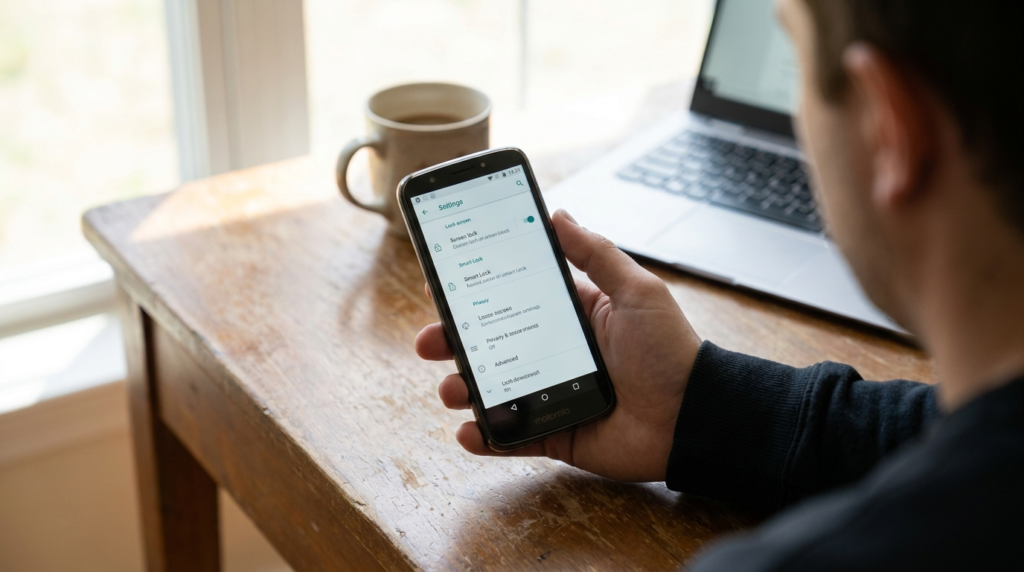
Turn off Glance on Motorola
Open Settings.
Go to Display or Home & lock screen, then Lock screen.
Tap Glance for Moto.
Switch the toggle off.
Lock and wake the phone to confirm the wallpaper is back to normal.
On newer Motorola software, the lock screen notification style labelled “Chip” is tied to Glance. If you still see Glance-flavoured chips after disabling, check that setting too.
Turn off Glance on Samsung
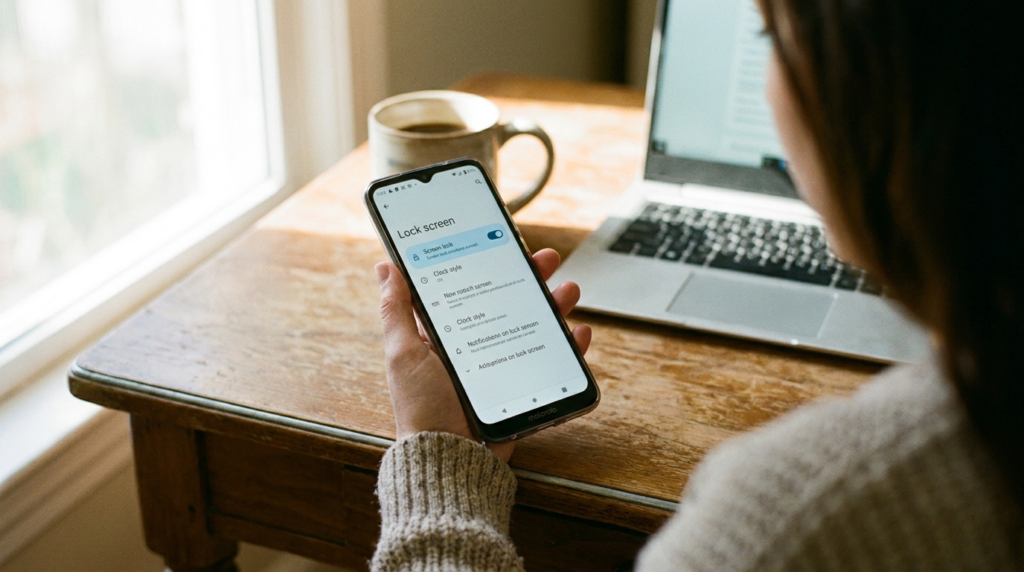
Open Settings and tap Lock screen (or Wallpaper and style on newer One UI versions).
Look for Wallpaper services, Lock Screen Stories, or a Glance entry.
Select None or turn the toggle off.
Some carrier builds, particularly in the US, bake Glance into the system UI in a way that removes the visible toggle. Samsung community threads are full of S24 and A-series owners who cannot find any of the usual menus. In those cases, check Settings > Apps > Show system apps, look for Glance or com.glance.ailockscreen, and disable notifications and background data there. If a “Disable” button exists, use it.
Turn off Glance on Xiaomi, Redmi and POCO
- Open Settings > Wallpaper (or Lock screen).
- Tap Wallpaper Carousel (sometimes labelled Glance for Mi).
- Turn it off.
Turn off Glance on Vivo, Oppo and Realme
The path varies more here. Look under Lock screen & password, Lock screen magazine, or Wallpaper. On Realme UI the feature may be called Lock screen magazine or Glance for Realme. Toggle it off.
If Glance keeps coming back
This is the most common complaint, and it is deliberate. Glance is allowed to send a periodic notification suggesting you re-enable it, and on some phones an OS or app update quietly re-activates the prompt even when the feature stays off. Three fixes, in order of effort:
- Kill its notifications. Settings > Apps > Show system apps > Glance > Notifications > off.
- Disable the system app if your phone offers the button. This stops it running without deleting anything.
- Remove it with ADB from a computer. Enthusiasts have published scripts that uninstall the Glance package for the current user. This works and is reversible with a factory reset, but it requires enabling USB debugging and a comfort level with command-line tools. Do not do this if the phrase “platform-tools” means nothing to you.
Turning off Glance does not affect Always On Display, does not delete your notifications, and does not remove your wallpaper. If you notice a change in what notifications show on the lock screen, that is a separate privacy setting that got adjusted along the way.
Is There Any Reason to Keep Glance On?
Honestly, a few people like it, and I do not think they are wrong.
If you follow one sport obsessively and want scores without unlocking, Glance does that well. The step counter on Samsung phones is a genuinely convenient placement for a number you would otherwise dig into Samsung Health for. Casual gamers appreciate having something to poke at in a queue. And in markets where mobile data is cheap and subscriptions are rare, a free, ad-supported news feed on the lock screen is a fair trade for a lot of users. That is precisely why it took off in India.
Where I land: on a phone you use for work or one you hand to a child, turn it off. On a personal budget phone where you enjoy the feed and do not mind the ads, keep it and curate the categories in the Glance settings. Uncheck shopping and horoscopes, keep weather and your team, and it becomes a lot less irritating.
Glance vs Google Discover vs At a Glance
People mix these up constantly, so here is the difference in one pass.
Glance is a third-party feed on the lock screen, pre-unlock, with ads.
Google Discover is Google’s news feed that lives one swipe left of your home screen, post-unlock. No relation to Glance, and it does not touch the lock screen.
At a Glance is Google’s Pixel widget showing your calendar, weather, flight info and reminders on the home and lock screen. It is a utility, not a content feed, and it carries no advertising.
If you want a genuinely useful “information at a look” experience without a commercial feed, Pixel’s At a Glance or a good third-party widget is the honest alternative. Nothing from Glance is required for that.
What Glance AI Means for the Future of the App
The direction is obvious once you look at the company’s 2025 and 2026 messaging. Glance is repositioning from “lock screen news” to “your AI shopping agent.” The selfie-based fashion feed, the shoppable chat, the TV screensaver integration, and the reverse image search for clothes are all pieces of one strategy: turn every idle screen into a storefront tuned to you.
Expect the lock screen product to keep absorbing those features, and expect more phones outside Asia to ship with it as the US pilot expands. The tech press has been covering how AI-driven products are being folded into everyday devices, and Glance is one of the clearest examples of that trend landing on hardware most people would never consider “AI phones.”
Whether that is exciting or unnerving depends on how you feel about a shopping algorithm being the first thing your phone shows you. My own view is that it should be a clear opt-in choice presented in plain language, not a “Continue” button on setup page six.
Frequently Asked Questions About the Glance App
What is the Glance app on Android?
Glance is a pre-installed lock screen service from InMobi that shows news, sports, weather, games and shopping cards on your lock screen instead of a static wallpaper. It ships on many Samsung, Motorola, Xiaomi, Vivo, Oppo and Realme phones and is funded by advertising and sponsored content.
Is the Glance app safe?
Yes, in the sense that it is not a virus or spyware. It is a legitimate system component from a large ad-tech company. The concerns are about ads, attention and data sharing with partners rather than malware. If those bother you, it can be switched off in settings.
Can I uninstall Glance completely?
Usually not through normal settings, because it is installed as a system package. You can disable it, block its notifications, and restrict background data. Fully removing it requires ADB commands from a computer, which is possible but not recommended unless you are comfortable with developer tools.
Why does Glance keep turning back on?
Glance is designed to prompt you to re-enable it, and some system updates reset that prompt. Blocking the app’s notifications under Settings > Apps > Show system apps > Glance stops most of the nagging. Disabling the system app, where allowed, stops it entirely.
What is the difference between Glance and At a Glance?
Glance is InMobi’s ad-supported lock screen content feed. At a Glance is Google’s Pixel widget for calendar, weather and commute information. They share a word and nothing else.
Does Glance work on iPhone?
The lock screen version does not, because iOS does not allow third-party lock screen takeovers. The separate Glance AI shopping app is available on the App Store as a standard download.
Does turning off Glance delete my wallpaper?
No. Disabling Glance returns your lock screen to whatever wallpaper you set. If the wallpaper looks wrong afterwards, simply reselect it under Wallpaper and style.

Continue Reading on CripsyWire
For more practical AI coverage for US buyers, see our full AI tools and agents library. When you are deciding between competing tools, the reviews and comparisons section breaks down head-to-head matchups. AI features that live inside your phone are tracked in smartphones, and AI on your wrist or finger in wearables. All of this is part of CripsyWire's broader Tech coverage — start at the homepage for what is newest.