Businesses need reliable telephone systems to communicate with customers, suppliers and internal teams. However, traditional phone infrastructure can involve physical equipment, maintenance and complicated changes when a company grows or changes the way its employees work.
Hosted VoIP Services offer a modern alternative by moving the core telephone platform to a provider-managed environment. Calls are delivered using Voice over Internet Protocol (VoIP), allowing businesses to communicate through internet-based networks rather than relying entirely on traditional telephone infrastructure.
Because everything travels over the network, connection health matters more than it does with traditional lines. If calls drop or take a long time to connect, the cause is often name resolution rather than the phone platform itself — a DNS server that isn’t responding will break VoIP registration the same way it breaks a website.
For organisations, hosted VoIP can support office teams, remote employees and businesses operating across multiple locations. Understanding how the technology works and what to look for in a provider can help companies make a more informed decision.
What Is Hosted VoIP?
Hosted VoIP is a business telephone service where the provider hosts and manages the core VoIP platform on behalf of the customer.
Instead of installing and maintaining a complete PBX system on company premises, businesses connect their users and devices to the provider’s hosted platform. Employees can then make and receive calls using compatible IP phones, computers, mobile applications or other supported devices.
The term hosted VoIP therefore describes both the technology and the way the telephone service is delivered. The provider generally manages the underlying infrastructure, while the business controls users, extensions, call settings and other configuration options.
How Does a Hosted VoIP Phone System Work?
The basic process is relatively straightforward.
A business connects its supported devices to a hosted telephony platform through an internet or IP network. When an employee makes a call, their voice is converted into digital data and transmitted across the network.
Incoming calls can be routed according to the company’s configuration. For example, a main business number could send calls to a receptionist first, direct customers to specific departments or place callers into a queue.
An online administration portal may allow authorised users to manage extensions, numbers, working hours and call-routing rules without changing physical telephone equipment.
What Features Can Businesses Use?
One reason organisations consider hosted VoIP is the range of business communication features available.
Call Routing and Queues
Call routing allows businesses to control where incoming calls are sent. Call queues can help manage periods when several customers are waiting for assistance.
A company could create separate routes for sales, customer service and accounts, allowing callers to reach the appropriate team more efficiently.
Auto Attendant
An auto attendant provides an automated greeting and menu options for callers. Instead of relying on someone to manually answer and transfer every call, customers can select the department or person they need.
Voicemail and Call Forwarding
Voicemail allows customers to leave messages when employees are unavailable. Call forwarding can redirect calls to another extension, number or supported device.
These features can be particularly useful for businesses with employees working flexible hours or from different locations.
Mobile and Desktop Calling
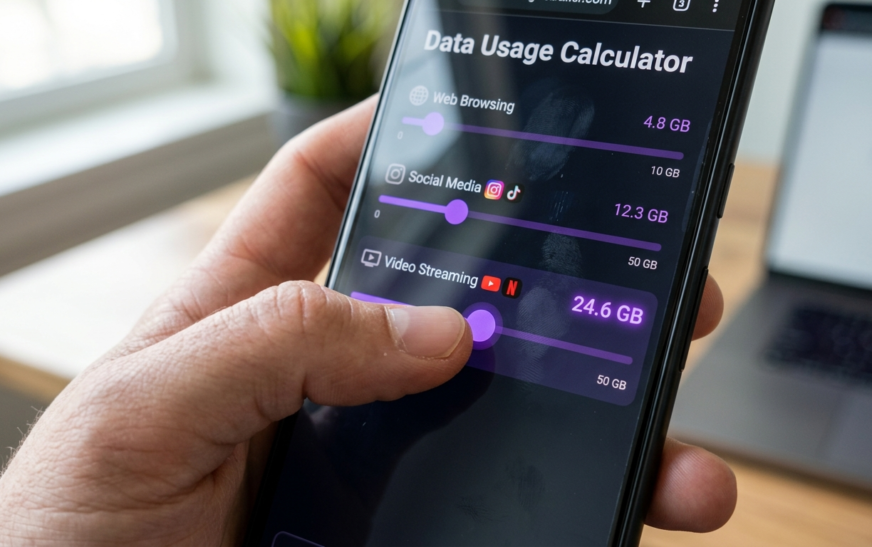
Many services allow employees to use desktop or mobile applications for business calls. This can provide greater flexibility for remote and hybrid teams, though staff calling over mobile networks should be aware that voice traffic and app usage add up — it is worth knowing how much mobile data a typical user actually needs per month before rolling out mobile calling company-wide.
Businesses should check exactly which applications and devices are supported before selecting a service.
Call Recording and Reporting
Some hosted platforms include call recording, call logs and reporting tools. Depending on the business, these features may support training, quality management or operational analysis.
Businesses should consider relevant privacy and data protection responsibilities when using call recording.
What Are the Benefits of Hosted VoIP?
Flexible Business Communication
One of the main benefits is flexibility. Employees may be able to access business calling from different locations rather than being tied to one physical office phone.
This can be useful for businesses with hybrid teams, remote employees or staff who regularly travel between locations. Where employees split their day between softphone calls and other work, a second screen helps — many hybrid workers pair their laptop with one of the portable monitors built for travel and hot-desking.
Easier Scalability
Adding employees to a traditional phone system can sometimes require additional equipment or technical work. A hosted service can make user management more flexible because the underlying platform is managed by the provider.
This can be valuable for growing companies that regularly recruit new employees or add departments.
Centralised Administration
Hosted telephony can provide a central platform for managing users, extensions, numbers and call settings.
For organisations with multiple teams or offices, centralised administration can make it easier to maintain consistent communication policies.
Access to Modern Features
Businesses can gain access to features that go beyond basic voice calling. Depending on the provider, hosted VoIP may integrate with CRM systems, collaboration platforms and other business applications.
This can help organisations bring different communication processes into a more connected environment.
Hosted VoIP Phone Systems for Small Business
Small companies often need professional communication without investing heavily in complex infrastructure.
Hosted VoIP phone systems for small business can provide features such as business numbers, voicemail, call forwarding and automated attendants while allowing the provider to manage the main telephony platform.
For a small company, simplicity is particularly important. There may be little value in choosing a highly complicated system if employees only need a few core features. The same principle applies to the rest of a small team’s setup — a lean stack of well-chosen browser tools usually beats a sprawling one nobody fully uses.
Businesses should consider their current requirements as well as future growth. A service that allows additional users and extensions to be added when needed can provide greater flexibility.
Choosing Between Hosted Telephony Providers
There are many hosted telephony providers offering different combinations of features, pricing models and support arrangements.
Businesses should compare providers based on practical requirements rather than simply choosing the company with the largest feature list.
Reliability is an important consideration. Ask how technical problems are handled and what level of customer support is available.
Network requirements should also be assessed. Hosted VoIP depends on IP connectivity, so businesses should make sure their internet connection and internal network are suitable for voice traffic.
Latency is worth testing before deployment, not after. Slow lookups and general network lag show up in voice calls as delayed audio and clipped words long before anyone notices them while browsing, so it helps to know how to diagnose and fix slow DNS lookups on the office network first.
Security is another consideration. Companies should understand how user accounts, administrative access and communication data are protected.
Finally, businesses should look at the complete cost, including licences, hardware, setup, additional features, call charges and contract terms.
Hosted IP Phone System: What Hardware Is Needed?
An hosted IP phone system can work with IP-compatible desk phones that connect to the business network. However, physical phones are not always required.
Depending on the service, employees may use computers or mobile devices with compatible applications instead. Device choice is worth thinking through, because low-cost machines vary widely in how well they handle continuous audio processing — the practical differences between a Chromebook and a traditional laptop are relevant here for teams equipping remote staff on a budget.
This flexibility allows businesses to select a combination of devices that suits their working environment. Office employees might prefer desk phones, while remote employees could use desktop or mobile applications.
Before purchasing hardware, businesses should confirm compatibility with their chosen provider.
Hosted VoIP for Different Business Sizes
The requirements of a small business can differ significantly from those of a large organisation.
A Hosted Phone System for Small Business may focus on simplicity, essential call management and affordability. A growing company may require additional users, numbers and departments as it expands.
By comparison, a Hosted Phone System for Large Business may need advanced call routing, multiple locations, centralised administration, reporting and integration capabilities.
The underlying hosted model can support different business sizes, but the configuration and feature requirements will vary.
What Should Businesses Look For?
When comparing hosted VoIP providers businesses should consider the entire service rather than focusing only on monthly pricing.
A good starting point is to identify the number of users, required features and expected business growth. Companies should also determine whether remote calling, CRM integration, call recording or advanced reporting are necessary.
Businesses can compare providers such as Wavetel Business alongside other options by assessing their features, support, scalability and overall suitability.
The best provider is not necessarily the one offering the most features. It is the one that can reliably provide the services a business actually needs.
Frequently Asked Questions
What are hosted VoIP services?
Hosted VoIP services are business telephone solutions where a provider hosts and manages the core VoIP platform. Businesses access the service through compatible devices and an IP network.
Is hosted VoIP suitable for small businesses?
Yes. Hosted VoIP can provide small businesses with professional telephone features without requiring them to maintain a complete on-site PBX system.
Does hosted VoIP require an internet connection?
Yes. VoIP calls generally rely on an internet or IP connection. A suitable and reliable network is therefore important for consistent call quality.
Can hosted VoIP support remote employees?
Many services support desktop and mobile applications, allowing employees to make and receive business calls outside the office. The exact functionality depends on the provider.
Is hosted VoIP different from a traditional phone system?
Yes. Traditional systems often rely more heavily on physical telephone infrastructure maintained at the business premises. Hosted VoIP moves much of the core platform management to the service provider.
Conclusion
Hosted VoIP Services can give businesses a flexible way to manage modern telephone communication. By moving the core telephony platform to a provider-managed environment, companies can access business calling features without maintaining a complete traditional PBX themselves.
The technology can support small businesses, growing companies and larger organisations, with features such as call routing, voicemail, automated attendants, mobile calling and reporting available depending on the provider.
Before choosing a service, businesses should assess reliability, network requirements, security, support, compatibility, scalability and total cost. Taking the time to compare these factors can help an organisation select a hosted communication solution that works for its current needs while leaving room for future growth.

Continue Reading on CripsyWire
For more practical tutorials and hidden features, see our full how-to guides section. AI workflow guides feed into the broader AI tools and agents coverage, phone tricks live in smartphones, and wearable setup walkthroughs in wearables. When you are deciding what to buy, the reviews and comparisons section helps. All part of CripsyWire Tech, and the homepage shows what is newest.