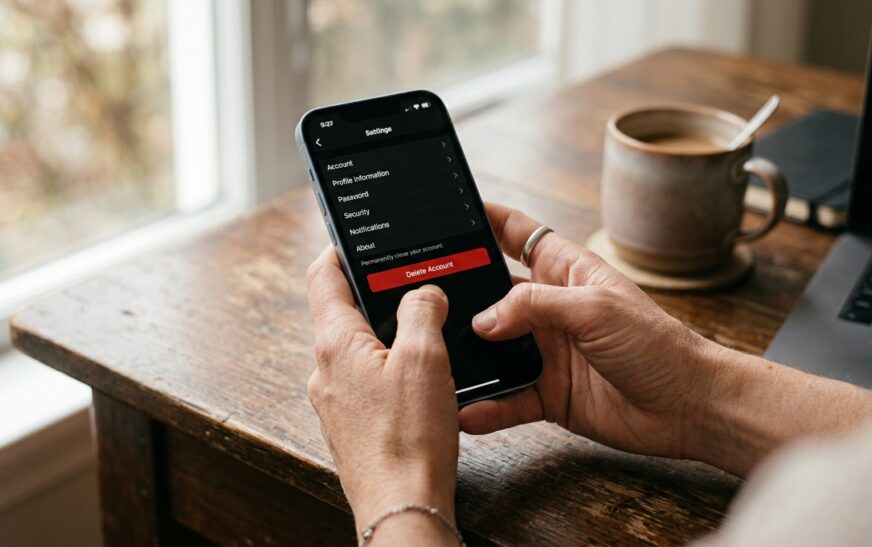
Here’s the trap most people fall into: they delete the Snapchat app, feel a small wave of relief, and assume the job is done. It isn’t. Your account is still live. Your Memories are still sitting on Snap’s servers. Your Snapchat+ subscription, if you have one, is still quietly billing your card every month.
Deleting the app and deleting the account are two completely different things, and Snapchat doesn’t exactly go out of its way to explain the difference.
I’ve walked several people through this process, including one friend who “quit Snapchat” in January and discovered in April that she’d paid for three more months of Snapchat+ she never used. The subscription lives in your phone’s app store, not inside Snapchat, so account deletion never touched it. That’s the kind of detail that costs real money, and it’s exactly the kind of detail this guide covers.
Below you’ll find the full process: how to delete a Snapchat account on iPhone, Android, and the web, what to back up first, what Snapchat keeps even after you’re gone, and what to do when the deletion page refuses to cooperate.
Quick Answer: How to Delete a Snapchat Account
To delete your Snapchat account, open Snapchat, tap your profile icon, then the Settings gear. Scroll to Account Actions and tap Delete Account, which opens accounts.snapchat.com in a browser. Re-enter your username and password, then confirm. Your account deactivates for 30 days, then Snapchat permanently deletes it.
That’s the short version. But if you stop reading here, you’ll probably lose your Memories, possibly keep paying for Snapchat+, and maybe accidentally reactivate the account without realizing it. The details matter. Let’s go through them.
Deactivate vs Delete Snapchat: Know Which One You Actually Want
Snapchat bundles these two things into a single process, which confuses almost everyone.
When you submit a deletion request, your account doesn’t vanish. It enters a 30-day deactivation period. During those 30 days:
- Your friends can’t see you, search for you, or message you
- Your profile, Stories, and Snap score disappear from public view
- Your data still exists on Snapchat’s servers
- Logging back in with your username and password cancels the whole thing
After 30 days of not logging in, Snapchat begins permanent deletion. Full erasure of your data from their systems takes up to another 30 days, so plan on roughly 60 days total from the moment you hit delete to the moment your account is genuinely gone.
One regional exception worth knowing: if you’re located in India, the deactivation window is still 30 days, but permanent deletion takes an additional 180 days under local data guidelines. That’s over six months, so don’t be surprised if the process feels slow there.
So which do you want?
- Just need a break? Start the deletion process, then log back in before day 30. Free deactivation, no commitment. Snapchat has no separate “deactivate” button, so this workaround is the only way to pause an account.
- Done for good? Follow the full process below, and stay logged out. Permanently.
Before You Delete: The 15-Minute Checklist That Saves You Later
Skipping this section is the single biggest mistake people make with Snapchat account deletion. Once the permanent deletion completes, nothing here can be recovered. Not by you, not by Snapchat support, not by anyone.
1. Download Your Snapchat Data
Snapchat keeps a surprisingly detailed archive: your Memories, chat history, friend list, login history, location data, even your search history. You can take a copy before you go.
- Go to accounts.snapchat.com in any browser and log in
- Select My Data
- Choose what to include (select Memories specifically if you want your saved Snaps and Stories as actual files)
- Submit the request and wait for the email with your download link
The archive can take anywhere from a few hours to a couple of days depending on how much you’ve stored over the years. Heavy users with years of Memories should request this before starting deletion, not after. Technically you get a 30-day window to download data after deactivating, but why gamble with a deadline?
A quick practical note: a decade of Memories can be a multi-gigabyte download. If you’re moving those files onto your phone, it’s worth checking how much room you actually have first. A phone storage calculator makes that math painless.
2. Save Your Memories Locally
If you only care about the photos and videos, you can also export Memories directly in the app: Settings → Memories → Export or Save, or select batches inside Memories and save them to your camera roll. Slower than the data download for large libraries, but simpler for a quick grab of your favorites.
3. Cancel Snapchat+ First
This one bites people constantly. Snapchat+ is billed through the App Store (iPhone) or Google Play (Android), not through Snapchat itself. Deleting your account does not automatically stop the billing.
- iPhone: Settings → your name → Subscriptions → Snapchat+ → Cancel
- Android: Play Store → profile icon → Payments & subscriptions → Subscriptions → Snapchat+ → Cancel
Do this before deletion, confirm you see the cancellation notice, and you won’t join the club of people funding a subscription for an account that no longer exists.
4. Untangle Bitmoji and Third-Party Logins
Your Bitmoji is tied to your Snapchat account. Delete the account, lose the avatar. If you use Bitmoji in other apps or keyboards, that connection breaks too.
Also think about any app or game where you tapped “Log in with Snapchat.” Once your account is gone, so is your way into those services. Switch them to an email login first. It takes two minutes now and saves a support ticket later.
5. Grab Contact Info for People You Actually Like
Snapchat friendships are strange: you can talk to someone daily for years and never have their phone number. Before you delete, message the people you want to keep and get a real way to reach them. And if you’re doing this as part of a bigger phone cleanup or upgrade, our guide on how to transfer contacts to a new phone covers every method that actually works.
How to Delete Snapchat Account on iPhone
Apple requires apps to offer in-app account deletion, so the iPhone route is straightforward:
- Open Snapchat and tap your profile icon (top-left)
- Tap the Settings gear (top-right)
- Scroll down to Account Actions
- Tap Delete Account
- Snapchat opens the accounts portal in a browser window
- Re-enter your username and password to verify it’s really you
- Tap Continue, then confirm the deletion
You’ll see a confirmation that your account is deactivated. From this moment, the 30-day countdown starts. Now delete the app itself: long-press the icon, tap Remove App, then Delete App. Keeping the app installed is how people “accidentally” log back in and reset the clock.
How to Delete Snapchat Account on Android
Same idea, nearly identical path:
- Open Snapchat and tap your profile icon
- Tap the Settings gear
- Scroll to Account Actions and tap Delete Account
- Your browser opens the Snapchat accounts portal
- Log in again with your username and password
- Tap Continue and confirm
Then uninstall the app from your home screen or the Play Store. One side benefit Android users notice immediately: Snapchat is a notorious background data hog, and removing it can meaningfully cut your monthly mobile data burn. If you’re curious how much you’ll save, run your numbers through a data usage calculator.
How to Delete Snapchat Account From a Web Browser (No App Needed)
Lost your phone? App won’t open? Deleting an old account for a device you no longer own? The web route works from any computer or phone browser:
- Go to accounts.snapchat.com
- Log in with the account you want gone
- Select Delete My Account (sometimes listed under Account Actions)
- Re-enter your credentials
- Confirm
Done. Same 30-day deactivation, same 60-day total timeline. This is also the cleanest method if you manage a teenager’s account or an old secondary account and don’t want to install the app just to remove it.
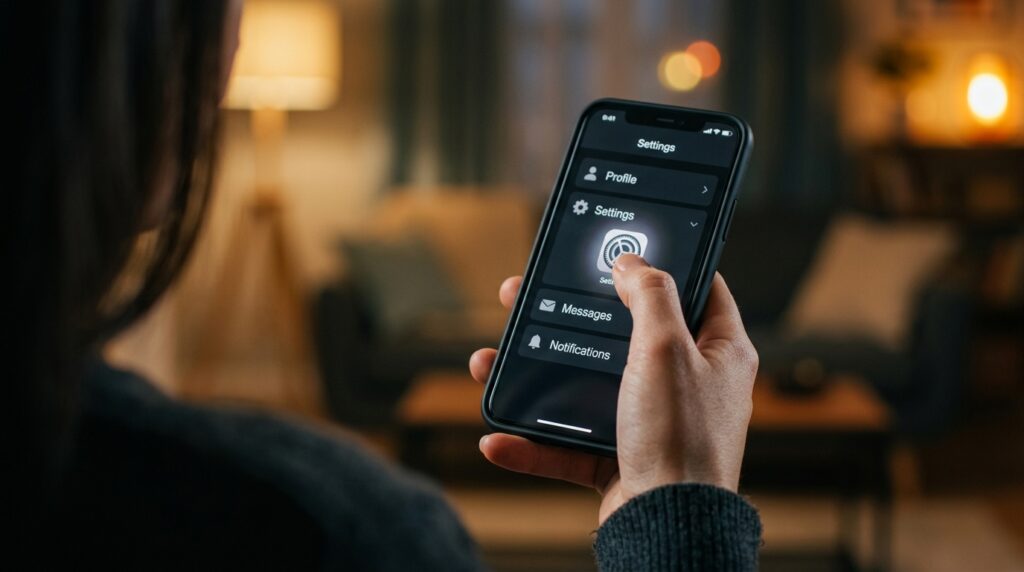
What Happens After You Delete Snapchat: The Full Timeline
Here’s the part most guides gloss over. Deletion is a process, not an event.
Day 0: You confirm deletion. Account deactivates instantly. Friends can no longer find you, message you, or see your profile. Your name disappears from their friend lists.
Days 1–30: The recovery window. Log in with your username and password, and the account comes back, friends, Memories, Snap score, streaks state and all. Reactivation can take up to 24 hours to fully process, and you can only reactivate with your username, not your email.
Day 30: The point of no return. Snapchat begins permanent deletion of your account and data.
Days 30–60: Your Snaps, Chats, Stories, Memories, friend connections, and account details are erased from Snapchat’s main systems.
After day 60: The account is unrecoverable. Snapchat support cannot restore it, no matter how nicely you ask.
What Snapchat Keeps Even After Deletion
Full honesty here, because plenty of articles pretend deletion means total erasure. It doesn’t. Snapchat’s own policy states that some data is retained for legal, security, and business purposes even after your account is gone. That includes records of purchases you made through Snapchat and the dates you accepted their Terms of Service and Privacy Policy.
Two more uncomfortable truths:
- Messages you sent live on other people’s accounts. Saved chats sit in your friends’ chat history. Deleting your account doesn’t scrub their side of the conversation.
- Screenshots and screen recordings are forever. Anything a friend saved to their own device is completely outside Snapchat’s control, and yours.
Deleting your account shrinks your footprint significantly. It does not rewind the past. Worth knowing before you assume otherwise.
How to Reactivate a Snapchat Account (If You Change Your Mind)
Changed your mind on day 12? Easy:
- Open the Snapchat app (reinstall it if needed)
- Log in with your username and password
- Accept the reactivation prompt
- Wait, it can take up to 24 hours before everything works again
Three catches. You must use your username, email login won’t work during deactivation. You can’t change any account details until reactivation completes. And if day 30 has passed, there is no reactivation. The account is gone, and your only option is starting fresh.
The good news for fresh starts: after permanent deletion, you can create a brand-new account using the same email address or phone number. Your old username, however, is a different story. Snapchat doesn’t recycle usernames on any reliable schedule, so don’t count on getting the old one back.
Troubleshooting: When Snapchat Account Deletion Won’t Cooperate
The process usually works. When it doesn’t, it’s almost always one of these.
Forgot your password
You can’t delete an account you can’t log into. Use Forgot Password on the login page and reset via your email or phone number. If you’ve lost access to both, you’ll need to work through Snapchat Support’s account recovery before deletion is even possible.
Two-factor authentication is locked to an old phone number
This is the most painful scenario. If 2FA codes go to a number you no longer own, you’re locked out of your own deletion. Try your backup codes if you saved them (most people didn’t). Otherwise, contact Snapchat Support through their help site and be ready to verify your identity with account details like your creation date and friends’ usernames.
The delete page won’t load or errors out
Clear your browser cache, try an incognito window, or switch browsers entirely. Snapchat’s accounts portal occasionally throws errors during high-traffic periods. If it still fails, wait a few hours and try again, boring advice, but it genuinely resolves most cases.
You deleted the account but still see it in search
Give it time. Profile removal propagates across Snapchat’s systems over hours, not seconds. If your profile is still visible to friends after 48 hours, log into the accounts portal to confirm the deletion actually registered.
Not Ready to Delete? Alternatives That Actually Reduce Snapchat Use
Full deletion isn’t the only exit. If your real goal is less Snapchat rather than zero Snapchat, these work surprisingly well:
- The forced 30-day break. Start the deletion process, stay logged out, and reactivate on day 29 if you miss it. If you don’t miss it, just let the clock run out. This is the closest thing Snapchat has to a deactivate button, and it doubles as a trial run for permanent deletion.
- Kill every notification. Settings → Notifications → all off. Snapchat without red badges is a dramatically less sticky app.
- Set Stories to “Only Me.” You keep the account but remove the audience, which quietly removes the compulsion to post.
- Log out and don’t save the password. Friction is powerful. Having to reset your password every time you want to check the app is often enough to break the habit.
And if this is part of a broader digital declutter, Snapchat probably isn’t the only app on your hit list. We’ve covered the same process for other platforms, including a full walkthrough on how to delete your Telegram account without losing anything that matters. The time you claw back adds up faster than you’d expect, some readers have redirected it into AI side hustles that actually pay, which beats streaks by a wide margin.

Frequently Asked Questions
How long does it take to permanently delete a Snapchat account?
About 60 days total. Your account deactivates for 30 days after you confirm deletion, and if you never log back in, Snapchat permanently erases your data over the following 30 days. Users in India face a longer window: 30 days of deactivation plus 180 days before permanent deletion.
Can I delete my Snapchat account from the app?
Yes. Tap your profile icon, open Settings, scroll to Account Actions, and tap Delete Account. Snapchat redirects you to its web accounts portal to verify your username and password before confirming. The final confirmation always happens through the browser, even when you start inside the app.
What happens to my Memories when I delete Snapchat?
They’re permanently erased once the 30-day deactivation period ends. Snapchat cannot recover them afterward, so download your Memories first, either through the My Data tool at accounts.snapchat.com or by exporting them to your camera roll from the Memories settings inside the app.
Will my friends know I deleted my Snapchat account?
Snapchat sends no notification. Your name simply disappears from their friend lists, your profile becomes unsearchable, and messages to you stop delivering. Saved chats you sent remain visible on their side of the conversation, so your past messages don’t vanish from their screens.
Can I get my Snapchat username back after deleting my account?
Probably not. You can create a new account with the same email or phone number after permanent deletion, but Snapchat doesn’t reliably release old usernames back into circulation. If keeping your username matters to you, reactivate within the 30-day window instead of deleting.
Does deleting Snapchat cancel my Snapchat+ subscription?
No, and this catches people every month. Snapchat+ bills through your Apple or Google account, so you must cancel it separately in your phone’s subscription settings. Cancel before deleting your account, or the charges continue for an account you can no longer access.
Can I delete my Snapchat account without the password?
No. Snapchat requires your username and password to confirm deletion, which protects accounts from being deleted by someone else. If you’ve forgotten the password, reset it through the login page first. If you’ve lost access to your recovery email and phone, contact Snapchat Support.
The Bottom Line
Deleting a Snapchat account is genuinely easy, five minutes, start to finish. Doing it well takes fifteen: download your data, save your Memories, cancel Snapchat+, unlink Bitmoji and third-party logins, grab contact info from friends, then confirm the deletion and stay logged out for 30 days.
The people who regret this decision are almost never regretting the deletion itself. They’re regretting the Memories they didn’t back up or the subscription they forgot to cancel. Handle the checklist, and there’s nothing left to regret.

Continue Reading on CripsyWire
For more practical tutorials and hidden features, see our full how-to guides section. AI workflow guides feed into the broader AI tools and agents coverage, phone tricks live in smartphones, and wearable setup walkthroughs in wearables. When you are deciding what to buy, the reviews and comparisons section helps. All part of CripsyWire Tech, and the homepage shows what is newest.