Here is the number nobody wants to say out loud: most people are paying for two to three times more mobile data than they actually use. Carriers know it. Their entire pricing structure depends on it.
Quick answer: Most smartphone users need 5–15GB of mobile data per month. Light users who mostly stay on Wi-Fi can manage with 1–3GB, moderate users need 5–10GB, and heavy streamers or hotspot users need 20–50GB or an unlimited plan. Your streaming habits away from Wi-Fi decide almost everything.
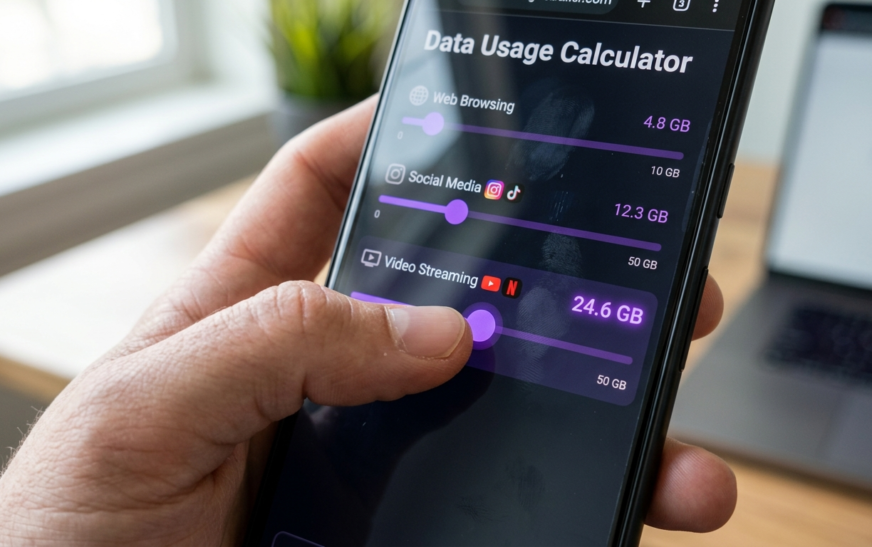
I’ve spent years testing phones and tracking my own usage across different plans, and the pattern is always the same: people guess high because running out of data feels scarier than overpaying. This guide fixes that. You’ll see exactly what each app burns per hour, work out your personal number with a simple formula (or use our free data usage calculator to do the math for you), and find the hidden drains that most guides never mention.
What Mobile Data Actually Means (30-Second Version)
Mobile data is everything your phone sends and receives over the cellular network instead of Wi-Fi. Scrolling Instagram at a bus stop? Data. Same scroll on your home Wi-Fi? Not data. That single distinction is why two people with identical phone habits can need wildly different plans.
Data is measured in megabytes (MB) and gigabytes (GB). One GB equals roughly 1,000MB. A text-only email is a few KB. An hour of 4K Netflix is about 7GB. That gap, from almost nothing to several gigabytes an hour, is why “how much data do I need per month” has no single answer without looking at your habits first.
One trap worth knowing: megabits (Mb) measure speed, megabytes (MB) measure amount. Eight megabits equal one megabyte. Carrier ads love mixing these up, so when a plan says “up to 300Mbps,” that is how fast data moves, not how much you get.
Average Data Usage Per Month: What the Numbers Say in 2026
The typical US smartphone user consumes somewhere between 5 and 15GB per month, though averages have been climbing every year. Ericsson pegs the North American average above 20GB per line, and projects it will more than double by 2030. In the UK, Ofcom reported around 10.6GB per person.
Be careful with averages, though. They get skewed hard by a minority of very heavy users, people streaming video on their commute daily or tethering laptops to their phones. The median user, the person in the middle, uses noticeably less than the headline average. If you have decent Wi-Fi at home and work, you are probably below average, not above it.
The honest takeaway: the average is a distraction. Your own last three months of usage matter infinitely more, and I’ll show you exactly where to find that number in a minute.
How Much Data Does Each App Use? (Per-Hour Breakdown)
This table is the core of the whole calculation. These are approximate per-hour figures based on published platform guidelines and real-world testing; your exact numbers shift with quality settings and connection speed.
| Activity | Data Per Hour | Monthly Cost (1 hr/day) |
| Web browsing / email | 50–100MB | ~2–3GB |
| Social media (Instagram, Facebook) | 100–300MB | ~4–9GB |
| TikTok (autoplay video) | ~800MB–1GB | ~25–30GB |
| Music streaming (Spotify, normal) | ~40–70MB | ~1.5–2GB |
| Music streaming (high quality) | ~144MB | ~4.5GB |
| YouTube 480p | ~500MB–1GB | ~20GB |
| YouTube / Netflix HD (1080p) | ~1.5–3GB | ~60–90GB |
| Netflix 4K | ~7GB | ~210GB |
| Video calls (Zoom, WhatsApp) | ~500MB–1GB | ~20GB |
| Online gaming (playing, not downloading) | ~50–150MB | ~2–4GB |
| GPS navigation (Google Maps) | ~5–10MB | Negligible |
| Podcast streaming | ~50–100MB | ~2–3GB |
Look at that TikTok row again. One hour a day of short-form video, which is honestly a conservative estimate for most people, eats 25–30GB monthly on its own. Meanwhile a full workday of Spotify barely crosses 1GB. Video is the entire game. Everything else is a rounding error by comparison.
How Much Data Do You Need? Match Your User Profile
Skip the guesswork. Find yourself in one of these four profiles. The assumption throughout: you have Wi-Fi at home, because if you don’t, you’re in home-internet-replacement territory and need a completely different plan (more on that below).
Light User: 1–3GB Per Month
You check email, browse the web, use WhatsApp, occasionally open Maps, and do your streaming at home on Wi-Fi. You almost never watch video on cellular. A 2–3GB plan covers you with room to spare. Paying for unlimited at this usage level is genuinely throwing money away.
Moderate User: 5–10GB Per Month
This is most people. You scroll social media during commutes and lunch breaks, stream music on cellular, watch the occasional YouTube video away from home, and take video calls now and then. 5GB works if you’re disciplined about video; 10GB gives you a comfortable buffer. This is the sweet spot where checking your actual usage saves the most money.
Heavy User: 15–30GB Per Month
You stream video on cellular regularly, spend serious time on TikTok or YouTube away from Wi-Fi, take frequent video calls, or occasionally hotspot a laptop. At this level, compare the price of a 25–30GB plan against unlimited in your market; the gap is often small enough that unlimited wins on peace of mind alone.
Power User: 50GB+ or Unlimited
Daily video streaming on cellular, regular hotspot use for work, content uploading, cloud backups over mobile. You need unlimited, full stop. Just read the fine print: many “unlimited” plans throttle speeds after a threshold (often 50–100GB), and hotspot data usually has its own separate, smaller cap. Unlimited on-phone does not mean unlimited tethering.
Is 5GB, 10GB, or 20GB Enough Data? Quick Verdicts
Is 2GB enough? Only for genuine light users who treat cellular data as an emergency backup. One HD movie on the train would wipe out the entire month.
Is 5GB enough? Yes for moderate users with good Wi-Fi coverage, as long as video streaming on cellular stays rare. Music, social media, and browsing fit comfortably.
Is 10GB enough? Enough for roughly 70% of smartphone users. It absorbs daily social media, music streaming, navigation, and a few hours of standard-quality video per month.
Is 20GB enough? Comfortable for heavy social media users and people who stream a few episodes weekly on cellular. Runs out fast with daily HD video or regular hotspot use.
Is 50GB enough? Covers almost everyone except home-internet replacers and daily 4K streamers. At this tier, price-compare against unlimited before committing.
How to Calculate Your Exact Monthly Data Needs
Here is the formula every carrier blog conveniently skips, because a precise number usually means a cheaper plan:
(Hours per day of each activity on cellular) × (data per hour from the table above) × 30 days + 20% buffer = your monthly number
A worked example. Say your away-from-Wi-Fi day looks like this: 1 hour of social media (~200MB), 1 hour of Spotify (~70MB), 30 minutes of YouTube at 480p (~350MB), plus browsing and messaging (~100MB). That is roughly 720MB a day, about 21.6GB a month, and around 26GB with the buffer. Suddenly “I probably need unlimited” becomes “a 30GB plan is plenty, and if I drop YouTube to audio-only, 15GB works.”
If mental math isn’t your idea of fun, our data usage calculator does this exact calculation, you slide your daily hours for each activity and it totals your monthly need instantly. Two minutes there beats a year of overpaying.
The Hidden Data Drains Most Guides Never Mention
This is where real-world usage diverges from the neat calculations. I have watched people with textbook “5GB habits” burn 12GB a month and blame the carrier. It is almost always one of these:
1. Background App Refresh and Auto-Updates
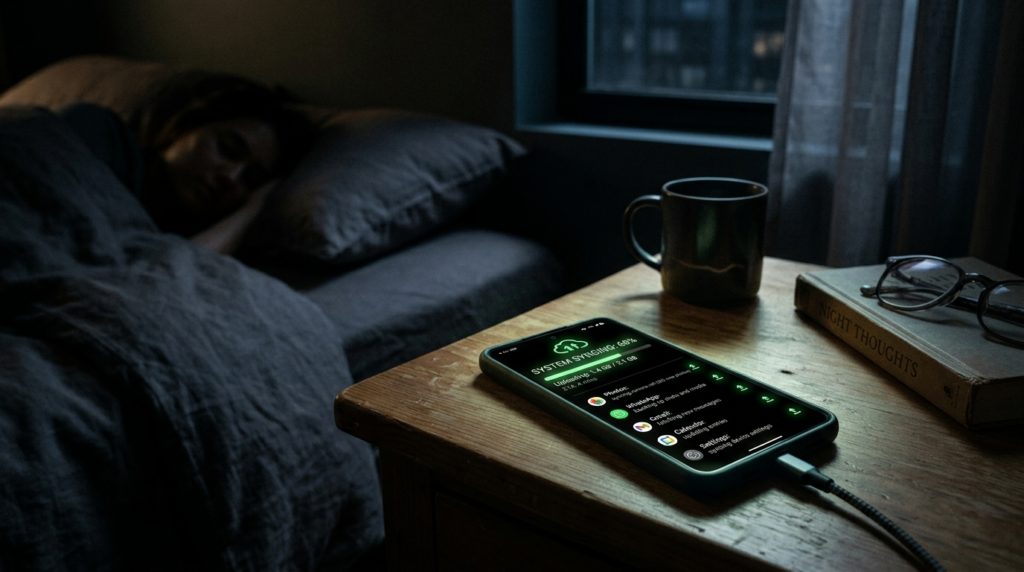
Apps quietly sync, refresh feeds, and update themselves over cellular. On a busy phone this alone can be 1–2GB monthly. Fix: turn off background refresh for non-essential apps and restrict app store updates to Wi-Fi only.
2. Cloud Photo Backup
Google Photos or iCloud backing up over cellular is a silent killer. Shoot a few minutes of 4K video at a concert, walk out of the venue, and your phone can upload 2–3GB before you reach the car. Set backups to Wi-Fi only unless you have a specific reason not to.
3. The 5G Auto-Quality Trap
Modern phones detect a fast 5G connection and quietly bump streaming quality from 480p to 1080p or higher, tripling or quadrupling your data burn for the same watch time. The best Android phones in 2026 all ship with data saver modes buried in settings; turning one on is the single highest-impact change a heavy streamer can make.
4. Hotspot and Tethering
A laptop tethered to your phone behaves nothing like your phone. Desktop sites are heavier, OS updates download without asking, and cloud drives sync everything. An afternoon of “just answering emails” on a tethered laptop can quietly consume 2–4GB. If you hotspot regularly, budget for it separately and check whether your plan caps hotspot data independently.
5. Wearables and Accessory Sync
Smartwatches and fitness trackers sync health data, notifications, and sometimes music through your phone’s connection. Individually small, but an LTE-enabled watch streaming music on a run adds up. If you’re weighing wearable options, our Whoop vs Apple Watch comparison breaks down how each handles syncing and standalone connectivity.
6. Offline Downloads Done Wrong
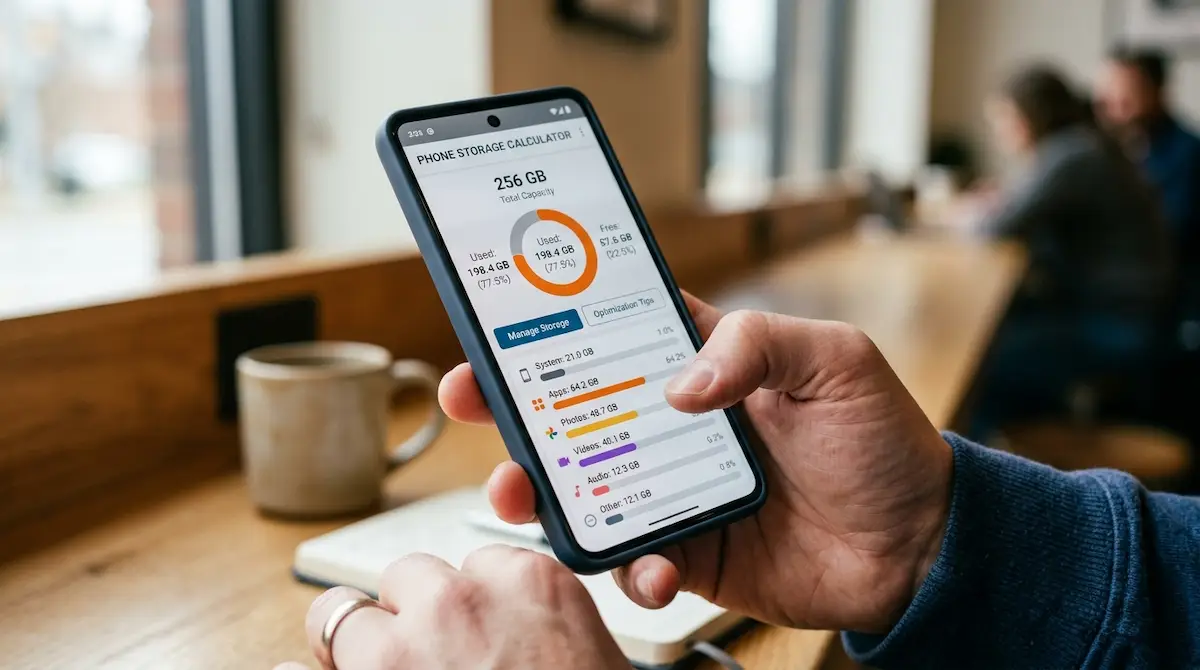
Downloading playlists and shows for offline use is the best data-saving trick there is, if you do it on Wi-Fi. Do it on cellular and you’ve spent the exact data you were trying to save. And before a big download spree, make sure your phone can actually hold it all; our phone storage calculator shows how much space your downloads, photos, and apps will really need.
Mobile Data vs Home Internet Data: Don’t Mix These Up
Search results blur these constantly, so let’s be precise. Mobile data is your phone plan, measured in single or double-digit gigabytes. Home internet data is your broadband connection, where households routinely consume 300–600GB monthly and many providers set caps around 1TB or higher.
If you’re asking “how much data do I need per month” for a home connection, the answer is a different order of magnitude: a couple streaming HD nightly needs 150–200GB for video alone, a family with 4K TVs and gamers can push past 600GB. If you’re considering using a phone plan or 5G home internet as your only connection, treat every hour of video with the per-hour table above and multiply by everyone in the house. The numbers get big fast.
How to Check Your Current Data Usage
Before buying any plan, pull your real numbers. Three places to look:
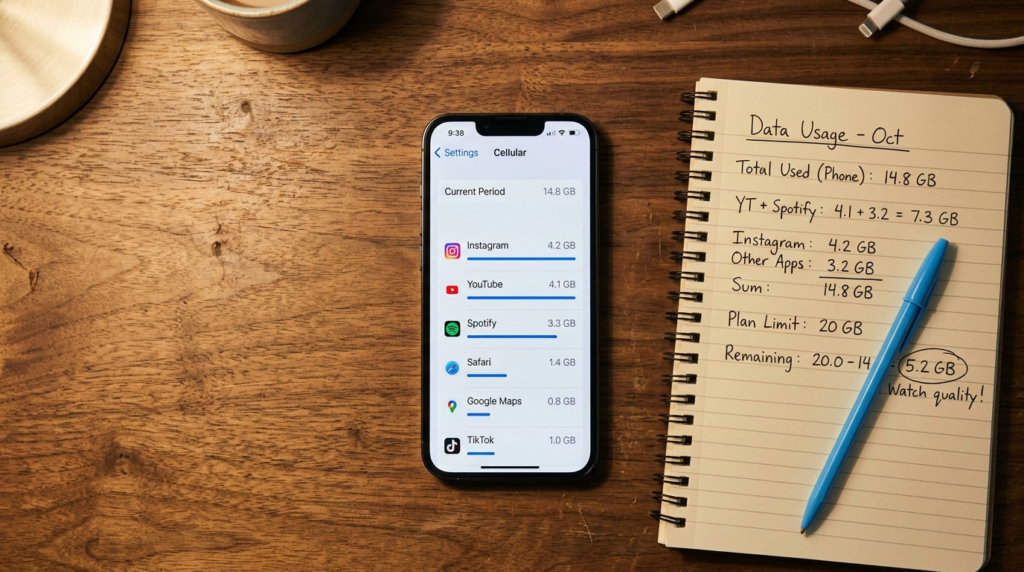
- On iPhone: Settings → Cellular → scroll to see per-app usage. One catch: iPhone’s counter doesn’t reset monthly on its own, so reset it manually on your billing date or the totals are meaningless.
- On Android: Settings → Network & Internet → Data usage (path varies slightly by brand). Android tracks by billing cycle if you set your cycle date, and can warn or cut you off at a limit you choose.
- Your carrier app: The most accurate source, since it’s what you’re actually billed on. Check the last three full months, not just the current one, and use your highest month as your baseline.
That three-month high-water mark is your real answer to how much data you need per month. Everything else in this article is context for interpreting it.
Is an Unlimited Data Plan Worth It? The Honest Math
Carriers push unlimited because it’s their highest-margin product sold against your fear of overage fees. Here’s the neutral version:
- Unlimited makes sense if your three-month high exceeds ~20GB, you hotspot for work, you can’t rely on Wi-Fi at home, or the price gap between unlimited and a big-bucket plan in your market is under a few dollars.
- Unlimited wastes money if you consistently use under 10GB. The difference funds a streaming subscription or two. And remember: “unlimited” plans commonly deprioritize your speeds after 50–100GB and cap hotspot data separately, so heavy users should read the throttling terms, not the headline.
One more honest note: overage models have changed. Many carriers now slow you down instead of billing overages when a bucket runs out. Slow data for the last three days of a month is annoying, but it’s not the financial trap it was a decade ago, which weakens the strongest argument for over-buying.
7 Ways to Cut Your Mobile Data Usage Without Feeling It
- Cap streaming quality on cellular. Netflix, YouTube, and Spotify all have per-network quality settings. 480p on a phone screen is barely distinguishable from HD and uses a third of the data.
- Download over Wi-Fi, consume anywhere. Playlists, podcasts, shows, and offline maps downloaded at home cost zero cellular data later.
- Turn off autoplay everywhere. Social feeds autoplaying video is the biggest silent drain in most people’s usage.
- Restrict background data for your ten heaviest apps. Five minutes in settings, 1–2GB saved monthly.
- Set photo and cloud backups to Wi-Fi only.
- Use your phone’s built-in Data Saver mode when you’re near your cap; it compresses and defers background traffic system-wide.
- Set a usage alert at 80% of your plan. A warning with a week left beats a surprise with none.
Frequently Asked Questions
How much data does the average person use per month?
The typical US smartphone user consumes 5–15GB of mobile data monthly, with the North American average per line now above 20GB according to Ericsson. Averages skew high due to heavy streamers, so most people with home Wi-Fi actually use less than the headline figures.
Is 10GB of data enough for a month?
Yes, 10GB per month is enough for most smartphone users. It covers daily social media, music streaming, browsing, navigation, and a few hours of standard-quality video. It falls short if you stream HD video daily on cellular or use your phone as a hotspot.
How many hours of Netflix is 10GB?
Roughly 10 hours in standard definition, 3–4 hours in HD, or under 90 minutes in 4K. Video quality settings matter more than watch time; dropping from HD to SD on a phone screen triples your viewing hours per gigabyte.
How much data do I need for a phone hotspot?
Budget 1–2GB per hour of general laptop use and far more for video or large downloads. A tethered laptop uses data much faster than a phone because of desktop sites, system updates, and cloud syncing. Check whether your plan caps hotspot data separately from regular data.
Does texting and calling use mobile data?
Standard SMS texts and regular voice calls do not use mobile data; they run on separate network channels. However, iMessage, WhatsApp, RCS chats, and any internet-based calls (WhatsApp, FaceTime, Zoom) all use data, with video calls consuming 500MB to 1GB per hour.
How much data do I need if I have Wi-Fi at home?
With reliable home Wi-Fi, most people need only 3–10GB of mobile data monthly, since heavy streaming and downloads happen at home. Your cellular usage then reflects only commutes, errands, and time out, which is dominated by social media and music rather than HD video.
What uses the most mobile data?
Video streaming, by an enormous margin. HD video burns 1.5–3GB hourly and 4K about 7GB, while TikTok-style autoplay feeds use nearly 1GB per hour. Music, browsing, maps, and messaging combined typically use less data than a single hour of HD video.
The Bottom Line: Your Number, Not the Average
Stop asking how much data the average person needs and pull your own three-month usage from your carrier app tonight. Add 20%. That’s your plan size. For most people with home Wi-Fi it lands between 5 and 15GB, video-heavy users need 20–30GB or unlimited, and the difference between guessing and knowing is usually $10–20 a month, every month, for years. Run your habits through the free data usage calculator before your next plan renewal. It takes two minutes, and it’s the difference between paying for your usage and paying for your anxiety.

Continue Reading on CripsyWire
For more practical AI coverage for US buyers, see our full AI tools and agents library. When you are deciding between competing tools, the reviews and comparisons section breaks down head-to-head matchups. AI features that live inside your phone are tracked in smartphones, and AI on your wrist or finger in wearables. All of this is part of CripsyWire's broader Tech coverage — start at the homepage for what is newest.