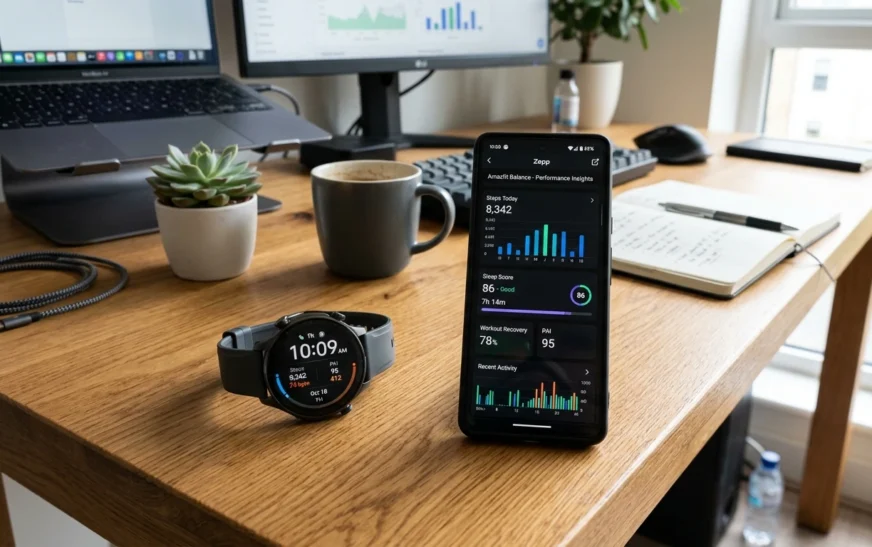
The Amazfit Balance Smart Watch is an interesting place. It’s not attempting to be an Apple Watch killer. It’s not attempting to be a hardcore Garmin substitute either.
Rather, it is focused on something that a lot of people really want. Premium looking smartwatch that accurately tracks health and lasts for days without needing continuous charging.
Having spent time going through expert reviews, user comments and long-term usage reports, it’s not hard to see why the Amazfit Balance keeps getting attention.
Table of Contents
- What Is the Amazfit Balance Smart Watch?
- Key Features at a Glance
- Design and Build Quality
- Display Experience
- Health and Wellness Tracking
- Fitness and Sports Performance
- GPS Accuracy and Navigation
- Battery Life in Real Use
- Smart Features and Zepp OS
- Amazfit Balance vs Competitors
- Pros and Cons
- Who Should Buy It?
- Common Mistakes Users Make
- Expert Tips
- FAQs
- Final Verdict
What Is the Amazfit Balance Smart Watch?
The Amazfit Balance Smart Watch is all about health. It offers fitness monitoring, wellness insights, GPS navigation and long battery life, all in a fashionable packaging.
It blends wristwatch capabilities with high-end health monitoring, and is good for regular users, runners, gym rats and professionals alike.
Key Features at a Glance
- AMOLED display
- Dual-band GPS
- Bluetooth calling
- Body composition analysis
- Sleep tracking
- Heart rate monitoring
- Stress tracking
- Offline maps support
- Music storage
- AI-powered wellness insights
- Long battery life
- Zepp OS operating system
Design and Build Quality
The design is one thing Amazfit got right.
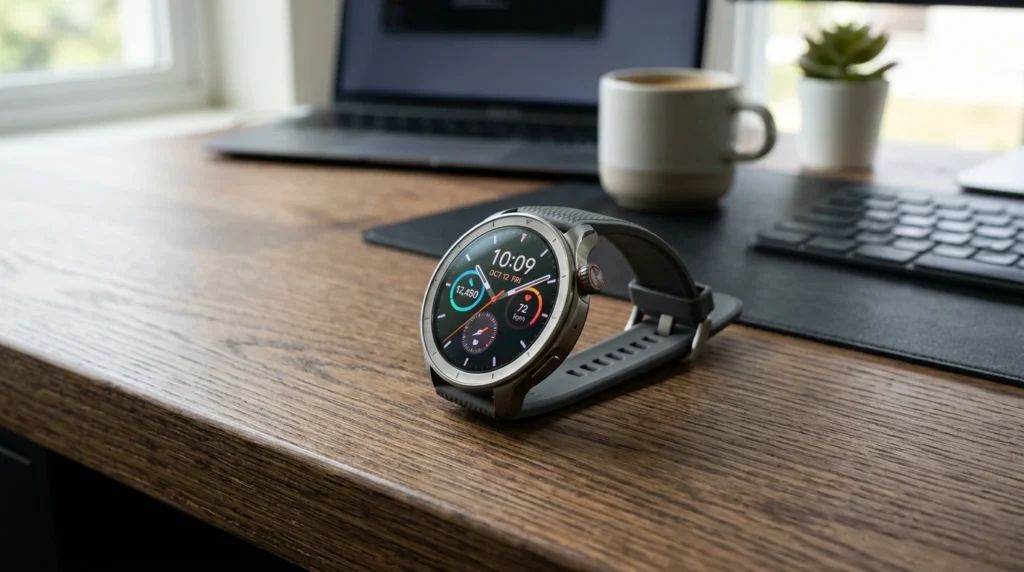
The watch seems far more expensive than most people imagine. The metal frame is strong but light enough to wear all day.
It is comfortable on the wrist even during workouts and long hours in the office.
The circular form also makes it look more like a conventional watch than many square smart watches.
Experience of Display
The AMOLED screen is bright, crisp, and readable outdoors.
Direct sunlight still shows notifications, fitness data and maps.
Colors appear bright without appearing oversaturated.
There is an always-on display option, although it does impact battery life.
“Before you decide, check our best smartwatches comparison to see how the Amazfit Balance stacks up against watches like Whoop and Apple Watch
Health and Wellness Monitoring
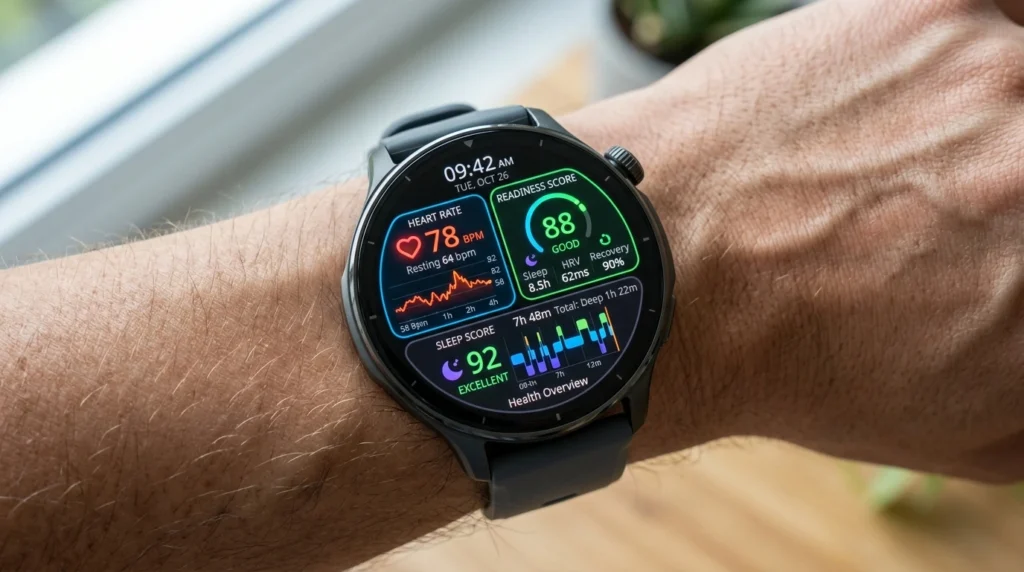
Health tracking is where the Amazfit Balance Smart Watch shines.
It tracks:
- Heart rate
- Blood oxygen levels
- Sleep stages
- Stress levels
- Recovery metrics
- Readiness scores
- Body composition
The sleep tracking system is particularly useful because it provides insights beyond simple sleep duration.
https://www.effectivecpmnetwork.com/demmg9yw2k?key=43c884562ea23c1e812d1d9224748ba3Users can understand sleep quality, recovery patterns, and overall wellness trends.
Quick Answer
Is Amazfit Balance good for health tracking?
Yes. The Amazfit Balance Smart Watch offers comprehensive health monitoring including sleep tracking, heart rate monitoring, stress tracking, recovery analysis, and wellness insights that are useful for daily health management.
Fitness and Sports Performance
The watch supports a large range of sports modes.
For runners, cyclists, hikers, and gym users, it provides detailed workout metrics without overwhelming beginners.
The fitness tracking feels balanced. Advanced enough for enthusiasts but simple enough for casual users.
Many users praise its workout tracking consistency and step-count accuracy.
GPS Accuracy and Navigation
GPS performance is one of the strongest areas.
Dual-band GPS technology improves route tracking accuracy in crowded cities and challenging outdoor environments.
Users frequently report:
- Fast GPS lock
- Accurate route recording
- Reliable hiking navigation
- Good offline map performance
For outdoor activities, it performs better than many similarly priced smartwatches.
Battery Life in Real Use
Battery life remains one of the biggest reasons people choose this watch.
Many smartwatches require charging every day.
The Amazfit Balance Smart Watch can last significantly longer depending on usage patterns. Real-world users consistently highlight battery performance as one of its best features.
Quick Answer
How long does the Amazfit Balance battery last?
For most users, the battery lasts several days to multiple weeks depending on GPS usage, display settings, and workout frequency. Heavy GPS use reduces battery life faster.
Smart Features and Zepp OS
Zepp OS focuses on speed and efficiency.
The interface feels responsive and smooth.
Smart features include:
- Bluetooth calling
- Notifications
- Voice assistant support
- Calendar management
- Music control
- Offline music storage
- Contact management
The latest AI-driven features also help users interact with the watch using natural voice commands.
Amazfit Balance vs Competitors
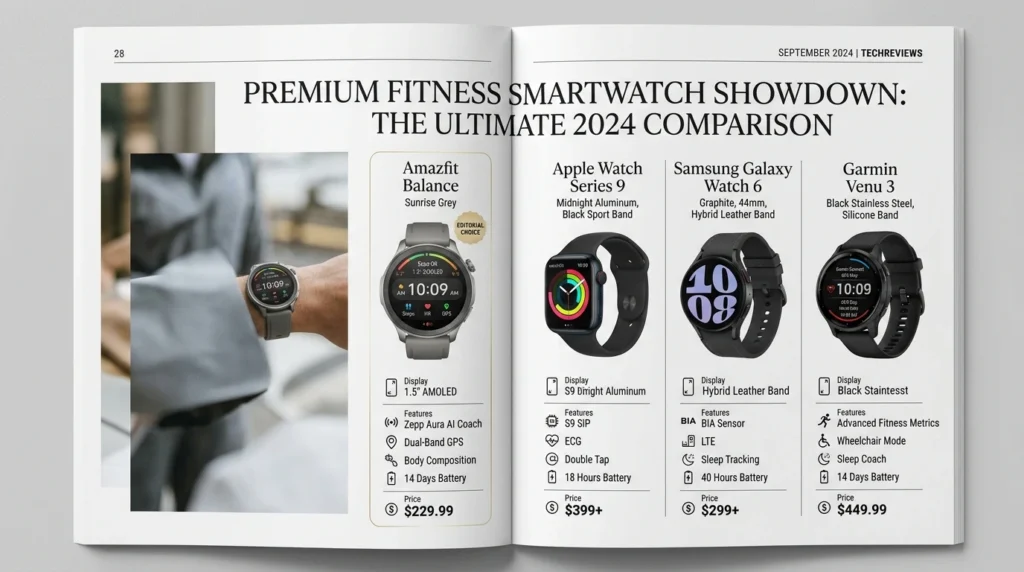
| Feature | Amazfit Balance | Apple Watch | Samsung Galaxy Watch | Garmin Venu |
|---|---|---|---|---|
| Battery Life | Excellent | Moderate | Moderate | Excellent |
| Health Tracking | Strong | Strong | Strong | Excellent |
| GPS Accuracy | Strong | Strong | Strong | Excellent |
| Smart Apps | Limited | Excellent | Excellent | Moderate |
| Fitness Tracking | Strong | Good | Good | Excellent |
| Everyday Value | Excellent | Good | Good | Good |
Pros and Cons
Pros
- Excellent battery life
- Accurate GPS tracking
- Bright AMOLED display
- Comfortable design
- Strong health tracking
- Useful wellness insights
- Lightweight construction
Cons
- Limited third-party app ecosystem
- Some AI features feel experimental
- Advanced athletes may still prefer Garmin
- Certain features vary by region
Who Should Buy It?
The Amazfit Balance Smart Watch is ideal for:
- Fitness enthusiasts
- Office professionals
- Frequent travelers
- Runners
- Health-conscious users
- People tired of daily charging
It may not be the best choice for users who depend heavily on smartwatch apps or LTE connectivity.
If your focus is on all‑day wearables, our guide on wearables worth buying in 2026 can help refine your choices
Common Mistakes Users Make
Many new users make simple mistakes.
- Ignoring software updates
- Using default health settings
- Not calibrating GPS correctly
- Expecting Apple Watch-level app support
- Forgetting to optimize battery settings
Avoiding these mistakes improves the overall experience significantly.
Expert Tips
- Enable automatic workout detection.
- Customize health alerts.
- Sync data regularly with Zepp.
- Use dual-band GPS for outdoor activities.
- Review weekly health trends instead of daily fluctuations.
- Disable unnecessary background features if battery life is your priority.
FAQs
Is the Amazfit Balance Smart Watch worth buying?
Yes. It delivers strong health tracking, reliable GPS, excellent battery life, and a premium design that offers great value for most users.
Can the Amazfit Balance make phone calls?
Yes. Bluetooth calling is supported when connected to a compatible smartphone.
Does Amazfit Balance have GPS?
Yes. It includes advanced dual-band GPS technology for accurate route tracking and navigation.
Is Amazfit Balance waterproof?
The watch is water resistant and suitable for swimming and many water-related activities.
Does Amazfit Balance track sleep?
Yes. It tracks sleep stages, recovery, and overall sleep quality.
Can I store music on Amazfit Balance?
Yes. Local music storage is available for phone-free listening during workouts.
Is Amazfit Balance good for running?
Yes. Accurate GPS, health tracking, and long battery life make it a strong option for runners.
Final Verdict
The Amazfit Balance Smart Watch succeeds because it focuses on the features most people actually use every day.
It offers reliable health tracking, accurate GPS, impressive battery life, and a premium design without overwhelming users with complexity.
No smartwatch is perfect. The app ecosystem still trails Apple and Samsung. Yet for people who care more about fitness, wellness, battery life, and practical everyday use, the Amazfit Balance remains one of the strongest smartwatch options available today.
See all CripsyWire wearable tech tests for broader context on fitness tracking quality

Continue Reading on CripsyWire
For more honest tech matchups, browse our full reviews and comparisons library. AI tool reviews live in AI tools and agents, phone reviews in smartphones, and wearable reviews in wearables. Before you buy, our step-by-step guides may help with setup decisions. The CripsyWire homepage highlights what is newest, all under our Tech coverage.