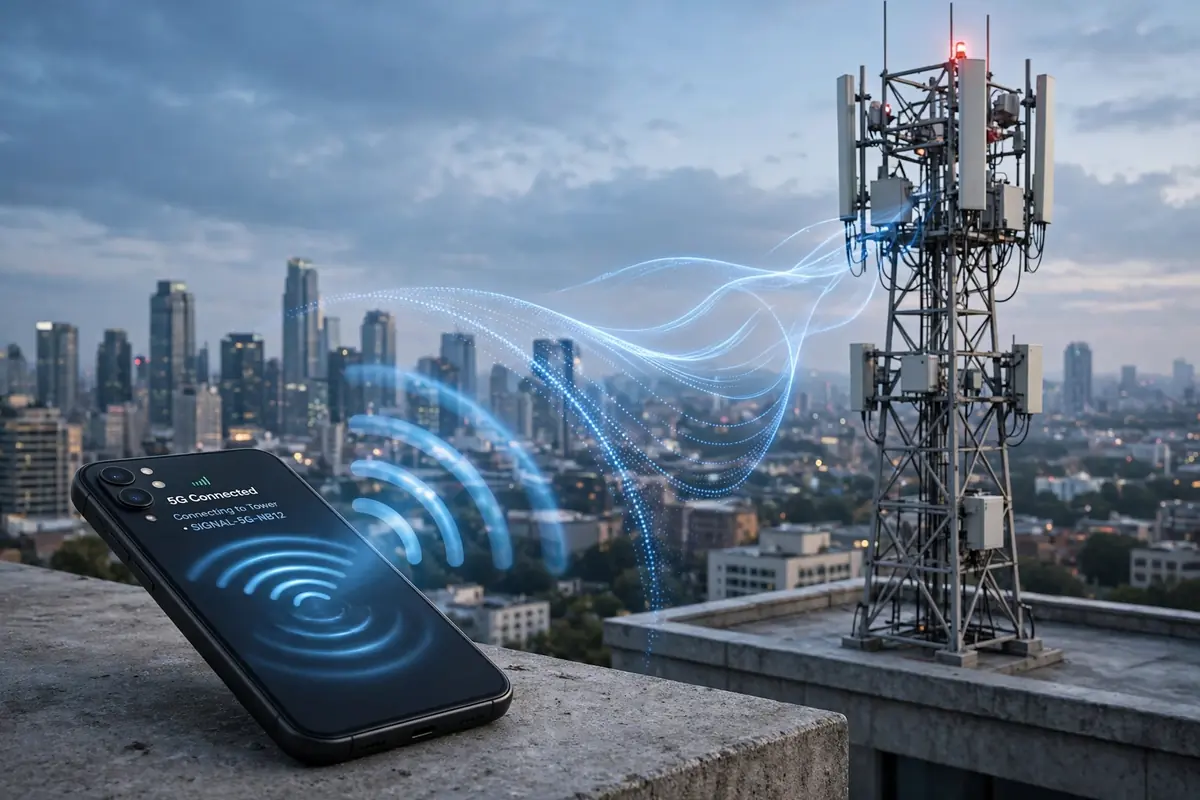
Every couple of years, a new WiFi number shows up in your feed promising to fix everything wrong with your home internet, and every couple of years, most of it turns out to be marketing dressed up as innovation. wifi 8 is a different animal. Not because it’s faster — it mostly isn’t — but because for the first time, the engineers writing the standard admitted something buyers already figured out on their own: raw speed stopped being the actual problem years ago.
Think about the last time your video call froze. It probably wasn’t because your router couldn’t hit some theoretical gigabit ceiling. It froze because your neighbor’s access point punched through the same channel at the worst possible second, or because you walked from the living room to the garage and your mesh nodes took four long seconds to decide who should actually be talking to your phone. That specific kind of annoyance, the stuff speed tests never catch, is what the new standard is built to fix.
WiFi 8, formally IEEE 802.11bn, is the next wireless networking generation after Wi-Fi 7. It isn’t shipping in finished form yet, and honestly, you’ll probably read a dozen breathless headlines about it before a certified router ever lands on your doorstep. Understanding it now still matters, though, because it changes whether buying a router this year, next year, or in 2028 is the smarter move.
Quick answer: WiFi 8 (IEEE 802.11bn) is the wireless standard coming after Wi-Fi 7, expected to be finalized around 2028 with Wi-Fi Alliance certification starting slightly earlier. It keeps the same 2.4, 5, and 6 GHz bands and roughly the same theoretical peak speed as Wi-Fi 7. The real upgrade is Ultra High Reliability (UHR) — access points coordinating with each other so your connection stops dropping in crowded apartments, weak-signal corners, and mesh setups with dead zones.
Why It’s Called “Ultra High Reliability” and Not “Ultra Fast”
Officially, the Wi-Fi Alliance is branding this generation Ultra High Reliability, or UHR, and that name tells you everything about where the priorities shifted. Every generation before this one — Wi-Fi 4 through Wi-Fi 7 — chased bigger numbers on the spec sheet. More spatial streams, wider channels, denser modulation. Wi-Fi 7 pushed theoretical throughput past 40 Gbps using 320 MHz channels and Multi-Link Operation (MLO), which lets one device use several bands simultaneously.
Wi-Fi 8 keeps almost all of that hardware ceiling exactly where it is. Same maximum channel width. Same three frequency bands. What actually changes sits underneath the hood: how access points talk to each other, how they share airtime without stepping on each other’s transmissions, and how smoothly your phone or laptop hands off between them without you noticing a stutter.
I’ve spent enough time troubleshooting mesh kits in real homes to know exactly where this pain lives. You buy a three-node mesh system, spread the units around the house, and on paper you’ve got full coverage. In practice, those nodes behave like strangers sharing a hallway. They compete for the same channel, they don’t warn each other before transmitting, and one node genuinely has no idea what its neighbor is doing on the same frequency at the same instant. That collision problem, more than raw bandwidth, is the actual bottleneck in most households, and it’s the first thing the new standard goes after.
WiFi 8 vs WiFi 7 vs WiFi 6: The Real Differences
Numbers on a spec sheet rarely tell the full story, but a side-by-side still helps put the generational jump in perspective before diving into the mechanics.
| Generation | Standard | Arrival | Max theoretical speed | Bands used | Core focus |
| Wi-Fi 6 / 6E | 802.11ax | 2021 | ~9.6 Gbps | 2.4 / 5 GHz (6E adds 6 GHz) | Efficiency in dense networks |
| Wi-Fi 7 | 802.11be | 2024 | ~46 Gbps | 2.4 / 5 / 6 GHz | Peak throughput, MLO |
| Wi-Fi 8 | 802.11bn | ~2028 (est.) | ~46 Gbps (same ceiling) | 2.4 / 5 / 6 GHz | Reliability, multi-AP coordination |
Notice the max speed column barely moves between Wi-Fi 7 and Wi-Fi 8. That’s not a typo, and it’s not a failure on the engineers’ part either. It’s a deliberate choice. Chasing another speed bump would have meant even wider channels, which the crowded 6 GHz band frankly can’t support cleanly in most markets. Instead, the working group decided the bigger win for actual humans was making the connection you already have behave consistently, rather than handing you a number on a box that only shows up in a lab.
Why the Industry Suddenly Cares About Reliability Instead of Speed
Here’s the uncomfortable truth nobody selling routers wants to say out loud: most home networks have had more speed than they know what to do with since roughly Wi-Fi 5. A typical household streaming 4K video, running a couple of laptops, and syncing a phone in the background is nowhere near saturating a Wi-Fi 6 connection, let alone Wi-Fi 7. The gap between what routers can theoretically deliver and what people actually feel day to day has been widening for years.

What people actually feel is inconsistency. A Zoom call that pixelates for three seconds right as you’re presenting. A smart lock that takes half a second too long to respond. A game console that lags exactly when someone else in the house starts a video call. None of that shows up on a speed test, because speed tests measure best-case throughput in a quiet room, not real-world conditions with fifteen devices, a neighbor’s router bleeding into your channel, and walls doing what walls do to 5 GHz signals.
Wi-Fi 8 is a direct response to that gap. The target isn’t a bigger peak number; it’s roughly 25% better throughput, 25% lower latency, and 25% fewer dropouts in the messy, real-world conditions most homes and offices actually live in. That’s a meaningfully different engineering goal, and it’s why some of the coverage calling this “boring” is missing the point. Boring, in networking, usually means it just works.
The Technology Powering WiFi 8: Multi-AP Coordination Explained
The headline mechanism behind Ultra High Reliability is something called Multi-Access Point Coordination, or MAPC. If you remember one term from this whole article, make it this one, because it’s doing most of the actual work. Instead of treating every router and mesh node as an island shouting into the same room, MAPC lets neighboring access points share information about timing, frequency, and spatial direction, then act on that shared picture instead of guessing.
Coordinated Beamforming (Co-BF)
In a typical mesh setup today, when two nodes transmit at the same time, their signals leak into each other’s coverage area and cause interference, a bit like two people shouting over each other in a small room. With Coordinated Beamforming, neighboring access points exchange channel information and mathematically steer their antenna arrays so one node aims energy directly at its client while placing a deliberate null, essentially a quiet spot, toward the other node’s active users. One access point can talk to your laptop at full strength while barely bothering the node two rooms over that’s serving your smart TV. It’s the networking equivalent of noise-cancelling headphones, except both speakers are cooperating on purpose.
Coordinated Spatial Reuse (Co-SR)
Right now, when one access point is transmitting, nearby ones on the same channel often go silent to avoid a collision, even if their intended client is far enough away that a collision was never actually likely. Coordinated Spatial Reuse fixes this by letting a primary access point calculate real transmit-power limits for its neighbors based on where their clients physically sit. So instead of Node B going quiet just because Node A is talking, Node B might safely transmit to a nearby kitchen device at reduced power while Node A keeps serving a client across the house. The airtime that used to sit wasted gets reclaimed.
Coordinated TDMA, R-TWT, and Channel Recommendation
Beyond the two headline features, the 802.11bn draft defines a handful of supporting mechanisms: Coordinated Time Division Multiple Access (Co-TDMA) schedules which access point transmits during which microsecond-scale slot, Coordinated Restricted Target Wake Time (Co-RTWT) protects latency-sensitive traffic like video calls or game packets from being delayed by unrelated devices, and Coordinated Channel Recommendation (Co-CR) helps a cluster of access points agree on which channels to use so they aren’t accidentally competing with each other in the first place.
None of this needs to be memorized to understand the upshot. Picture your mesh network finally behaving like a single coordinated antenna array instead of three independent radios that happen to share a Wi-Fi name. That’s the practical shift, and it’s genuinely different from anything Wi-Fi 6 or Wi-Fi 7 attempted.
WiFi 8 Release Date: When Can You Actually Buy It?
This is where a lot of coverage gets sloppy, so let’s separate the layers. There are three distinct milestones that people casually lump together as “the release date,” and they don’t happen at the same time.
| Milestone | Realistic timing |
| Draft chipsets from Broadcom, Qualcomm, MediaTek | Already sampling to manufacturers, 2025–2026 |
| First “pre-standard” consumer routers (unratified) | Previewed at CES 2026; early units possible in 2026–2027 |
| Wi-Fi Alliance certification program opens | Expected around late 2027 / early 2028 |
| IEEE 802.11bn final standard approval | Targeted for 2028 (previously discussed as May 2028, with some estimates pointing to September 2028) |
Here’s the part worth being blunt about: a router sold today with “Wi-Fi 8 ready” or “pre-802.11bn” printed on the box is running on a draft, not a finished standard. Draft-based hardware has burned early adopters before. Firmware updates can change behavior, interoperability with other vendors’ pre-standard gear is not guaranteed, and there’s a real chance a device bought in 2026 needs a hardware revision to fully support the ratified 2028 spec. If you’re the type who buys generation-one hardware on principle, go in with eyes open about that trade-off.
Who Actually Needs WiFi 8? Real-World Use Cases
Not every home needs this upgrade the day it lands, and pretending otherwise would be dishonest. Where the reliability gains genuinely matter is in specific, identifiable situations.
Dense apartments and multi-unit buildings
If you live in a building where a Wi-Fi scanner shows fifteen networks fighting over the same three usable 5 GHz channels, you already know the pain Wi-Fi 8 is aimed at. Coordinated spatial reuse and channel recommendation exist almost entirely for this scenario — too many independent networks crammed into too little clean spectrum.
Smart home devices and constant background chatter
A modern household isn’t just phones and laptops anymore. Video doorbells, smart locks, thermostats, robot vacuums, and wearables such as fitness trackers and smartwatches are all chirping on the network constantly, often at the worst possible moments. Coordinated Restricted Target Wake Time specifically protects time-sensitive traffic from getting buried under that background noise, which matters more the more gadgets you add.
XR, gaming, and low-latency applications
Extended reality headsets, competitive gaming, and industrial automation all share one requirement: consistent, predictable latency matters more than peak throughput. A VR headset that spikes to 200ms for half a second causes motion sickness, not just lag. Wi-Fi 8’s entire reliability push was shaped with these applications explicitly in mind, alongside industrial and e-health use cases that can’t tolerate unpredictable dropouts.
Mesh networks with awkward dead zones
If your current mesh system has a garage, basement, or far bedroom that drops connection every time you walk through it, that’s precisely the multi-AP handoff problem Wi-Fi 8 targets. The nodes finally get to act like one coordinated system instead of three radios quietly competing for the same air.
On the flip side, a small apartment with two devices and one router sitting in the middle of it has very little to gain here. The bottleneck in that setup was never inter-AP coordination, because there’s only one AP to begin with.
Should You Buy Wi-Fi 7 Now, or Wait for WiFi 8?
Realistically, most people reading this in 2026 should not wait. Final ratification of 802.11bn is targeted for 2028, certified consumer routers will land some months after that, and pricing on first-generation hardware is always steep before it settles. That’s a multi-year runway if you’re currently on Wi-Fi 5 or an aging Wi-Fi 6 router struggling under a house full of devices.
Before buying anything, though, it’s worth actually knowing what you’re working with. Run a rough check on how much data your household actually burns through in a typical month, because a lot of “my Wi-Fi is slow” complaints turn out to be a data cap or throttled plan, not a hardware problem at all. A router upgrade won’t fix a bandwidth ceiling your ISP is enforcing.
It also helps to get concrete numbers rather than guessing. Running your usage through a dedicated data usage calculator before you shop tells you whether the bottleneck is really your router’s coordination between access points, or whether you’re simply pushing more traffic than your current plan tier was built for.
If you fall into one of the specific scenarios above — crowded apartment building, mesh dead zones, a house full of smart devices — a solid Wi-Fi 7 router bought today will still serve you well through the entire wait for Wi-Fi 8. Wi-Fi 7’s Multi-Link Operation already delivers a real, felt improvement in reliability over Wi-Fi 6, even without full multi-AP coordination. It’s not nothing; it’s a genuine stepping stone.
If your current setup is genuinely fine and you’re just curious about the next shiny label, save your money. There’s no rush, and buying draft-standard hardware the moment it appears rarely ages well.
The Chipset and Router Landscape Behind WiFi 8
Behind the scenes, the usual silicon players are already deep into this cycle. Broadcom has chipsets sampling to manufacturers, Qualcomm has published detailed technical breakdowns of the coordination features, and MediaTek’s Filogic platform is positioned for early draft-based hardware. TP-Link has already announced plans for early devices, and expect Netgear, Asus, and the rest of the usual router lineup to follow with “ready for Wi-Fi 8” marketing well before certification actually exists.
This pattern isn’t new. Phone makers do the same dance — chip vendors talk up next-gen radios years before a flagship phone ships with them. If you’re eyeing upcoming devices like the next iPhone generation, don’t expect early Wi-Fi 8 support baked in; phone vendors typically wait for the ratified standard and certification before committing radio hardware to a shipping product, since a recall over an unratified draft feature is a nightmare nobody wants.
Security and Backward Compatibility: What Won’t Break
A fair question anyone should ask before caring about a new wireless standard: will my existing devices still work? Yes. Wi-Fi generations are built to be backward compatible by design, and Wi-Fi 8 access points will keep talking to Wi-Fi 5, 6, and 7 devices without issue, just without the coordination benefits those older devices can’t participate in.
On security, expect Wi-Fi 8 to build on WPA3 rather than reinvent it. The coordination layer between access points does introduce new signaling between devices that previously operated independently, which is exactly the kind of new attack surface security researchers will be picking apart once real hardware exists. Treat early “security audited” claims on draft hardware with a healthy dose of skepticism until the standard is finalized and independently tested.
Common Mistakes People Make Chasing New Wi-Fi Standards
- Assuming a bigger generation number automatically means a faster connection at home — it usually means your bottleneck was never the standard itself.
- Buying “pre-standard” or draft hardware expecting full interoperability with a different vendor’s future certified gear.
- Ignoring the ISP plan entirely. No router generation fixes a data cap or a throttled connection.
- Placing mesh nodes without checking basic signal overlap first, which undercuts even the best coordination technology has to offer.
If your network problems feel more like basic connectivity glitches than a generational limitation, it’s worth ruling out the boring stuff first. A step-by-step connection troubleshooting guide solves a surprising number of “my Wi-Fi is broken” complaints that had nothing to do with the wireless standard at all.

WiFi 8 FAQs: Quick Answers to Common Questions
Is WiFi 8 faster than WiFi 7?
No, not in peak theoretical speed. Wi-Fi 8 keeps roughly the same maximum throughput ceiling as Wi-Fi 7. What improves is real-world consistency — fewer dropouts, steadier performance in weak-signal areas, and smoother handoffs between access points.
When will WiFi 8 be released?
The IEEE 802.11bn standard is targeted for final approval around 2028, with Wi-Fi Alliance certification expected shortly before that. Draft-based, uncertified hardware may appear from 2026 onward, but full certified products likely won’t reach shelves until 2028 or later.
Will I need a new router for WiFi 8?
Yes, eventually, if you want the full benefit. Multi-AP coordination requires new radio hardware and firmware on both the router and, in some cases, the connected devices. Existing Wi-Fi 6 or Wi-Fi 7 routers will not gain Wi-Fi 8 features through a software update alone.
Does WiFi 8 use different frequency bands?
No. Wi-Fi 8 continues to use the same 2.4 GHz, 5 GHz, and 6 GHz bands already available on Wi-Fi 6E and Wi-Fi 7 devices. The improvement comes from how access points coordinate use of those bands, not from opening new spectrum.
Is it worth waiting for WiFi 8 instead of buying WiFi 7 now?
For most households, no. Certified Wi-Fi 8 products are years away, and Wi-Fi 7 already delivers a meaningful reliability improvement over older standards through Multi-Link Operation. Buy for your current needs and treat Wi-Fi 8 as a future upgrade path, not something to delay a purchase over.
What does UHR mean in Wi-Fi 8?
UHR stands for Ultra High Reliability, the official designation the Wi-Fi Alliance uses for the 802.11bn standard. It reflects the generation’s core goal: consistent, dependable performance in crowded or difficult conditions, rather than higher peak data rates.

Continue Reading on CripsyWire
For more honest tech matchups, browse our full reviews and comparisons library. AI tool reviews live in AI tools and agents, phone reviews in smartphones, and wearable reviews in wearables. Before you buy, our step-by-step guides may help with setup decisions. The CripsyWire homepage highlights what is newest, all under our Tech coverage.